What Happens When You Make a Business Phone Call: The Journey of a Call
A Journey You Never Think About
You pick up the handset, dial, and someone answers. The whole thing takes a few seconds and you never think about it again — until the day the call sounds wrong, and then you have no framework for describing what went wrong or who to ask about it.
This is what actually happens between your handset and theirs on a modern business phone system, in the order it happens.
Step One: Your Voice Becomes Data
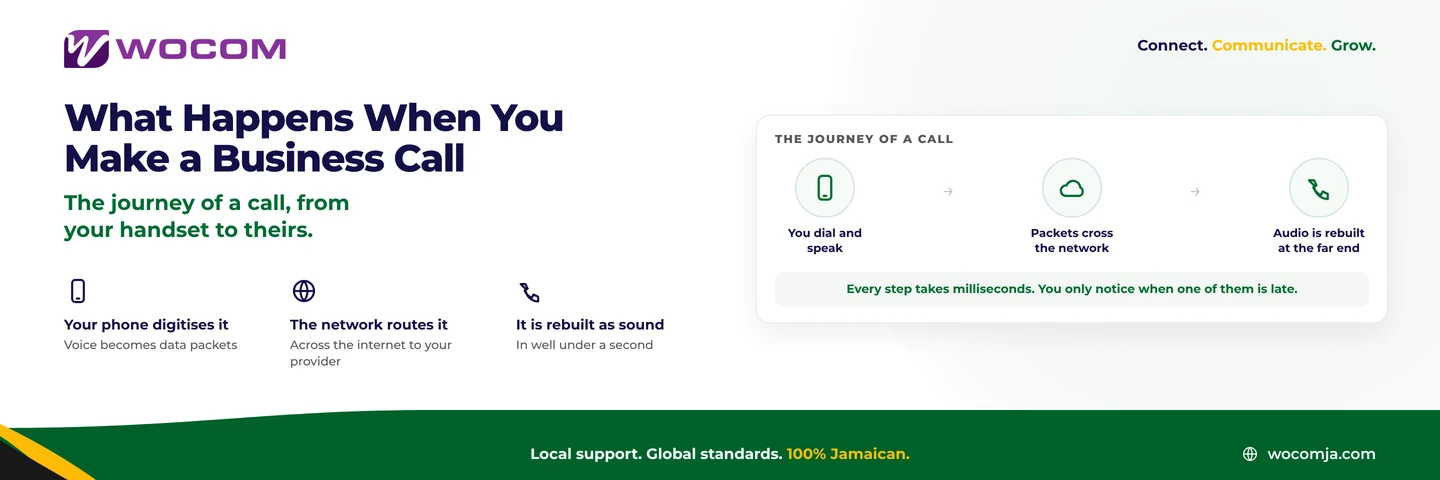
Your voice arrives at the handset as pressure waves in air. A microphone turns those into an electrical signal, and the phone samples that signal thousands of times a second, turning it into numbers.
Those numbers are then compressed by a codec — a piece of maths that decides how much data each second of speech is worth. On a business system this is usually G.711, which uses about 64 kbps and sounds excellent, or G.729, which uses roughly 8 kbps and sounds noticeably thinner. The codec choice is the single biggest lever on how much bandwidth your phones need.
The compressed audio is chopped into small packets, typically holding 20 milliseconds of speech each. That means your phone is producing about fifty packets a second while you talk.
Step Two: The Packets Cross the Network
Each packet is addressed and handed to your internet connection, which passes it to your provider’s network.
Two separate conversations are happening here, and it helps to know they are separate. Signalling — SIP — is the negotiation: this number is calling that number, here is how to reach me, the call is ringing, the call has been answered, the call has ended. Media — RTP — is the actual audio. Signalling sets the call up; media carries the voice. When a call connects but has no sound, that is almost always a media problem with signalling working perfectly.
Packets do not necessarily travel together or arrive in order. Each one finds its own way. The receiving end has to reassemble them, which is why the next step exists.
Step Three: The Far End Rebuilds the Sound
The receiving phone holds incoming packets briefly in a jitter buffer — a few tens of milliseconds of deliberate delay, so that packets arriving slightly out of order can be put back in sequence before anything is played.
The buffer is a trade. Too small and out-of-order packets are discarded, which you hear as clipping. Too large and you add delay, which you hear as people talking over each other. Phones adjust it automatically, which is usually right and occasionally the thing to look at.
The packets are decompressed, converted back into an electrical signal, and pushed through a speaker as sound. The whole journey should complete in under 150 milliseconds.
Where It Goes Wrong
Three things can happen to packets in transit, and each produces a distinct symptom:
- Latency — they take too long. Both people start talking at once, then both stop.
- Jitter — they arrive at uneven intervals. Speech sounds choppy or robotic.
- Packet loss — some never arrive. Words and syllables are simply missing.
Being able to name the symptom is most of the diagnosis. Our guide to latency, jitter and packet loss covers what each one is caused by and what fixes it.
Nobody notices any of this working. Everyone notices one of them failing, which is why the vocabulary is worth having.
Why Any of This Matters to a Business
Three practical consequences follow from understanding the journey.
Bandwidth is about concurrent calls, not handsets. Each live call is its own stream of packets. Twenty phones with two calls in progress use two calls’ worth of bandwidth. See how to calculate what your phones need.
Upload matters as much as download. Your voice is going out. Jamaican broadband packages are often heavily asymmetric, and a connection advertised as fast can be poor for voice because its upload is thin.
The destination is a setting, not a place. Once the call is data, where it lands is a rule your system applies — which is why a call to a Kingston number can ring a mobile in St Elizabeth with nothing physical changing. That is the basis of phone systems for remote workers.
The Short Version
Your voice is sampled and compressed into fifty packets a second, those packets are routed across the network to your provider and on to the destination, and the far end reorders them, decompresses them and plays them as sound — all inside a tenth of a second.
When that works, a phone call is a phone call. When it does not, you now know which of the three failures you are listening to.
If your calls are not sounding the way they should, WOCOM can test the path and tell you which step is at fault. Call 876-906-7240 in Jamaica or 877-906-7240 from the US, email support@wocomja.com, or use the contact page.
Continue exploring
Ready to upgrade your communications?
Talk to our team about the right solution for your business.
Book a Demo Contact SalesEverett Kildare is WOCOM's voice and infrastructure specialist, with more than 25 years of experience designing and running carrier-grade voice, SIP and virtualization infrastructure. Holding a BSc in Information Technology, he has built, secured and migrated phone systems for businesses of every size. Everett writes WOCOM's technical coverage of SIP trunking, cloud PBX, contact centres, business continuity and migration.