Latency, Jitter and Packet Loss: Why VoIP Calls Sound Bad
Three Faults, Three Distinct Symptoms
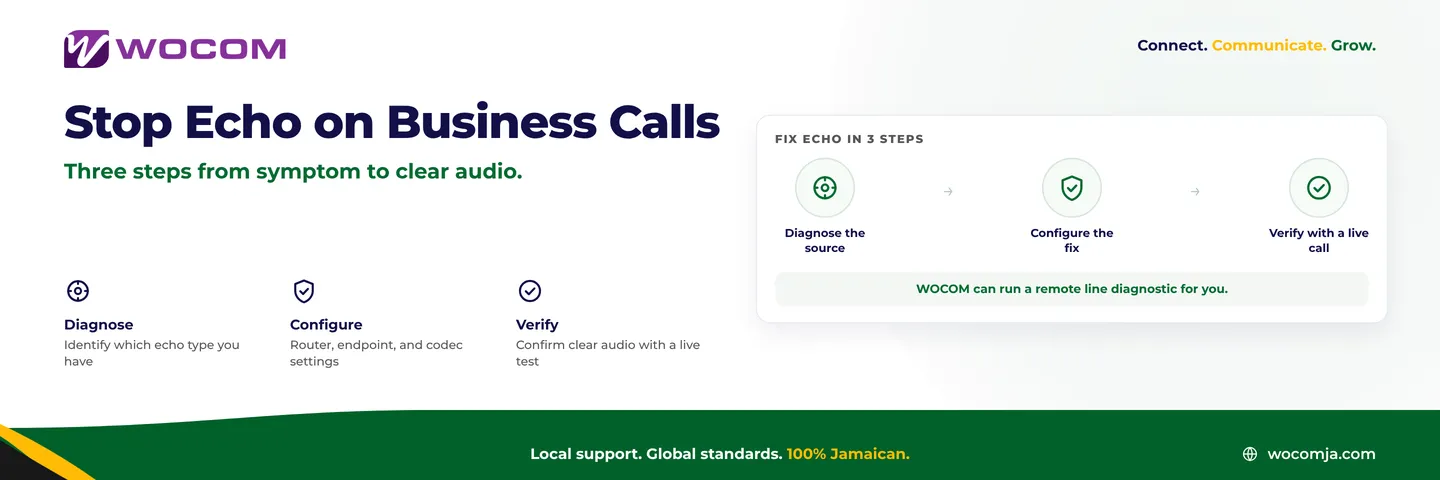
“The phones sound bad” is where most support calls start, and it is the least useful sentence in the conversation. There are three separate things that go wrong with voice over IP, they sound completely different from each other, and they have different causes and different fixes.
Learn to hear which one you have and you will diagnose your own call quality faster than most support desks can.
Latency: The Delay
What it is. The time a packet of your voice takes to travel from your handset to the other person’s ear. Measured one way, in milliseconds.
What it sounds like. Both people start talking at the same time, both stop, both apologise, both start again. Nothing is distorted — the audio is perfectly clear, it just arrives late enough to break the natural rhythm of conversation.
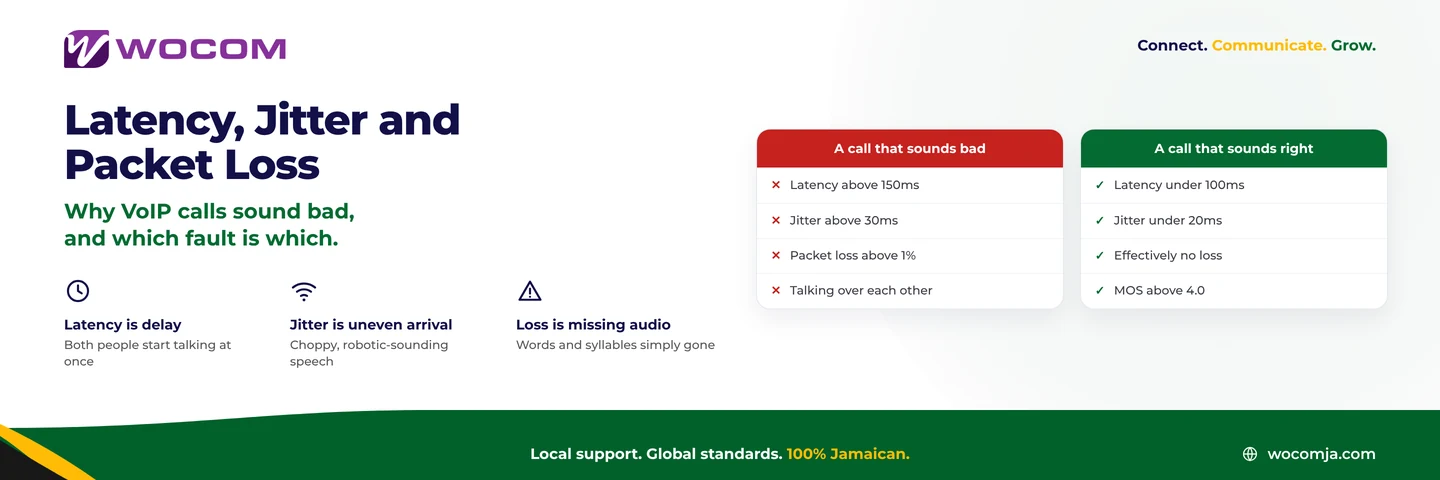
The numbers. Under 100ms is comfortable and unnoticeable. 100–150ms is acceptable. Beyond about 150ms the overlap starts, and beyond 300ms the call becomes genuinely hard work.
What causes it. Physical distance is part of it and cannot be argued with. The larger contributors are usually routing — traffic taking a long way round, often through North America and back — and queueing on a congested link. Satellite adds a fixed penalty that no amount of tuning removes.
What fixes it. A provider with local interconnection so Jamaican calls stay in Jamaica rather than transiting abroad. Quality of Service on your router so voice is not queued behind a backup upload. Wired connections rather than wireless for desk phones.
Jitter: The Unevenness
What it is. Variation in arrival time. Your phone sends a packet every 20 milliseconds; jitter is the degree to which they arrive at anything other than 20-millisecond intervals.
What it sounds like. Choppy, stuttering, or oddly robotic speech. Some people describe it as underwater. Unlike latency, jitter distorts the audio itself.
The numbers. Under 20ms is good. 20–30ms is usually still fine because the jitter buffer absorbs it. Above 30ms the buffer starts discarding packets that arrive too late to be useful, and you hear it.
What causes it. Congestion, almost always. When a link is busy, packets are queued for varying amounts of time depending on what else is passing. Wi-Fi is a common culprit: shared airtime makes arrival times inherently variable. Overloaded consumer routers are another.
What fixes it. QoS marking so voice packets jump the queue. Wiring desk phones instead of putting them on Wi-Fi. Making sure your router is capable of the traffic it is being asked to handle — a router adequate for browsing is often not adequate for twelve concurrent calls.
Packet Loss: The Missing Pieces
What it is. Packets that never arrive at all.
What it sounds like. Words and syllables simply absent. The call is otherwise clear, and then a chunk of a sentence is gone. Severe loss sounds like the other person is cutting in and out.
The numbers. Under 0.5% is essentially unnoticeable. 1% is audible. Above 2% the call is unpleasant, and above 5% it is unusable.
What causes it. A saturated link discarding what it cannot carry, faulty cabling or a failing port, wireless interference, or an overloaded device somewhere in the path. Loss is the fault most likely to indicate genuinely broken hardware rather than merely busy hardware.
What fixes it. Find the saturated or faulty hop. Check cables and switch ports before assuming the internet connection. Ensure your upload capacity actually covers your concurrent calls — see how to calculate what you need.
The Jamaican Context
A few local specifics worth knowing.
Asymmetric broadband is the most common cause of all three. A package advertised at 100 Mbps down may offer 10 Mbps up. Your voice travels on the upload. Five concurrent calls fit comfortably; twenty do not, and when the upload saturates you get latency, jitter and loss simultaneously.
Shared office Wi-Fi is the second. A softphone on the same access point as everyone’s laptops is competing for airtime with file syncs and video calls.
Weather and power. During storm season, brief power events and link flaps produce short bursts of loss. A failover plan matters more here than in most markets.
If all three symptoms appear at once, stop looking for three faults. You have one saturated link.
Turning Symptoms Into a Score
All three impairments feed into a single figure — the Mean Opinion Score, MOS, from 1 to 5. Above 4.0 is business-grade; below 3.6 people start complaining. MOS is the summary; latency, jitter and loss are the causes underneath it. Our guide to MOS and how to keep it above 4.0 covers reading the score itself.
Before You Call Support
Three checks that resolve a large share of quality complaints:
- Is it everyone, or one desk? One desk points at a cable, a port or a handset. Everyone points at the link or the router.
- Is it all day, or at particular times? A daily pattern is congestion, and congestion is a capacity or QoS problem, not a fault.
- Is it wired or wireless? Move one affected phone onto a cable and retest. This single step resolves more jitter complaints than anything else.
If the answers do not point somewhere obvious, WOCOM can measure latency, jitter and loss on your actual path and tell you which hop is responsible. Call 876-906-7240 in Jamaica or 877-906-7240 from the US, email support@wocomja.com, or use the contact page.
Continue exploring
Ready to upgrade your communications?
Talk to our team about the right solution for your business.
Book a Demo Contact SalesEverett Kildare is WOCOM's voice and infrastructure specialist, with more than 25 years of experience designing and running carrier-grade voice, SIP and virtualization infrastructure. Holding a BSc in Information Technology, he has built, secured and migrated phone systems for businesses of every size. Everett writes WOCOM's technical coverage of SIP trunking, cloud PBX, contact centres, business continuity and migration.