One-Way Audio on Business Calls Jamaica: Causes, Diagnosis, and How to Fix It
Your staff answers a call. The customer says "hello" twice, frustrated. Your agent can hear them clearly — but the customer hears only silence. Or the reverse: your agent speaks, the customer gets dead air. The call connected fine. The audio path, however, is broken in exactly one direction.
This is one-way audio, and it is one of the most common and most disruptive faults on VoIP and SIP trunk deployments across Jamaica. Unlike a dropped call, one-way audio keeps the session alive — which means the customer is already confused and frustrated before your team even understands that something has gone wrong.
What One-Way Audio Actually Is
A SIP call has two distinct layers: signalling (which sets up and tears down the call) and media (the actual voice data, carried by the RTP protocol). One-way audio is always a media problem, never a signalling problem. The call connected successfully — both endpoints agreed on a session. But the RTP audio stream is flowing correctly in only one direction.
This is why one-way audio can be intermittent and hard to reproduce. The signalling logs will often show a perfectly normal call. The fault only reveals itself when a person actually picks up and speaks.
One-way audio is distinct from:
- Total silence — where neither party hears anything (usually a codec failure or a complete media block on both sides)
- Echo — where audio travels both ways but one side hears their own voice returned with delay
- Choppy or breaking audio — where both sides have audio but the stream drops packets intermittently
The Five Most Common Causes in Jamaica
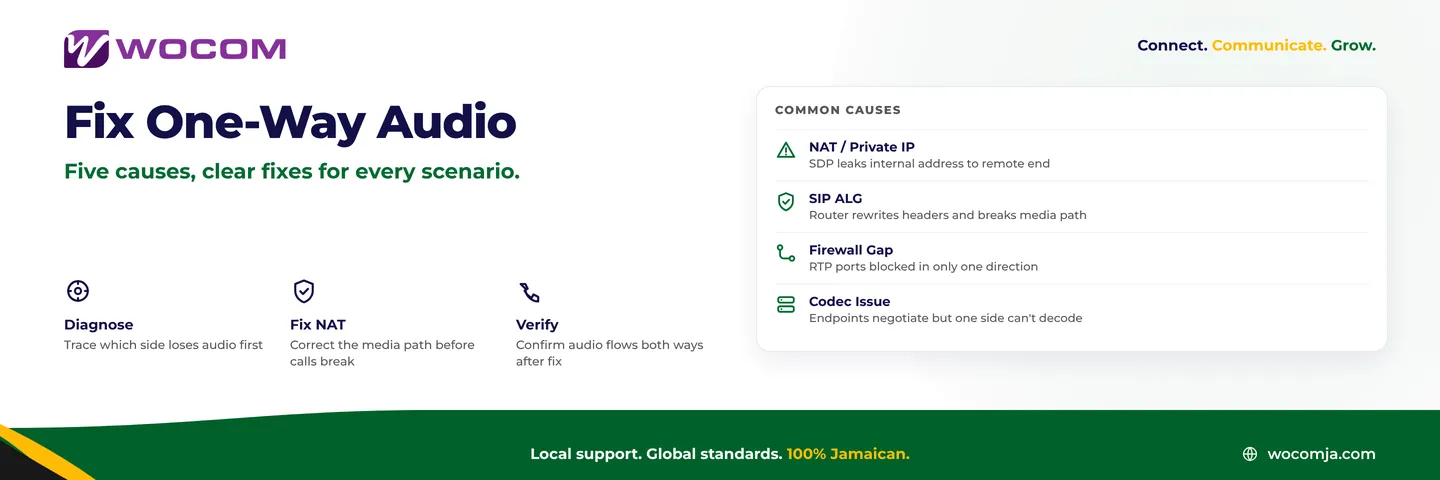
Most one-way audio faults trace back to one of five root causes. Identifying which one you are dealing with determines the fix.
1. NAT and Private IP Addresses Leaking into SDP
This is the single most common cause on the island. When your IP PBX or SIP device sits behind a router — which every office in Kingston, Montego Bay, and every branch location does — it knows only its private IP address, something like 192.168.1.50. When it sends a SIP INVITE or 200 OK response, it includes this private address in the SDP (Session Description Protocol) body, telling the remote end "send your audio here." But the remote end — your SIP carrier or the far-end caller — cannot reach 192.168.1.50. It is not on the public internet. Audio gets sent to an unreachable address, and one side hears nothing.
The fix is configuring your PBX or SIP gateway to advertise its public IP address in the SDP, or using a STUN server to discover it automatically. Cloud PBX platforms handle this transparently at the platform level. On self-hosted systems, it is a configuration parameter that must be set explicitly during installation.
2. SIP ALG on Your Router
Many consumer-grade and small-business routers — TP-Link, Linksys, D-Link, and even some Mikrotik configurations — include a feature called SIP ALG (Application Layer Gateway). The intention is helpful: the router tries to rewrite SIP headers so the private IP problem above gets corrected automatically. In practice, SIP ALG implementations are inconsistent and frequently corrupt the SDP body in ways that break media paths, especially when the PBX is already handling NAT traversal correctly on its own.
The fix: disable SIP ALG entirely on your router. Every major router brand has a setting for this, usually under Advanced or Application settings. If you are on a Flow Business, Digicel Business, or Starlink connection with a retail router, your IT team or WOCOM support can walk you through the exact step for your hardware.
3. Firewall Rules Open in Only One Direction
RTP audio travels on a range of UDP ports — commonly 10,000 to 20,000, though this varies by platform. If your firewall allows outbound RTP but blocks inbound, your staff can hear the caller but the caller cannot hear your staff. If it blocks outbound, the reverse happens. A complete block in both directions gives silence on both ends.
Businesses that tightened firewall rules after a security review sometimes introduce one-way audio without realising it. The fix is confirming your firewall permits RTP traffic bidirectionally, for the correct port range, from and to your SIP provider's media server addresses.
4. Codec Mismatch or Failed Codec Negotiation
SIP endpoints negotiate which audio codec to use during call setup. If that negotiation fails silently — or if one side sends audio encoded in a format the other cannot process — you get one-way audio or total silence depending on which side fails to decode. G.711 (the standard codec on most Jamaican SIP trunks) is rarely the problem. Issues appear more often with G.729 compression, which requires a licence on some platforms, or with newer codecs like Opus that older gateways do not support.
5. ISP Routing Asymmetry
Less common but real: some internet connections route inbound and outbound traffic through different network paths. If one path has a stricter firewall or a broken NAT mapping, audio flows in one direction only. This is more likely on mobile data connections (4G/5G) than on fixed fibre or cable. Testing the same call on a different internet connection is a fast way to rule this in or out.
Quick Checks Your Team Can Run Right Now
Before escalating to your SIP provider or IT support, these three tests take under ten minutes and will narrow down the cause significantly.
- Test on a different network. Use a softphone on mobile data (Digicel or Flow LTE) to make the same call. If audio is fine on mobile data, the issue is your office internet connection or router — not the SIP trunk itself.
- Check whether the fault is direction-specific. Have an external number call in and speak. Then have your staff call out and speak. If one direction works and the other does not, this is almost certainly a NAT or firewall issue rather than a codec problem.
- Check your router for SIP ALG. Log into your router admin panel and search for "SIP ALG," "SIP Helper," or "Application Layer Gateway." If it is enabled, disable it, reboot the router, and retest.
What to Tell Your SIP Provider When You Escalate
If the quick checks do not resolve it, escalating with the right detail gets you to a resolution faster. Tell your provider:
- Which direction is missing audio — the inbound caller cannot hear your staff, or your staff cannot hear the caller
- Whether it happens on every call or only intermittently
- Whether it affects all devices or only specific phones or softphones
- Your router make and model, and whether SIP ALG is currently enabled or disabled
- Your ISP and connection type — fibre, cable, Starlink, or mobile data
- The exact time and destination number of a specific affected call so the provider can pull the RTP trace
A competent SIP provider can pull RTP capture logs and tell you within minutes whether the media stream from your end is arriving at their servers correctly. If audio is arriving at the carrier but not being sent back, the fault is on their side. If no audio arrives from your end at all, the issue is your local network or NAT configuration.
How WOCOM Handles This at the Platform Level
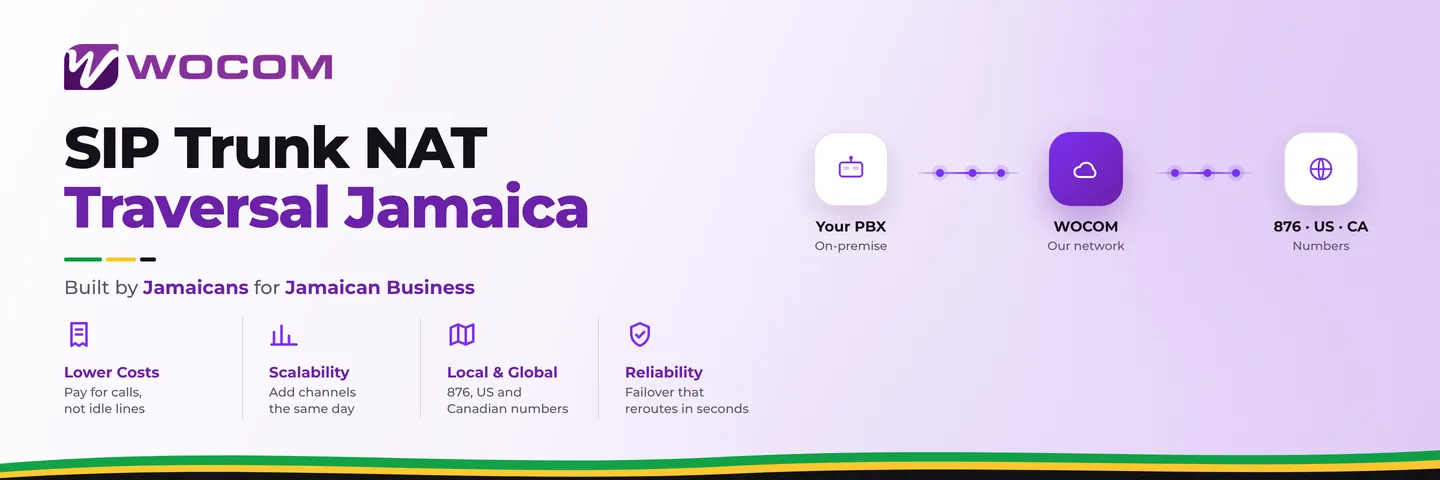
WOCOM's SIP trunking and Cloud PBX platform is built to handle NAT traversal without requiring customers to manually configure externIP parameters or STUN servers. Our media servers use RTP proxying, meaning your audio path routes through WOCOM's infrastructure rather than relying on direct IP-to-IP media delivery between endpoints. This eliminates the entire class of faults where private addresses end up embedded in SDP and audio never reaches its destination.
For businesses running their own IP PBX — Asterisk, FreeSWITCH, 3CX — WOCOM's technical team provides the correct NAT traversal configuration during onboarding and can pull live call traces when faults arise after deployment. You do not need to become a network engineer to run reliable business phone calls in Jamaica. You need a provider with the infrastructure visibility and the support capability to diagnose faults from their side of the connection.
One-way audio is a solvable problem. In almost every case it traces back to one of the five causes above, and every one of them has a concrete, permanent fix.
Experiencing one-way audio or unexplained call quality issues on your Jamaica business lines? WOCOM's SIP specialists can assess your current setup and get you onto a platform that manages media routing correctly — no guesswork, no manual NAT configuration. Contact WOCOM today or email sales@wocomenterprise.com to arrange a technical review.
Continue exploring
Ready to upgrade your communications?
Talk to our team about the right solution for your business.
Book a Demo Contact SalesEverett Kildare is WOCOM's voice and infrastructure specialist, with more than 25 years of experience designing and running carrier-grade voice, SIP and virtualization infrastructure. Holding a BSc in Information Technology, he has built, secured and migrated phone systems for businesses of every size. Everett writes WOCOM's technical coverage of SIP trunking, cloud PBX, contact centres, business continuity and migration.