HubSpot Phone Integration Jamaica: Click-to-Dial and Automatic Call Logging for Your Business
The Daily Disconnect Between HubSpot and Your Phone
Picture a typical morning in a Kingston sales office. A team member opens HubSpot, finds a warm lead from last week's enquiry, and then reaches for the desk phone to dial a separate number. The call lasts four minutes. They hang up, switch back to HubSpot, and try to recall what was said well enough to type a note. If they are busy, that note waits until end of day. Sometimes it never arrives.
This gap between CRM and phone is not a minor inconvenience — it is a data problem. Contact records go stale. Follow-up deadlines get missed. Managers cannot accurately report on call activity. And for a Jamaican SME where one or two people handle the majority of customer relationships, that administrative overhead accumulates across every working day.
HubSpot phone integration closes that gap. Your Cloud PBX and your CRM operate as one system: calls placed from HubSpot, calls answered on your business line, notes and outcomes captured automatically. Here is what it does and what your Jamaica business needs to set it up properly.
What CRM-Phone Integration Actually Does
CRM-phone integration connects your phone system to your customer management software so that the two exchange information in real time. When properly configured between HubSpot and a Cloud PBX, it handles four things your team currently does manually:
- Click-to-dial: Any phone number in HubSpot — on a contact, company, or deal record — becomes a live button. One click places an outbound call from your business line without dialling a single digit.
- Screen pop: When an inbound call arrives, HubSpot automatically opens the matching contact record so your team member sees the customer's full history before they even say hello.
- Automatic call logging: When a call ends, the system records the time, duration, direction (inbound or outbound), and outcome against the relevant contact. No manual entry required.
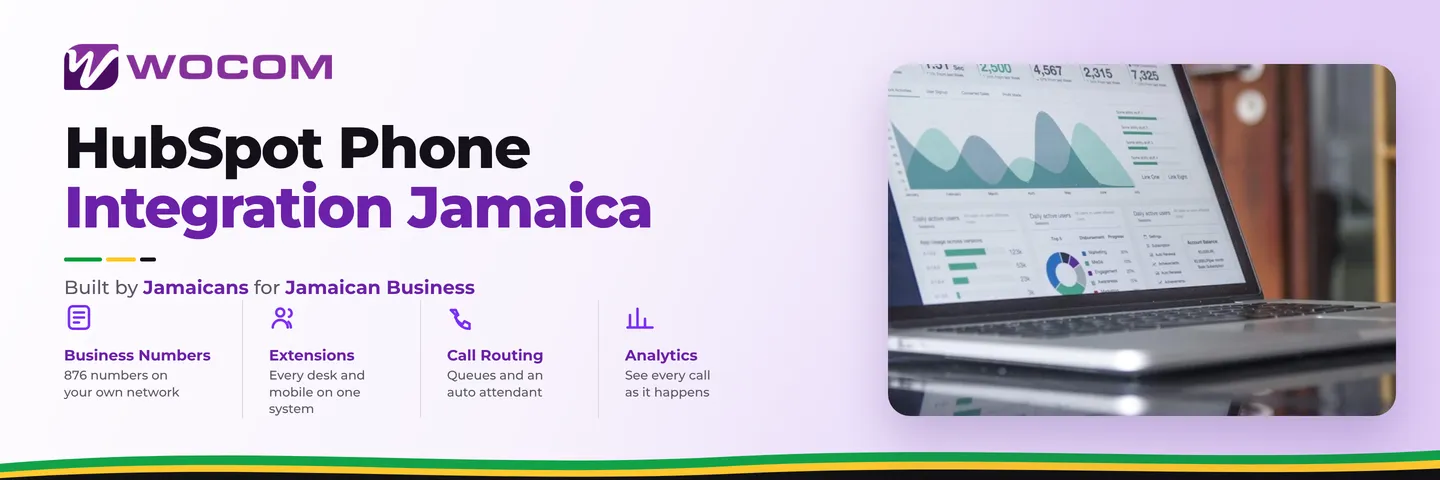
- Activity reporting: Call data flows into HubSpot's reporting dashboards, so managers can see exactly how many calls each team member completed, how long they ran, and what outcomes were recorded — without asking anyone to compile a spreadsheet.
None of this replaces the substance of what your team says during a call. It removes the administrative layer that wraps around every call and rarely gets done properly when people are busy.
Click-to-Dial: From Contact to Call Without Switching Applications
Click-to-dial is the most immediately visible benefit for outbound-heavy teams. A salesperson working a prospect list in HubSpot can move from one call to the next without touching a physical handset beyond lifting and replacing the receiver. The dialling happens automatically through the phone system.
For businesses running WOCOM Cloud PBX, click-to-dial works by triggering a call event through the PBX. When you click a number in HubSpot, the PBX first rings your desk phone or softphone app — you pick up — and then connects the outbound leg to the customer. This means the call carries your business caller ID, routes through your PBX (and therefore through your call recording policy if you use one), and appears on your business account rather than on a personal mobile.
That last point matters. Calls placed from personal mobiles are invisible to your phone system. Calls placed through your Cloud PBX via click-to-dial are logged, recordable, and reportable. For regulated industries in Jamaica — financial services, insurance, legal — that traceability is not optional, and click-to-dial delivers it without changing how your team works.
Inbound Screen Pop: Know the Call Before You Answer
Screen pop works in reverse. When a known contact calls your business number, HubSpot detects the incoming caller ID, matches it to a contact record, and opens that record on the agent's screen before or just as the call is answered.
For a Jamaica business handling repeat customer enquiries, this changes the entire tone of the conversation. Instead of asking for a name and account number, the team member can open with the customer's context already visible — last interaction, open deal stage, service ticket status, notes from previous conversations. Customers notice that difference between being recognised and having to re-introduce themselves every time they call.
Screen pop requires that inbound caller ID passes through your phone system cleanly. WOCOM Cloud PBX supports caller ID delivery on inbound calls, which is the prerequisite for HubSpot to perform the lookup and pull up the contact record. If your current phone setup strips caller ID before it reaches the agent's desk, screen pop will not function — which is one reason the underlying phone infrastructure matters when evaluating CRM integration.
Connecting HubSpot to Your WOCOM Cloud PBX
There are two paths to HubSpot phone integration, and which one fits depends on how your business uses its phones day to day.
HubSpot's native browser calling uses WebRTC — calls are made directly in a web browser without a desk phone. It activates quickly and costs nothing beyond your HubSpot subscription, but it routes calls through HubSpot's own infrastructure rather than your business PBX. That means no connection to your existing extensions, no routing through your call recording, and a caller ID that may differ from your main business number.
SIP-based integration connects HubSpot to your existing Cloud PBX through a telephony integration partner. Calls are placed and received through your actual phone system — your desk phones, your softphone apps, your existing extension plan — with HubSpot providing the CRM intelligence on top. For businesses that have invested in a Cloud PBX infrastructure, this approach preserves everything already working while adding the contact-linked logging and screen pop that browser calling cannot offer.
WOCOM Cloud PBX is built on SIP, which makes it compatible with the telephony integrations available in HubSpot's App Marketplace. The general requirements are: SIP credentials from WOCOM, an active HubSpot Sales Hub or Service Hub subscription, and a brief configuration session to connect the integration to your PBX. The specific partner and steps depend on your HubSpot tier and existing setup — WOCOM's technical team can advise on the right path for your business.
What Changes Once Your CRM and Phone Are Connected
The practical changes show up in three places once integration is live. First, contact records become accurate. Because logging is automatic, records reflect actual call activity rather than what someone remembered to type at the end of a busy Friday afternoon. Second, follow-up discipline improves. HubSpot can be configured to prompt a next action after each logged call, turning every conversation into a scheduled follow-up rather than a mental note. Third, management reporting becomes trustworthy. When call activity is logged automatically, a sales manager reviewing deal pipelines is working with real data, not self-reported numbers that undercount quiet periods and overclaim busy ones.
For Jamaica businesses with lean teams where one person sometimes handles sales, support, and administration, that combination — accurate records, prompted follow-ups, honest reporting — returns real time across every working week.
Ready to connect your WOCOM Cloud PBX to HubSpot? WOCOM's SIP-native phone infrastructure is built to integrate with the CRM and business tools your team already uses. Speak to us about your current setup and we will identify the fastest path to click-to-dial and automatic call logging for your Jamaica business. Visit wocomja.com/contact or call our team to get started.
Continue exploring
Ready to upgrade your communications?
Talk to our team about the right solution for your business.
Book a Demo Contact SalesEverett Kildare is WOCOM's voice and infrastructure specialist, with more than 25 years of experience designing and running carrier-grade voice, SIP and virtualization infrastructure. Holding a BSc in Information Technology, he has built, secured and migrated phone systems for businesses of every size. Everett writes WOCOM's technical coverage of SIP trunking, cloud PBX, contact centres, business continuity and migration.