Cloud PBX Features You're Probably Not Using — And What They're Worth
You're Paying for More Than You're Using
When a Jamaica business first sets up its Cloud PBX, the immediate goal is simple: get calls in and out. Once extensions are ringing and voicemail is working, most teams declare victory and move on.
The result is a phone system running at perhaps a third of its capability. The remaining features — already included in the monthly plan — sit idle while the business absorbs costs it could be eliminating.
Here are five Cloud PBX features consistently underused by Jamaica businesses, what each one actually does, and what it costs to leave them off.
1. Call Recording
Call recording is present in almost every Cloud PBX plan. It is activated by a fraction of the businesses that pay for it, and actively reviewed by fewer still.
Recording every inbound and outbound call gives you raw material for three things:
- Training new staff — a new customer service rep learns faster from ten real recorded calls than from a two-hour orientation session
- Dispute resolution — a recorded call ends arguments about what was promised, quoted, or agreed
- Sales coaching — hearing where your team loses a caller tells you more than any mystery shopper exercise
In Kingston and Montego Bay businesses, call recordings have become primary evidence in supplier disputes, insurance claims, and HR matters. The feature is already there. The cost of not using it is purely the data you never collected.
2. Real-Time Reporting Dashboard
Your Cloud PBX logs every call — the time, the caller, the duration, which extension answered, and what happened if nobody picked up. That data feeds a reporting dashboard that most businesses open once during setup and never open again.
A fifteen-minute review of a weekly call report typically surfaces at least one of the following:
- A phone line where a significant portion of calls go unanswered during business hours
- An extension where average handle time is far above the team average
- A day of the week or a time of day when call volume spikes but staffing does not
Each of those findings has a dollar value. An elevated miss rate on a line that handles new enquiries is not a reporting curiosity — it is a portion of your potential new business reaching a competitor instead.
3. Call Queuing Instead of Busy Signals
A busy signal is a rejection. When every extension is occupied and a caller hits dead air, the message they receive is: we cannot help you right now — try elsewhere. In a competitive market, many will.
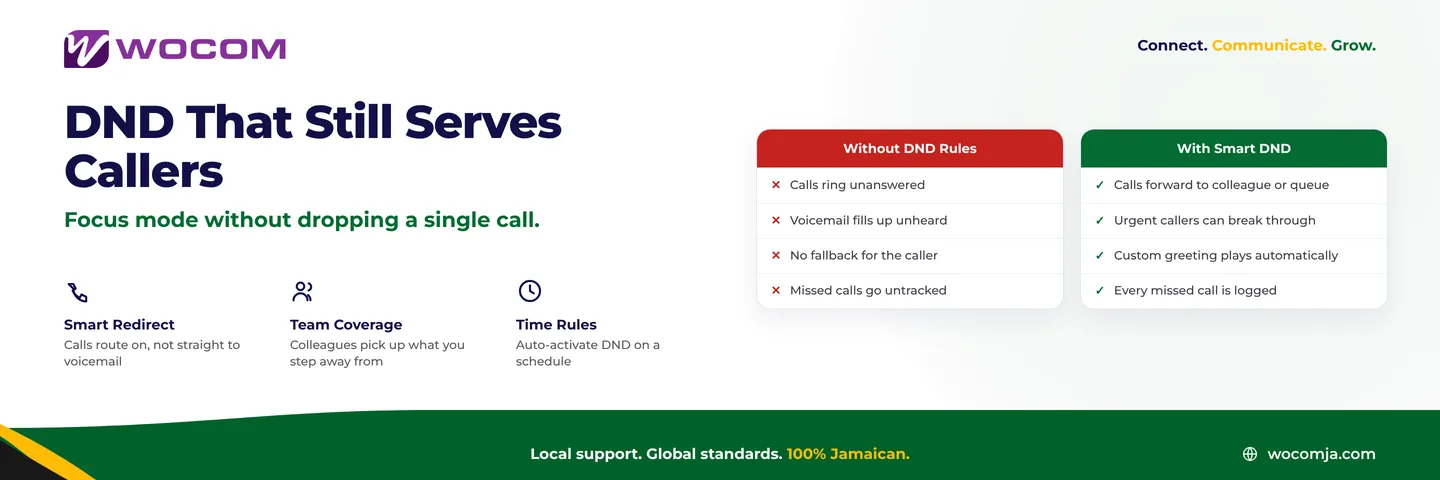
Call queuing places callers in a virtual line, plays hold music or a recorded message, and connects them when an agent is free. It is a standard Cloud PBX feature that costs nothing extra to enable, yet a surprising number of Jamaica businesses still send overflow calls to a busy tone.
Configure your queue with a maximum wait time and a fallback action — route to voicemail, play a callback prompt, or redirect to another number — and the caller experience improves immediately without adding a single staff member.
4. Mobile App Extension
Every WOCOM Cloud PBX plan includes a mobile softphone app that turns any smartphone into a full business extension. The number a caller sees is your office number. Transfers, holds, and conference calling work exactly as they do on a desk phone.
For Jamaica businesses managing hybrid teams — staff working from home in Portmore, field reps covering Spanish Town, a manager based in Montego Bay — the mobile app eliminates a persistent problem: how to reach your people without giving customers a personal cell number.
Staff who have not downloaded the app are effectively unreachable from the business phone system whenever they leave their desk. Enable it, brief your team once, and the coverage gap closes the same day.
5. Time-Based Call Routing
Most businesses handle after-hours coverage the same way they always have: a staff member manually forwards calls to a mobile before leaving, and manually removes the forward the next morning. Someone forgets roughly once a month. Callers get routed to a personal number that nobody answers, or to a voicemail box that nobody checks until mid-morning.
Time-based routing automates this entirely. You define your business hours once — Monday to Friday, 8am to 5pm, adjusted for public holidays — and the system routes calls appropriately without any manual step. After hours, calls go to voicemail, an AI receptionist, an answering service, or a designated on-call number. The routing is applied consistently every single day, with no dependency on anyone remembering to flip a switch.
For businesses that have already set up WOCOM's Alex AI receptionist, time-based routing is the handoff mechanism — daytime calls reach your team, after-hours calls reach the AI, and nothing is lost to an unmonitored inbox.
Why These Features Stay Switched Off
The honest reason most of these features are never activated is configuration friction. Setting up call recording requires a decision about storage and retention. Enabling queuing requires a decision about hold music and timeout thresholds. Time-based routing requires someone to sit down with the routing table and map out every scenario.
None of that is technically complex. But it is easy to defer when calls are going through and the immediate setup is done.
The cost of deferral accumulates quietly: unanswered calls that never appear on a report you never opened, staff unreachable because the app was never installed, callers who hit a busy signal at 5:01pm on a Wednesday afternoon and never call back.
Get More From What You Already Pay For
If your business is on WOCOM Cloud PBX and you are unsure which of these features are active, our team can run a configuration review and walk you through what is on, what is off, and what makes sense for your setup. There is no charge for the review. The features are already part of your plan. The only cost is the time it takes to switch them on.
Contact WOCOM at 876-300-1877 or visit wocomjamaica.com/contact to book a configuration review. Most setups are completed in a single session with your account manager.
Continue exploring
Ready to upgrade your communications?
Talk to our team about the right solution for your business.
Book a Demo Contact SalesEverett Kildare is WOCOM's voice and infrastructure specialist, with more than 25 years of experience designing and running carrier-grade voice, SIP and virtualization infrastructure. Holding a BSc in Information Technology, he has built, secured and migrated phone systems for businesses of every size. Everett writes WOCOM's technical coverage of SIP trunking, cloud PBX, contact centres, business continuity and migration.