Click-to-Call Button for Your Jamaica Business Website: Setup Guide 2026
Why Click-to-Call Matters for Jamaica Businesses in 2026
Jamaica is a mobile-first market. The majority of Jamaicans access the internet on a smartphone, and when a potential customer lands on your website and decides they want to speak with someone, the fastest path to a conversation is a single tap.
Without a click-to-call button, this is what the visitor does: they read your number, switch to their dialler app, type in the digits, and hope they got it right. Every extra step is a chance to lose the enquiry. With a click-to-call button, they tap once and your phone rings. For service businesses in Kingston, Montego Bay, and across the island, that friction difference is often the difference between a new customer and a bounce back to Google.
What Is Click-to-Call and How Does It Work?
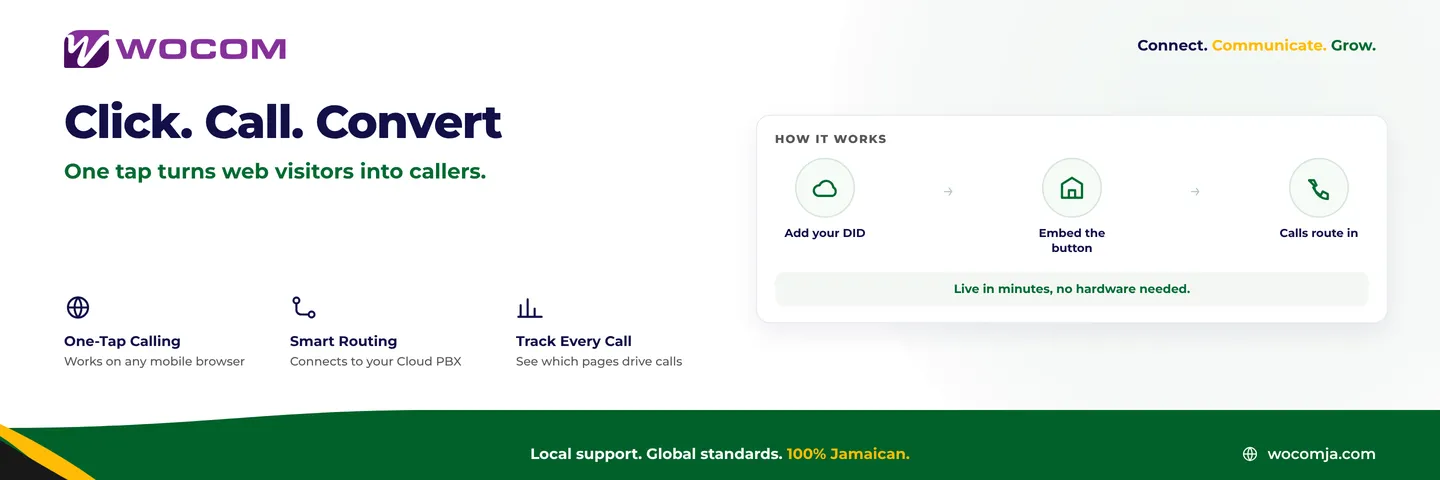
A click-to-call button is a link on your website built with the tel: URI protocol. When a visitor on a mobile device taps it, their phone's dialler opens with your number pre-filled and ready to connect. On a desktop browser, the same link can launch a softphone or a VoIP application installed on the computer.
For businesses on a Cloud PBX, the call arrives exactly like any other inbound call — it hits your auto-attendant, joins your ring group or queue, and reaches the right team. Nothing changes on your end; only the source of the enquiry has changed from a direct dial to a web-originated tap.
More advanced implementations use WebRTC — a browser-based calling technology — so visitors connect directly from the webpage without leaving it or downloading anything. This is increasingly common on high-intent service pages and is especially valuable for international callers who may be reluctant to dial a Jamaican local number from abroad.
The Business Case for Jamaica SMEs
Consider a Kingston-based insurance broker whose website receives 400 visitors a month. If even 5% of those visitors convert to a live enquiry, that is 20 additional conversations per month from traffic already hitting the site — with no extra advertising spend. The click-to-call button costs nothing to add and generates a measurable return from day one.
Here is where a click-to-call button tends to have the biggest impact:
- Service businesses — medical practices, law firms, and trade contractors where customers want to confirm details before booking
- Restaurants and catering operations — where speed and immediacy drive reservation decisions
- Financial and professional services — where complex enquiries need a live conversation before a client commits
- Tourism operators and villa rentals — serving diaspora visitors and international travellers browsing on mobile
- Retail and e-commerce businesses — customers who want to confirm stock availability or delivery timelines before paying
The button is especially powerful on mobile, where Jamaica's browsing audience is concentrated. A visitor on a 4G connection looking at your services page is already holding a phone. A click-to-call button removes every step between that intent and the actual conversation.
How to Add Click-to-Call to Your Website
The basic implementation takes under five minutes. Add the following to your site and style it as a button:
<a href="tel:+18761234567" class="cta-call-button">Call Us Now</a>Replace the number with your business direct inward dial (DID). For a more effective result, follow these five guidelines:
- Use a business DID, not a mobile number. A properly routed business number connects to your auto-attendant, gets logged in your call reports, and is recordable. A mobile number is none of those things.
- Label the button specifically. "Call Our Kingston Office" or "Speak With an Agent Now" consistently outperforms a generic "Contact Us." Specific labels set caller expectations and reduce hang-ups.
- Position it high on high-intent pages. Your homepage header, service pages, pricing pages, and any page with a booking option should show the button without the visitor needing to scroll.
- Add a secondary SMS link.
<a href="sms:+18761234567">Text Us</a>captures visitors who prefer messaging — a common preference among younger Jamaican customers and diaspora callers who want to avoid international call charges. - Track every click as a conversion event. Connect the button to Google Analytics or your tag manager as a goal. This tells you which pages are generating enquiries, which is data your marketing decisions should be built on.
Connecting Click-to-Call to Your Cloud PBX
When your click-to-call button links to a DID on a Cloud PBX, every web-originated call passes through the same professional infrastructure as the rest of your inbound traffic. That means:
- Auto-attendant greets every caller — visitors hear your professional business greeting, not an unanswered ring or personal voicemail
- Call routing applies automatically — during business hours calls reach the right team; after hours, callers hear your after-hours message or are handled by your AI receptionist
- Calls are recorded and logged — web-sourced enquiries are captured for quality assurance, training, and dispute resolution exactly like any other inbound call
- Web calls appear in reporting separately — assign a dedicated DID to your website and you can measure inbound web enquiry volume as its own metric in your monthly reports
For businesses with multiple locations — a head office in New Kingston and a branch in Montego Bay, for example — you can deploy separate click-to-call buttons for each location, each routing to the correct team with the appropriate greeting and business hours profile.
Advanced Option: WebRTC Calling for Diaspora and International Visitors
For businesses with significant diaspora traffic — Jamaicans calling from the United Kingdom, Canada, or the United States — a standard tel: link creates a friction point. International visitors may hesitate to dial a Jamaican local number when they are unsure about the cost on their mobile plan.
WebRTC browser calling removes that barrier entirely. The visitor clicks a button on your website and a call connects through their browser — no app to download, no international dial prefix, no charge on their end. The call arrives at your Cloud PBX as a standard inbound call and is handled identically to any other.
This is particularly relevant for Jamaican tourism operators, financial advisory businesses, legal professionals, and any company that regularly receives enquiries from the diaspora. Ask your Cloud PBX provider whether WebRTC-based inbound calling is available on your plan.
Start Turning Your Website Into a Call Channel
A click-to-call button is one of the lowest-effort, highest-return improvements you can make to your business website today. It requires no new hardware, no third-party platform, and no ongoing maintenance. The only prerequisite is a properly routed business DID — not a personal mobile number — connected to a Cloud PBX that handles calls professionally.
WOCOM provides direct inward dial numbers on Jamaica's licensed telecommunications network, routed through our Cloud PBX platform with auto-attendant, call recording, AI receptionist, and full reporting included. Whether you need a single number for one location or separate tracking numbers for every campaign page, we can set that up quickly.
Contact WOCOM today at wocomja.com or reach our team directly to get your business DID and click-to-call routing configured. Your website visitors are already looking for a reason to call — give them a button that makes it instant.
Continue exploring
Ready to upgrade your communications?
Talk to our team about the right solution for your business.
Book a Demo Contact SalesEverett Kildare is WOCOM's voice and infrastructure specialist, with more than 25 years of experience designing and running carrier-grade voice, SIP and virtualization infrastructure. Holding a BSc in Information Technology, he has built, secured and migrated phone systems for businesses of every size. Everett writes WOCOM's technical coverage of SIP trunking, cloud PBX, contact centres, business continuity and migration.