Backup Internet for Business VoIP Jamaica: Stay Connected When Your Primary Line Fails
Why VoIP Calls Are More Sensitive to Internet Problems Than You Think
You can browse a website on a slow or patchy connection and still get there eventually. Voice calls are different. VoIP audio requires a consistent, low-latency path between your phone and the carrier — and when that path is disrupted, you do not get a slower call, you get a dropped one.
The technical thresholds are strict: latency above 150ms makes conversations awkward; jitter (variation in packet timing) above 30ms causes choppy audio; and packet loss above 1% starts producing silence gaps that callers interpret as the line cutting out. Your 4G backup or a secondary connection that handles emails just fine may quietly fail every voice call while appearing otherwise healthy.
For Jamaican businesses — where a single call can mean a signed contract, a confirmed appointment, or a resolved complaint — understanding these requirements before an outage happens is the difference between a seamless recovery and an unexplained silence.
The Three Backup Options: What They Actually Deliver for VoIP
Not all backup connections are equal when it comes to voice. Here is how the common options stack up for Jamaican businesses:
4G/5G mobile broadband is the fastest to deploy and widely available across Kingston, Montego Bay, and most major towns. A dedicated LTE router can provide a working backup within minutes of installation. For voice, 4G performs well during off-peak hours — latency typically sits below 50ms and jitter is manageable. The caveat: during widespread outages caused by storms or power cuts affecting towers, cell traffic spikes and voice quality degrades for everyone simultaneously. Your backup and your problem can share the same root cause.
Dual-ISP from a different carrier is the gold standard for businesses with high call volumes. By connecting to a second internet provider — one using fibre, the other using cable or fixed wireless — you ensure that a single provider fault does not take down both links. The challenge in Jamaica is geography: in some parishes, two meaningfully independent ISPs are not always available at the same building. Where they are, this configuration gives you the cleanest automatic failover with no shared failure mode.
Starlink has become a genuine option for Jamaican businesses, particularly those outside major urban centres or on campuses that already rely on it for general resilience. Starlink latency (20–60ms) is competitive with fixed broadband and well within VoIP tolerances. Crucially, it is not dependent on local terrestrial infrastructure, which makes it independent of the failure modes that typically affect cable and fibre during Jamaican weather events. The upfront equipment cost is higher, but for a business where call availability is mission-critical, it earns its place as a backup link.
Automatic Failover: Making the Switch Invisible to Callers
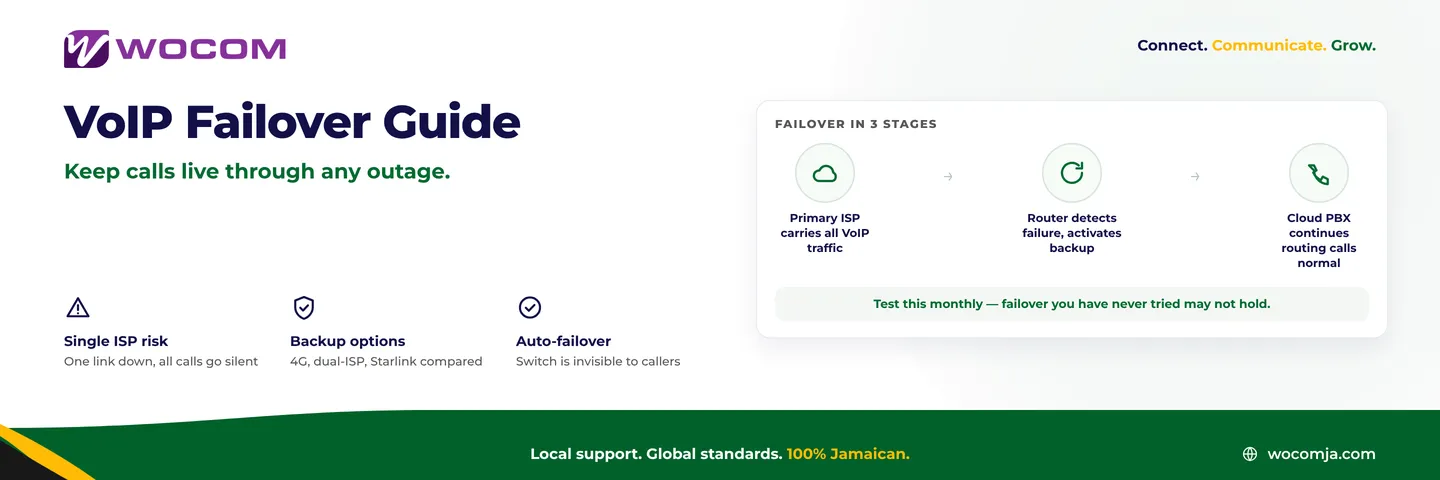
Having a backup connection is only half the answer. The other half is whether your system can switch to it fast enough that callers never notice. There are three layers where failover can happen, and the best setups use all three:
- Router-level failover — A dual-WAN router monitors both connections and automatically routes traffic via the backup when the primary fails. Quality configurations detect failure in under ten seconds and switch without interrupting active calls that survive the brief transition. This is transparent to your phones and your cloud PBX.
- SIP trunk registration failover — Most cloud-hosted SIP trunks allow registration from multiple IP addresses or a secondary endpoint. When your primary internet path fails, your SIP trunk re-registers over the backup link. WOCOM SIP trunks support this configuration, meaning your inbound DID numbers stay active on whichever path is healthy.
- Cloud PBX call forwarding — This is your software safety net. If all else fails at the office, cloud PBX can route inbound calls directly to your team's mobile numbers. You configure this in your portal once, and it activates automatically if your office connection drops entirely. Callers reach a person, not a dead line.
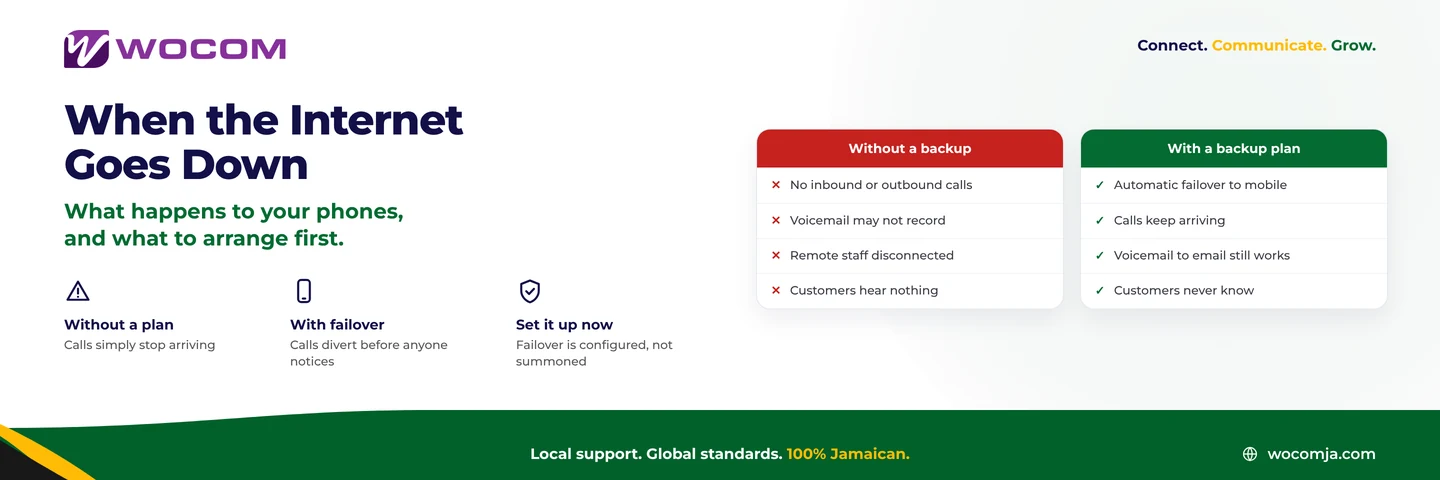
Router failover handles most outages before a caller even notices. SIP registration failover covers edge cases. Cloud PBX mobile forwarding covers the scenario where even the backup internet is unavailable — a direct hit on your building's power, a prolonged carrier outage across your area.
Cloud PBX as the Real Safety Net
On-premise phone systems — traditional PBX hardware sitting in your server room — fail completely when the building loses power or internet. Cloud PBX systems survive your local outage because the intelligence lives off-site.
When a call comes in to your WOCOM number during an outage, the system does not know or care that your office internet is down. It routes the call according to your current call flow rules. If you have configured a failover destination — a mobile number, a secondary site, a recorded message with a callback option — that is what the caller reaches.
This is a structural advantage worth understanding clearly. The question is not just "how do I keep my connection up?" It is also "what happens to inbound calls if I cannot keep it up?" Cloud PBX answers that second question in your favour, regardless of what happens to your local infrastructure.
Testing Your Failover Before a Real Outage Forces It
Failover configurations that have never been tested are configurations that might not work. Here is a practical monthly test protocol any Jamaican business can run in under five minutes:
- Physically disconnect your primary internet router or disable its WAN port.
- Wait 30 seconds, then attempt a call from a desk phone or softphone to an external number.
- Have a colleague call your main business number from outside and verify it rings through.
- Listen carefully for call quality issues — lag, choppiness, or one-way audio.
- Reconnect your primary connection and verify it takes back over cleanly without manual intervention.
Most businesses discover their failover does not work the first time they run this test. That is exactly the point of running it before a storm, not during one.
Document the results each month. If call quality on backup is poor, investigate then — not during a real outage when customers are waiting and your IT contact is unavailable.
Build Your Continuity Plan with WOCOM
WOCOM's Cloud PBX and SIP trunking services are built with failover in mind. Your call flows, forwarding rules, and backup routing are managed from a single portal — accessible from anywhere, even from a mobile browser if your office is completely dark.
Whether you run a Kingston law firm that cannot afford silence during a storm, a Montego Bay hotel that needs reservation lines open through any weather event, or a multi-site distribution operation where every location needs independent resilience, the architecture to protect you is available today.
Contact WOCOM to review your current call continuity setup. We will identify the gaps, recommend the right backup configuration for your business size and location, and ensure your team knows exactly what to do when the primary line goes down. In Jamaica's environment, the question is not whether an outage will happen — it is whether your callers will ever know it did.
Continue exploring
Ready to upgrade your communications?
Talk to our team about the right solution for your business.
Book a Demo Contact SalesEverett Kildare is WOCOM's voice and infrastructure specialist, with more than 25 years of experience designing and running carrier-grade voice, SIP and virtualization infrastructure. Holding a BSc in Information Technology, he has built, secured and migrated phone systems for businesses of every size. Everett writes WOCOM's technical coverage of SIP trunking, cloud PBX, contact centres, business continuity and migration.