A Work From Home Phone System That Still Sounds Like the Office
Most Jamaican businesses did not decide to break their phone system when people started working from home. It happened quietly: someone could not be reached at their desk, they gave a customer their personal mobile number, and from that day the business stopped seeing half of its own calls.
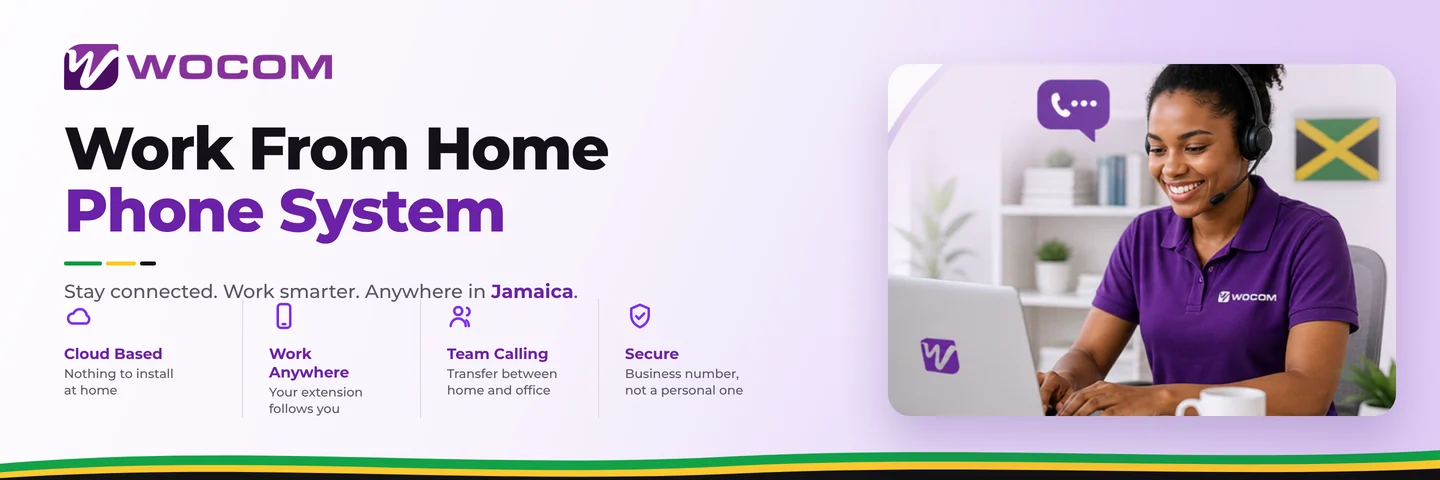
A work from home phone system solves a narrower problem than it sounds. It is not about video calls or chat. It is about making sure the person at home is on the same phone system as the person in the office — the same extension, the same number to the outside world, the same transfers, the same reporting.
The real cost of the personal-mobile workaround
Handing out a personal number feels like initiative. It creates four problems that surface later:
- The business loses the relationship. The customer now calls a person, not the company. When that person leaves, the customer leaves with them.
- Nobody can cover. A call to a personal mobile cannot be picked up by a colleague, transferred, or answered when the phone is off.
- There is no record. It does not appear in call reports, it cannot be recorded, and it is invisible to whoever is trying to work out why sales are down.
- Staff resent it. People do not want work calls on their personal number at nine on a Sunday, and they are right.
How a cloud extension actually works
On a cloud system the extension belongs to the person, not the desk. It rings wherever they have signed in — a desk phone at the office, a softphone on a laptop, or the mobile app — and it can ring several of those at once so whichever is nearest gets answered.
When that person calls out, the business number shows on the customer's screen, not their mobile. That single detail is what keeps the relationship with the company rather than the individual. The mechanics are covered in how WOCOM Cloud frees Jamaican teams from the desk.
Routing for a team that is in three places at once
A hybrid team needs routing rules that a single-office team never did. The patterns that work:
- Ring the group, not the person. Sales calls hit everyone in the sales group wherever they are; first to answer takes it.
- Follow the working day, not the building. Route on the hours a person actually works, which for remote staff often is not nine to five.
- Escalate before voicemail. Try the desk, then the mobile, then a colleague. Voicemail is the last resort, not the second step.
Hybrid workforce call routing works through these in detail, including what to do about the person who forgets to sign in.
What the person at home actually needs
Less than most people expect. A stable internet connection, and a headset worth more than a few hundred dollars — poor audio is almost always the headset, not the connection.
On bandwidth, a single voice call uses roughly 100 kbps in each direction. That is small enough that the constraint is rarely the speed of the connection but its steadiness, and whether somebody else in the house is on a video call at the same time. Jamaican home connections handle it comfortably; the ones that struggle are usually running voice alongside heavy uploads with no prioritisation.
Keeping supervision possible
The objection to remote work is usually visibility, and it is a fair one. A cloud system answers it with data rather than surveillance: calls handled per person, average handling time, missed calls by hour, and recordings where the business needs them.
Recording remote staff carries the same obligations as recording anyone else — notice, purpose and a retention limit under Jamaica's Data Protection Act. The call recording compliance guide covers what has to be in place before you switch it on.
One thing that genuinely changes at home: emergency calls
This is the detail most remote-work setups miss. If somebody dials 119 or 911 from a softphone, the address held against that extension is the one that matters, and it is usually still the office. For staff working from home permanently it is worth updating, and worth telling them to use a mobile in a genuine emergency. Emergency calling on VoIP explains the rules.
Frequently Asked Questions
Can staff working from home use the company number?
Yes. Outbound calls show the business number rather than their personal one, and inbound calls to their extension reach them at home exactly as they would at a desk.
Do they need a desk phone at home?
No. The mobile app or a laptop softphone is enough, and most remote staff use one of those. A desk handset is available for people who prefer it.
How much internet does a work from home phone need?
About 100 kbps per call in each direction. Any normal Jamaican home broadband handles that. Consistency matters more than raw speed — a steady 5 Mbps beats an unstable 50.
Can we still transfer calls between home and the office?
Yes, and this is the main advantage over personal mobiles. Transfers, hold, pickup and conference all work exactly the same regardless of where each person is.
What happens when a remote worker's power goes?
Their extension can fail over to their mobile automatically, so calls keep arriving over the cellular network while the power is out.
Getting started
If your team is already remote and already handing out personal numbers, the fix is not a policy — it is giving them an extension that works from where they are. The Cloud PBX page covers what is included for every user, and the WOCOM team can add remote extensions to a system you already run.
Continue exploring
Ready to upgrade your communications?
Talk to our team about the right solution for your business.
Book a Demo Contact SalesEverett Kildare is WOCOM's voice and infrastructure specialist, with more than 25 years of experience designing and running carrier-grade voice, SIP and virtualization infrastructure. Holding a BSc in Information Technology, he has built, secured and migrated phone systems for businesses of every size. Everett writes WOCOM's technical coverage of SIP trunking, cloud PBX, contact centres, business continuity and migration.