Echo on VoIP Business Calls Jamaica: Causes, Diagnosis, and Fixes
Why Echo Makes Your Business Look Unprofessional Before You Say a Word
You're mid-sentence with a supplier in Kingston and you hear your own voice coming back at you a half-second later. Or your caller keeps interrupting because they're hearing an echo of themselves and assume something is broken. The call derails. Trust takes a hit. And if it happens with a prospective customer, you've lost credibility before you've made your case.
Echo on business VoIP calls is one of the most common complaints from Jamaican companies that have moved to SIP trunking — and one of the most misdiagnosed. Many businesses assume it's a provider problem and do nothing. Others cycle through routers and handsets without fixing the right thing. This guide cuts through that.
The Two Types of Echo — and Why It Matters Which One You Have
Acoustic echo originates at an endpoint. A microphone picks up audio coming from a nearby speaker and feeds it back into the call path. Speakerphones are the worst offenders, but open-plan offices in New Kingston and Portmore industrial parks are full of desk handsets sitting close together. One agent on speaker mode can cause echo complaints from callers reaching anyone on that floor.
Hybrid echo (also called line echo) is a network-level problem. It occurs at the transition between digital VoIP signalling and analogue circuits — typically inside a misconfigured voice gateway or at the point where your SIP carrier hands off calls to the PSTN. This type of echo travels through the call path itself and cannot be fixed by swapping a handset.
A third factor amplifies both: network latency. Echo below 25 milliseconds of round-trip delay is imperceptible. Most Jamaican business networks experience 35–80 ms of latency on voice packets under normal conditions. On a congested shared internet connection that latency can spike much higher, turning a mild reflection into a clearly audible repeat. The echo was always there; delay made it obvious.
Why Jamaican Businesses Are Particularly Exposed
Several factors common in the local environment push businesses toward echo problems:
- Consumer-grade routers issued by ISPs — These handle data traffic adequately but have no Quality of Service rules for voice. When a staff member streams a video or downloads a large file while a call is active, voice packets queue behind data packets, delay spikes, and echo becomes audible.
- SIP ALG left enabled by default — Session Initiation Protocol Application Layer Gateway is a router feature designed to assist VoIP that, in practice, almost always breaks it. Left enabled, it re-writes SIP headers in ways that introduce timing mismatches and irregular RTP behaviour — a known contributor to echo on many consumer and prosumer routers.
- Ageing handsets with outdated firmware — A desk phone manufactured before 2016 may lack current Acoustic Echo Cancellation algorithms. Businesses that upgrade to a cloud PBX or SIP trunk while keeping old endpoints are particularly vulnerable to intermittent echo that appears to have no pattern.
- G.729 transcoding in the call path — Some Jamaica businesses are configured to use G.729 compressed audio to save bandwidth. If transcoding happens at multiple points in the call path, the timing mismatches introduced can sound like a faint but persistent echo at the far end.
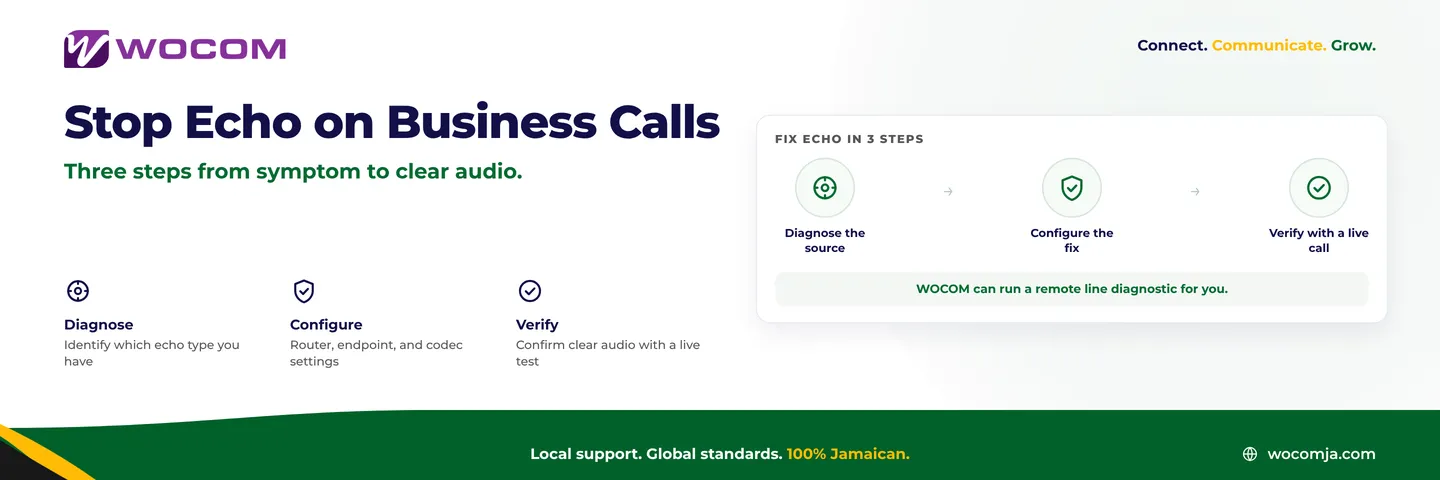
Three Tests to Diagnose Your Echo in Under Five Minutes
Before changing any settings, isolate the source. These tests are ordered from easiest to most conclusive:
Test 1 — Switch to a headset. End the speakerphone session. Plug in a wired headset and repeat the call. If echo disappears immediately, you have acoustic echo caused by microphone bleed. The fix stays at the endpoint — no SIP configuration needed.
Test 2 — Call from outside the building. Use a mobile phone from the car park or street and call your SIP trunk number. If the caller no longer hears echo but in-office callers do, the problem is localised to your physical space. If echo persists on the external test call as well, the problem is in the call path itself.
Test 3 — Disable SIP ALG on your router. Log into your router admin panel and search for "SIP ALG," "SIP Helper," or "SIP Passthrough." Disable it, save the setting, and restart the router. Retest. This resolves echo in a significant number of cases and costs nothing to try.
Configuration Fixes: Work Through These in Order
- Disable SIP ALG — covered above; this is always step one regardless of echo type.
- Enable QoS on your router — Assign voice traffic (UDP port 5060 for SIP signalling, and your RTP port range — commonly 10000–20000) a high-priority queue. On Ubiquiti UniFi gear common in Jamaican enterprise setups, configure this under Traffic Management → QoS. On Cisco RV-series routers, use the Bandwidth Management section.
- Update handset firmware — Log into each desk phone's admin interface and check for available updates. Manufacturers ship AEC improvements regularly. A firmware update alone has resolved echo for businesses running mixed hardware environments.
- Standardise your codec — If budget allows the bandwidth, set your SIP trunk and all endpoints to G.711 uLaw end-to-end. Eliminating transcoding removes one of the most common sources of timing jitter that presents as echo.
- Reduce sidetone on affected handsets — Most business desk phones let you adjust sidetone (the level of your own voice in your earpiece). Excessive sidetone combined with any network delay creates perceived echo for the remote party. Reduce it by 30–50% and retest.
When the Problem Is on Your Provider's Side
If you've worked through every local fix and echo persists, the issue is likely in the carrier call path — between your SIP trunk provider's media server and the PSTN interconnect. Signs that point here:
- Echo is consistent regardless of which handset or location you call from
- Echo only appears on calls to specific number types — for example, only fixed-line numbers, not mobile
- The echo arrives with a delay longer than one second, which typically indicates a path routing through international gateway equipment with insufficient echo suppression
In these situations, your SIP trunk provider needs to examine their PSTN interconnect configuration, confirm echo cancellation is active on their media servers, and check whether calls to affected destinations are transiting a third-party carrier with different delay characteristics. A reputable carrier should be able to capture an RTP stream sample and pinpoint exactly where echo is introduced. This is a standard diagnostic any licensed SIP provider in Jamaica should offer.
Get Your Lines Checked by WOCOM
WOCOM's technical team can run a remote line diagnostic on your SIP trunk — analysing your RTP media path, verifying echo cancellation settings at the carrier level, and identifying whether the issue sits on your local network, your endpoints, or within the call path itself.
Most echo problems are resolved in a single session. Degraded call quality is not a background cost of doing business. If callers in Kingston, Montego Bay, or anywhere across Jamaica are hearing themselves echo back at them, that's a solvable problem — and it should be solved.
Contact WOCOM today. Visit wocomja.com or call our team directly to schedule a line diagnostic. We'll have your business calls sounding clear.
Continue exploring
Ready to upgrade your communications?
Talk to our team about the right solution for your business.
Book a Demo Contact SalesEverett Kildare is WOCOM's voice and infrastructure specialist, with more than 25 years of experience designing and running carrier-grade voice, SIP and virtualization infrastructure. Holding a BSc in Information Technology, he has built, secured and migrated phone systems for businesses of every size. Everett writes WOCOM's technical coverage of SIP trunking, cloud PBX, contact centres, business continuity and migration.