Switching Cloud PBX Providers in Jamaica: Configuration Audit, Number Porting and Cutover Guide
When Switching Cloud PBX Providers Makes Business Sense
Jamaica businesses that moved to cloud PBX expecting solid call quality, responsive support and transparent billing sometimes discover their chosen provider falls short on one or all three. Poor audio on specific routes, support requests that go days without a meaningful response, and unexplained charges on monthly invoices are the most common triggers for a switch.
Pricing drift is another driver. Some providers attract customers with promotional rates and quietly revise them at contract renewal. Others simply cannot keep pace with features now standard in the market — real-time call analytics, AI-assisted reception, and deep CRM integration — leaving businesses running a system that felt modern two years ago but is falling behind today.
Whatever the reason, a cloud-to-cloud migration is a legitimate and sometimes necessary business decision. You have a head start: your staff already use softphones or IP handsets, your internet connection is proven for VoIP, and your team understands the rhythm of a cloud phone system. The challenge is that you have more to protect than a first-time migrant does.
Cloud-to-Cloud Is Different From Your First Migration
Your first migration off a traditional PABX or analogue lines involved replacing unfamiliar technology with something new. This time, you are moving live, in-use infrastructure with accumulated configuration, active numbers, and call recording archives. Three things make it more complex:
- Your numbers are already managed by another cloud provider. Porting away from a cloud provider requires their cooperation — or their tolerance. A minority of providers will process your port request slowly or impose conditions that delay your departure once they know you are leaving.
- You have an accumulation of configuration. Extensions, ring groups, IVR trees, holiday schedules, call recording rules — these built up over months or years. They need to be inventoried and rebuilt on the new platform, not discovered by accident after cutover.
- Your call recording archive sits on the outgoing provider's servers. If your business keeps recordings for compliance, training or dispute resolution, you must export them before you lose access to that data.
None of these challenges are insurmountable. They require a plan — and you need that plan in hand before you give your current provider any indication you are leaving.
Step One: Build a Complete Configuration Inventory
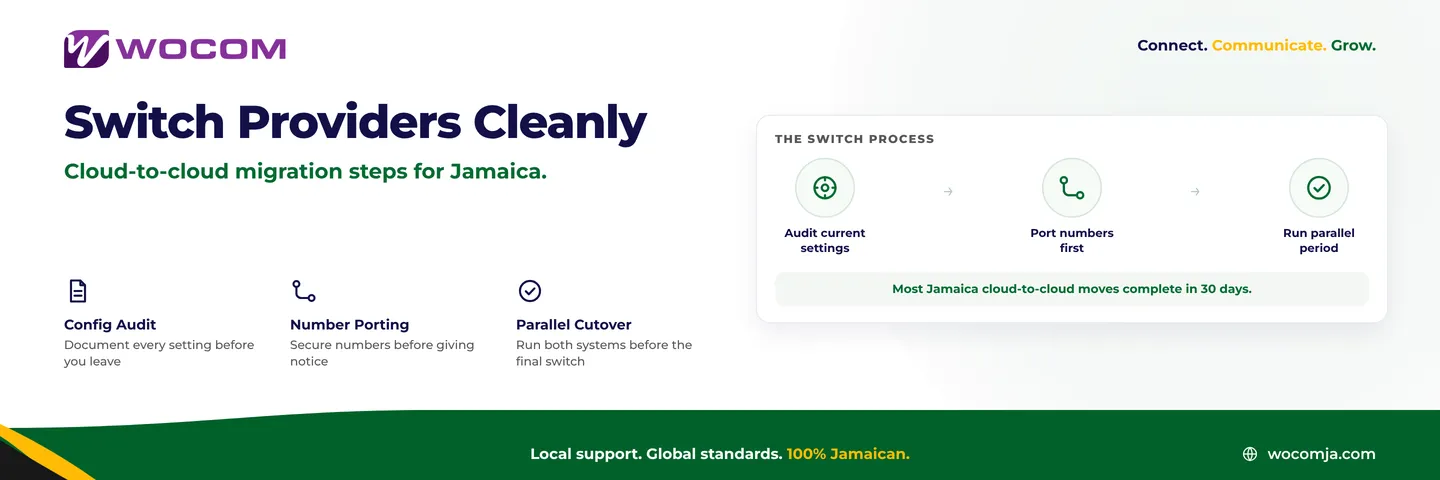
Before approaching a new provider, document everything currently running on your system. This inventory becomes the specification your new provider builds against, and it protects you if anything is missing after the switch.
Your inventory should cover the following areas:
- Extension list — every user, their extension number, the device they use, and any special dialling permissions such as international access or outbound-only restrictions
- Ring groups and hunt sequences — which extensions ring together, in what order, and after how many seconds calls overflow to the next group or voicemail
- IVR menus — every option, its destination, and any sub-menus; include the audio prompt files, since those recordings belong to your business even if the outgoing provider produced them
- Time-based routing schedules — business hours profiles, after-hours handling, and public holiday routing rules
- Call recording rules — which extensions or queues record calls, where recordings are stored, and your retention period settings
- Direct inward dialling assignments — which DIDs map to which extensions or ring groups, and your outbound caller ID configuration
Take screenshots or export reports from your current admin portal. If your provider offers a configuration backup export, use it. This document is your insurance policy during the parallel period and on cutover day.
Step Two: Secure Your Numbers Before You Give Notice
Your business phone numbers are brand assets. For most Kingston and Montego Bay companies, an 876 or 658 number has been on marketing materials, Google Business Profile listings and signage for years. Losing it — even temporarily — costs you customers who cannot reach you and may not try again.
Start the number porting process before you formally notify your current provider that you are leaving. Here is why: in Jamaica, a port typically takes 5–10 business days once accepted. Some providers intentionally slow this process when they learn a customer is departing. By initiating the port first, you create a legal obligation on the outgoing provider to release the number regardless of their commercial preferences.
Your new provider will request a Letter of Authorization (LOA) from you, authorising the port on your behalf. They will also need a recent invoice from the outgoing provider to confirm the number and account details. Keep both documents accessible and respond to your new provider's requests within 24 hours to avoid delays.
As a precaution, ask your new provider to configure temporary call forwarding from a secondary number to your main line during the porting window. If the port experiences any delay, calls to that secondary number keep flowing into your business without interruption.
Step Three: The 30-Day Parallel Period
Resist the urge to cut over immediately once the new system is configured. Running both systems in parallel for at least two weeks gives your team a safety net and surfaces any configuration gap that escaped your inventory — gaps you would otherwise discover only when a customer calls.
During the parallel period, work through the following:
- Route a portion of less critical inbound calls through the new system while keeping primary traffic on the old one — this tests real Jamaica network conditions rather than just internal test calls
- Walk every IVR path end-to-end, including low-traffic options that staff rarely monitor, to confirm all destinations are correct
- Verify that call recordings are landing correctly and are accessible from the new admin portal before you depend on them for compliance or quality review purposes
- Confirm that call logs, reporting dashboards and any CRM integrations are functioning as expected
- Have staff who handle different call types — reception, billing enquiries, technical support — test their specific workflows on the new system
By day 20 of the parallel period, you should have confidence in the new system. Use the remaining days to export your historical call recording archive from the outgoing provider — most will keep your data accessible for 30 days after account closure, but that window is not guaranteed and varies by provider.
Cutover Day and the First 48 Hours
Schedule cutover day for a Tuesday or Wednesday. Mondays carry the highest inbound call volume for most Jamaica businesses; Fridays leave no buffer time if issues emerge before the weekend. Mid-week gives you two full working days to resolve anything that surfaces.
On cutover day, complete these steps in sequence:
- Confirm your numbers are fully ported and resolving correctly on the new platform by making test calls from an external mobile number
- Redirect all SIP trunk traffic to the new provider and confirm outbound calls are presenting your correct caller ID
- Send a brief internal notice to staff confirming the switch — they will notice the new interface and admin portal, and surprises generate unnecessary internal support requests
- Keep a written rollback procedure on hand: specifically, the contact at your outgoing provider who can reinstate service within the first 24 hours if a critical issue emerges
Monitor call volumes, answer rates and audio quality reports closely for the first 48 hours. Most issues with a well-planned cloud-to-cloud migration appear in this window, and they are almost always configuration corrections rather than fundamental platform problems.
Make Your Next Move Your Last One
Switching providers is expensive in management time and staff attention even when everything goes smoothly. Before committing to a new platform, evaluate the provider's infrastructure ownership. A Jamaica telecom that owns its own network — licensed by OUR, with physical equipment in-country — has fundamentally different accountability from a reseller routing your calls through a third party whose uptime they cannot directly control.
Ask every prospective provider for the following before you sign:
- Their OUR operating licence number and the licence class that covers your service type
- A written SLA uptime commitment with specific credit terms for outages
- A reference from at least one Jamaica business of comparable size that has been on the platform for more than 12 months
- A clear data portability policy — what you can export, in what format, and by what deadline if you ever need to move again
These questions cost nothing to ask and reveal a great deal about how a provider will treat you once the contract is signed and the initial onboarding energy has faded.
Ready to Switch? WOCOM Handles Cloud-to-Cloud Migrations
WOCOM is a licensed telecommunications provider with its own network infrastructure serving businesses across Jamaica. We manage cloud-to-cloud migrations regularly — including number porting coordination, configuration inventory review, parallel period support and cutover assistance — so you are not managing this process alone between your existing provider and your new platform.
Contact our team to schedule a migration assessment. We will review your current configuration, confirm number portability, and give you a clear timeline before you commit to anything. Reach us through wocomja.com/contact or visit any of our offices in Kingston and Montego Bay.
Continue exploring
Ready to upgrade your communications?
Talk to our team about the right solution for your business.
Book a Demo Contact SalesEverett Kildare is WOCOM's voice and infrastructure specialist, with more than 25 years of experience designing and running carrier-grade voice, SIP and virtualization infrastructure. Holding a BSc in Information Technology, he has built, secured and migrated phone systems for businesses of every size. Everett writes WOCOM's technical coverage of SIP trunking, cloud PBX, contact centres, business continuity and migration.