SIP Trunk NAT Traversal Jamaica: Why Your VoIP Calls Drop or Go Silent and How to Fix It
The Most Misdiagnosed VoIP Problem in Jamaica
You finish setting up your SIP trunk, make a test call, and everything looks fine — dial tone, ringing, connection. Then your customer speaks and hears nothing. Or you can hear them but they cannot hear you. Or the call connects and drops at exactly 30 seconds, every single time, without fail.
Nine times out of ten in a Jamaican office environment, the culprit is NAT — Network Address Translation. It is the most common cause of SIP trunk problems, and also the most frequently misdiagnosed — blamed on the internet connection, the desk phones, or the SIP provider when the real issue is sitting inside your router.
This article explains exactly what NAT does to VoIP calls, the symptoms to watch for, and the three fixes that actually resolve the problem permanently.
What Is NAT and Why Does SIP Hate It?
NAT is how your router shares a single public IP address — the one your ISP assigns to your building — across every device inside your office. Your desk phones, computers, and printers each get a private IP address such as 192.168.1.x, while your router presents one public address to the internet.
This works perfectly for web browsing and email because those protocols were designed with NAT in mind. SIP, the signalling protocol behind most business VoIP, was not. Here is the specific problem:
- When your phone registers with your SIP provider, it embeds its private IP address — for example, 192.168.1.45 — inside the SIP message headers.
- Your SIP provider reads that private IP and attempts to send audio back to it. But 192.168.1.45 is invisible from the internet.
- Audio flows only one way or fails entirely, because the return path is broken before it even starts.
SIP uses two completely separate channels: signalling (call setup, ring, hang-up) travels on one path, while media — the actual voice audio — travels on a different path using RTP packets. NAT disrupts the media path even when signalling looks perfect, which is why a call can appear to connect cleanly while audio fails completely.
NAT Symptoms Every Jamaica Business Should Recognise
NAT problems present in several distinct patterns. Watch for these on your SIP trunk before assuming the issue is your internet service or your handsets:
- One-way audio: You can hear the caller but they cannot hear you, or vice versa. This is the classic NAT signature and is almost never caused by anything else.
- Calls drop after exactly 30 or 60 seconds: Many SIP providers send a re-INVITE message mid-call to confirm the connection is still alive. If your router's NAT session has expired by then, the re-INVITE fails and the call drops on a precise timer.
- Registration failures from outside the office: A staff member working from home in Kingston registers their softphone fine on the office LAN, but cannot stay registered on their home internet.
- Audio works on internal calls but breaks on external ones: Internal calls stay within your LAN and never pass through NAT. External calls cross your router and trigger the issue — which is exactly how you distinguish a NAT problem from a codec mismatch.
- Works on one network, breaks on another: Home routers and budget office routers often use different NAT modes than enterprise-grade equipment, causing inconsistent behaviour.
Businesses in Kingston and Montego Bay running on residential-grade cable internet are particularly exposed. Some routers perform symmetric NAT, where every outbound connection receives a different external port mapping — SIP cannot function reliably on symmetric NAT without a deliberate workaround in place.
Three Fixes That Actually Work
Fix 1: Configure STUN on Your IP Phones
STUN (Session Traversal Utilities for NAT) is a protocol your IP phone uses to discover its actual public IP address before placing a call. Instead of embedding the private 192.168.x.x address in the SIP headers, the phone first queries a STUN server — "what IP do you see me coming from?" — and substitutes that public address in the registration.
Most Cisco, Yealink, Grandstream, and Polycom phones support STUN configuration inside their admin panel. You point them at a STUN server address, and the phone handles the substitution automatically. STUN works well with full-cone and restricted-cone NAT, which are the most common router types in Jamaican offices. It is not effective against symmetric NAT.
Fix 2: Use a SIP Provider with Server-Side Media Anchoring
The most reliable fix — and the approach WOCOM deploys on every SIP trunk — is to have your carrier anchor all media at their network edge. Rather than your SIP provider attempting to send audio directly to your phone's private IP, the provider's session border controller (SBC) acts as a relay: all RTP audio flows through the provider's infrastructure, which is always publicly reachable.
This is called RTP relay or media proxying. From your router's perspective, all audio comes from and returns to a single public IP at the carrier data centre. Your router maintains a clean NAT session, audio flows in both directions, and the 30-second drop problem disappears entirely.
When evaluating any SIP trunk provider for your Jamaica business, ask directly whether they anchor RTP media server-side. Providers who require you to configure STUN or open specific UDP port ranges in your firewall are offloading NAT complexity onto your IT team instead of solving it at the network layer where it belongs.
Fix 3: Business-Grade Router with Proper SIP Configuration
For businesses running high call volumes — contact centres in Kingston, multi-branch retailers, or BPO operations — a business-grade router from Cisco, Ubiquiti, or Fortinet gives you fine-grained control over how SIP is handled. Specifically:
- Disable SIP ALG — the Application Layer Gateway feature that rewrites SIP headers. It was designed to help with NAT but almost always makes things worse. Our guide on SIP ALG covers this step by step.
- Configure port forwarding for SIP signalling (typically UDP 5060) and the RTP range your provider uses.
- Enable NAT keep-alive — small packets sent periodically to keep the NAT session open and prevent the 30-second or 60-second drop.
SD-WAN solutions that bond two internet connections also provide a bonus: if your primary circuit degrades during a busy period, calls shift to the secondary path automatically with no interruption to active calls.
What You Should Not Do
A frequently repeated workaround on generic VoIP forums is to bypass NAT entirely by placing your phone system in the router's DMZ or assigning it a routable public IP directly. In Jamaica's current threat environment — where SIP toll fraud is actively targeting businesses — this exposes your PBX to direct attacks from the internet. Attackers scan for open SIP ports continuously, and an unprotected PBX can run up thousands of dollars in international call charges within hours of being compromised.
Never expose SIP infrastructure directly to the internet without a proper session border controller in front of it. WOCOM's SIP trunks include an SBC at the carrier edge specifically for this reason: your endpoints remain behind your office firewall, fully protected, while NAT is handled cleanly at the network boundary.
How WOCOM Handles NAT on Your Behalf
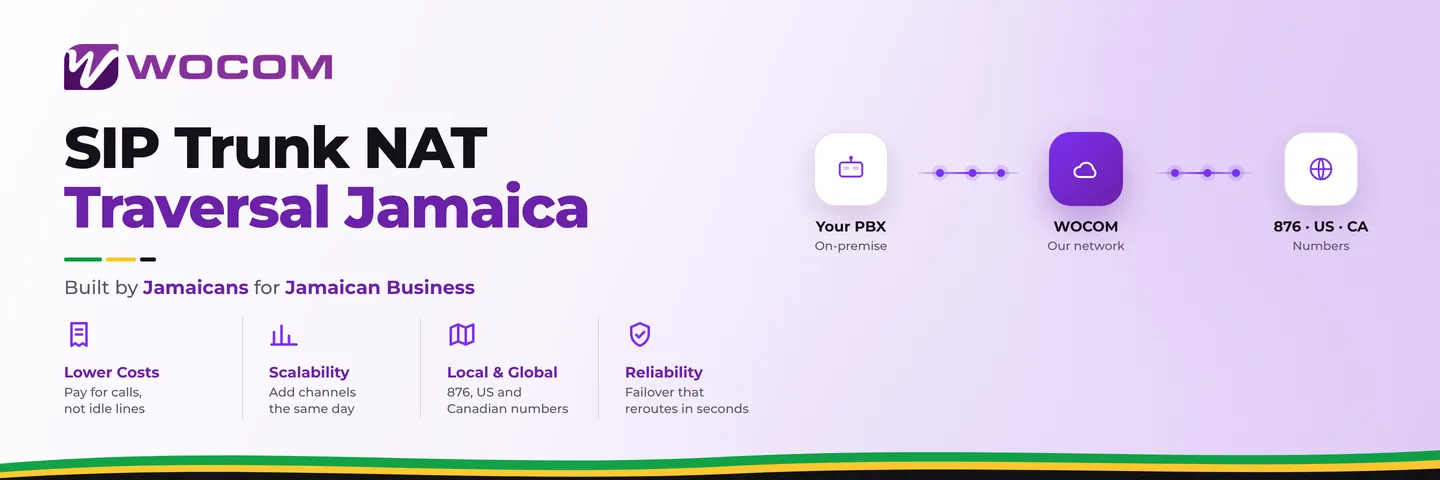
WOCOM operates Jamaica's own licensed SIP network. Every trunk connection terminates at WOCOM's session border controller, which manages NAT traversal, media anchoring, and RTP relay automatically on every call. You do not need to open UDP ports, configure STUN servers, touch your router's NAT settings, or call your ISP.
For businesses across St. Andrew, St. Catherine, St. James, and the rest of the island — where internet quality and router hardware vary widely — WOCOM's architecture ensures that NAT complexity never reaches your IT team's desk. Your phones register, your calls connect, and audio works cleanly in both directions from day one.
Get Your SIP Trunk Running Without Audio Problems
NAT problems are solvable, but the right approach depends on your router model, your ISP, and your call volume. WOCOM's team can assess your current setup, identify whether you have a full-cone or symmetric NAT environment, and recommend the configuration that eliminates one-way audio and dropped calls for good.
Contact WOCOM today at wocomenterprise.com/contact or reach our technical team directly to book a free SIP trunk assessment. We will test your NAT configuration, verify your RTP path, and have your trunk running cleanly — no silent calls, no 30-second drops, no more blaming the internet.
Continue exploring
Ready to upgrade your communications?
Talk to our team about the right solution for your business.
Book a Demo Contact SalesEverett Kildare is WOCOM's voice and infrastructure specialist, with more than 25 years of experience designing and running carrier-grade voice, SIP and virtualization infrastructure. Holding a BSc in Information Technology, he has built, secured and migrated phone systems for businesses of every size. Everett writes WOCOM's technical coverage of SIP trunking, cloud PBX, contact centres, business continuity and migration.