Office Relocation Phone System Jamaica: Checklist for Moving Without Disrupting Calls
The Phone System Is the Last Thing Businesses Plan For — and the First Thing That Breaks
Every office move in Jamaica involves a long list: new lease, removal company, internet provider, furniture, signage. The phone system gets added to the list late — sometimes the week before the move, sometimes the day before. And that is precisely why so many businesses in Kingston and Montego Bay spend their first week at a new address fielding complaints from customers who could not reach them.
A missed call during a business relocation is not just an inconvenience. It can mean a customer who rang to confirm an order quietly placed it with a competitor instead. It can mean a supplier who tried to sort out a delivery and gave up. It can mean a long-term client who wondered whether the business had shut down.
Your phone system needs a relocation plan just as deliberate as the one you write for your IT equipment. This guide gives you that plan, in the sequence that actually matters.
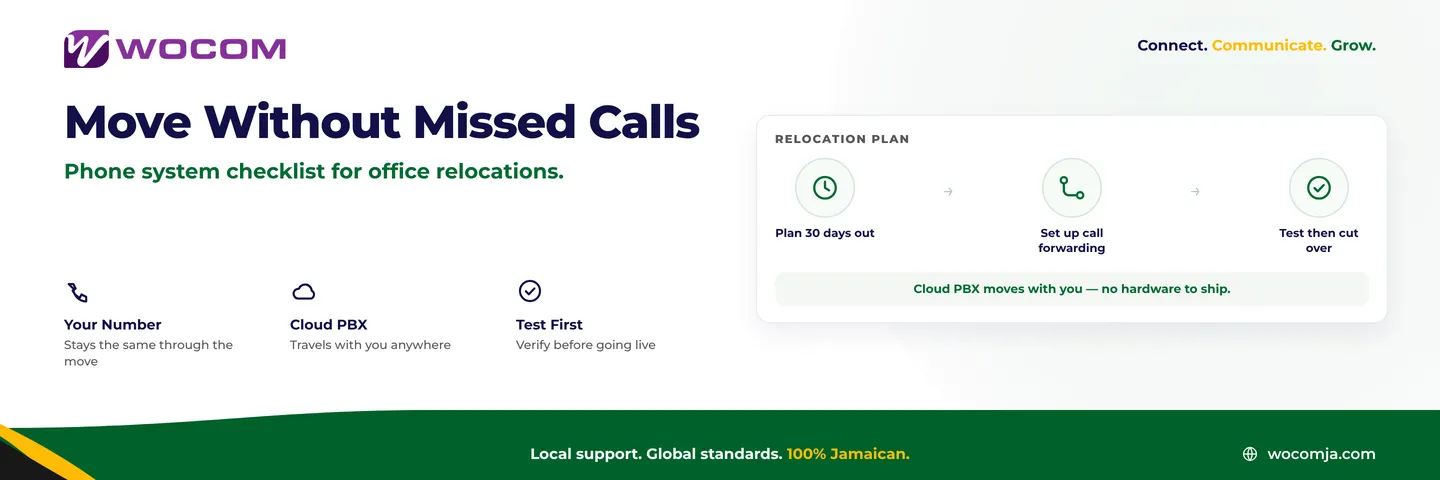
Start Your Phone Audit 30 Days Before Moving Day
Four weeks is the minimum lead time for a clean phone system relocation in Jamaica. Start by documenting everything your current system does:
- Every business number in use — main lines, direct lines for staff, fax numbers if still active
- All extensions and ring groups — who rings where, in what order
- IVR menus and recorded greetings, including any out-of-hours messaging
- Voicemail-to-email configurations
- Any CRM or software integrations that route or log call data
- Current contract terms with your telecom provider — specifically the notice period for disconnection and whether your numbers are portable
That last point matters more than most businesses realise. In Jamaica, Direct Inward Dial (DID) numbers are portable — you are entitled to take your number with you when you change provider or location. But portability requires a porting request to be submitted and approved before your move date, not on it. Porting can take anywhere from five to fifteen working days depending on the providers involved. Starting the conversation 30 days out gives you enough buffer.
Number Portability and What to Expect in Jamaica
Your business phone number is a brand asset. It appears on your website, your business cards, your Google Business profile, your signage. Changing it during a relocation would force you to update every one of those touchpoints and notify every customer — a project that costs far more than the relocation itself.
The good news is that you do not need to change your number when you move. Whether you are relocating from New Kingston to Half-Way-Tree, or from Portmore to Spanish Town, your number travels with you — provided it is managed properly.
If your current phone system is a legacy PABX tied to analogue lines at a specific address, you will need to work with your provider to port those numbers to a cloud-hosted service before the move. Once a number lives in the cloud, it is no longer tied to any physical location. You can plug in your desk phones at the new address, connect them to broadband, and be live in minutes.
If you are already on a Cloud PBX — as WOCOM customers are — number portability is already handled at the platform level. Your numbers stay active throughout the move. You are not requesting a port; you are simply redirecting where calls ring.
Set Up Call Forwarding Before You Pack the First Box
Even with a clean cloud migration, the two or three days around a move are inherently unstable. Internet may not be live at the new address until the morning of the move. Staff may not have their equipment set up until late in the day. Something unexpected will delay something.
The safest approach is to configure temporary call forwarding before move day, routing inbound calls to mobile numbers or a temporary answer service. This ensures that even if your new office connection goes down during setup, every call is answered rather than dropped into a void.
In a Cloud PBX system, this configuration takes minutes from the admin portal. You can set a time-limited rule — say, forwarding all calls to a designated mobile for a 72-hour window — and then remove it once the new setup is confirmed stable.
Rule of thumb: Your phones at the old address should be the last thing disconnected. Your internet at the new address should be confirmed working before your phones need it.
The Day-of-Move Phone Checklist
When moving day arrives, work through this sequence:
- Morning of move: Confirm temporary call forwarding is active and receiving calls correctly. Place a test call to each number.
- Before leaving old office: Do a final check that voicemail inboxes are cleared or forwarded. Do not disconnect the old internet until you have confirmed new internet is live.
- At new address, before staff start work: Plug in desk phones and confirm they register to the Cloud PBX. Do not wait until staff arrive to discover a device is not working.
- First live call test: Make an inbound test call to your main number from a mobile. Confirm the ring group fires correctly and the call lands where it should.
- Remove temporary forwarding: Only once you have confirmed direct calls to the new setup are clean. Keep a mobile on standby for the first 48 hours regardless.
Testing Before You Cut Over: The Step Most Businesses Skip
The difference between a smooth relocation and a chaotic one often comes down to whether the business tested its new setup in parallel before cutting over.
If your schedule allows, arrange for your new internet connection to be live two or three days before the move. Bring one desk phone to the new address, plug it in, and test it against your live system. Confirm it registers, rings, and can make and receive calls with acceptable audio quality. If there is a problem — a firewall misconfiguration, a NAT issue, a QoS gap — you have days to fix it before the move, not hours.
Also test your call recording configurations, any IVR prompts, and your voicemail-to-email delivery at the new address. These are the things that tend to break silently. No one notices voicemail is not forwarding until a customer complains they left a message three days ago and heard nothing back.
Why Cloud PBX Makes Office Relocations Significantly Simpler
Traditional on-premise PABX systems are tied to physical hardware — a rack unit in the comms room, analogue line cards, ISDN termination equipment. Moving that hardware is a project in itself: decommissioning, physical transport, reinstallation, and reconfiguration at the new site, often requiring a specialist engineer and several days of downtime.
Cloud PBX eliminates the hardware dependency entirely. Your numbers, ring groups, IVR, voicemail, call recording, and extension configuration all live in a platform hosted off-site. Your desk phones are essentially network endpoints — they need power and a broadband connection, nothing more.
For Jamaican businesses that move offices regularly — growing teams in Kingston, multi-site retailers expanding across the island, professional services firms changing buildings — this matters. An office relocation that used to require a telecom engineer for two days now requires a morning of desk phone placement and a call to confirm the setup is clean.
WOCOM's Cloud PBX is managed from a central portal, so any configuration changes needed for the new address — new extensions, adjusted ring groups for the new floor plan, updated IVR prompts with the new address — can be made remotely without a site visit.
Moving Office Soon? Let WOCOM Handle the Phone Side
A business relocation is not the time to discover your phone system is harder to move than you thought. WOCOM's team has managed number portability, call forwarding configurations, and Cloud PBX setups for relocating businesses across Kingston, Montego Bay, and beyond.
If you are planning a move in the next 60 days, contact WOCOM now — not the week before. We will audit your current setup, handle any porting requirements, and make sure your business is reachable from day one at the new address.
Call us at 876-229-0000, reach us on WhatsApp, or visit wocomenterprise.com to speak with a member of our team.
Continue exploring
Ready to upgrade your communications?
Talk to our team about the right solution for your business.
Book a Demo Contact SalesEverett Kildare is WOCOM's voice and infrastructure specialist, with more than 25 years of experience designing and running carrier-grade voice, SIP and virtualization infrastructure. Holding a BSc in Information Technology, he has built, secured and migrated phone systems for businesses of every size. Everett writes WOCOM's technical coverage of SIP trunking, cloud PBX, contact centres, business continuity and migration.