Cloud PBX Staff Training Jamaica: A Practical Guide to Getting Your Team Confident From Day One
The Gap Between Going Live and Actually Using It Well
Your new cloud PBX is installed. Extensions are assigned, voicemail is configured, and the auto-attendant greeting is recorded. Then, on day one, your receptionist accidentally disconnects three callers trying to transfer them, two agents put customers on mute instead of hold, and the sales team has no idea a conference bridge exists.
This is not a technology problem. It is a training problem — and it is one of the most consistent friction points WOCOM sees when Jamaican businesses migrate to cloud phone systems. The hardware and software take hours to configure. The human side can take weeks to sort out without a structured plan.
This guide gives you a practical framework for training your team, built from what actually works for Jamaican businesses from Kingston to Montego Bay.
Step 1: Segment Your Staff — Not Everyone Needs the Same Session
The first mistake managers make is running one big group session and assuming everyone is covered. Different roles use different features, and mixing them wastes time while leaving gaps.
Break your team into three groups:
- Frontline handlers (receptionists, front desk, contact centre agents) — need to master answering, transferring, placing calls on hold, and reading the directory. These are high-frequency, high-stakes actions that cause visible damage when done incorrectly.
- General staff (sales, admin, technical) — need to know how to make outbound calls from their extension or softphone, record a professional voicemail greeting, and retrieve messages.
- Supervisors and managers — need access to the admin panel, call logs, live dashboards, and reporting. They also need to know how to adjust call routing during unexpected absences or high-volume periods.
Run separate sessions. Frontline handlers need at least 60 to 90 minutes of hands-on practice with live calls. General staff can cover the essentials in 30 minutes. Managers need a deeper walkthrough of the portal and reporting tools.
Step 2: Prioritise the Actions That Cause the Most Damage When Done Wrong
Not all features carry equal risk. Focus your frontline training time on the actions where a mistake creates a bad customer experience or drops a call entirely.
The highest-priority skills for frontline staff are:
- Attended (warm) transfer — speak to the recipient before connecting the caller. This is the correct way to pass a customer with context, and it is the action staff most frequently get wrong under pressure.
- Blind (cold) transfer — send the call directly without announcement. Faster, but risky if the recipient is unavailable. Staff need to understand when each is appropriate.
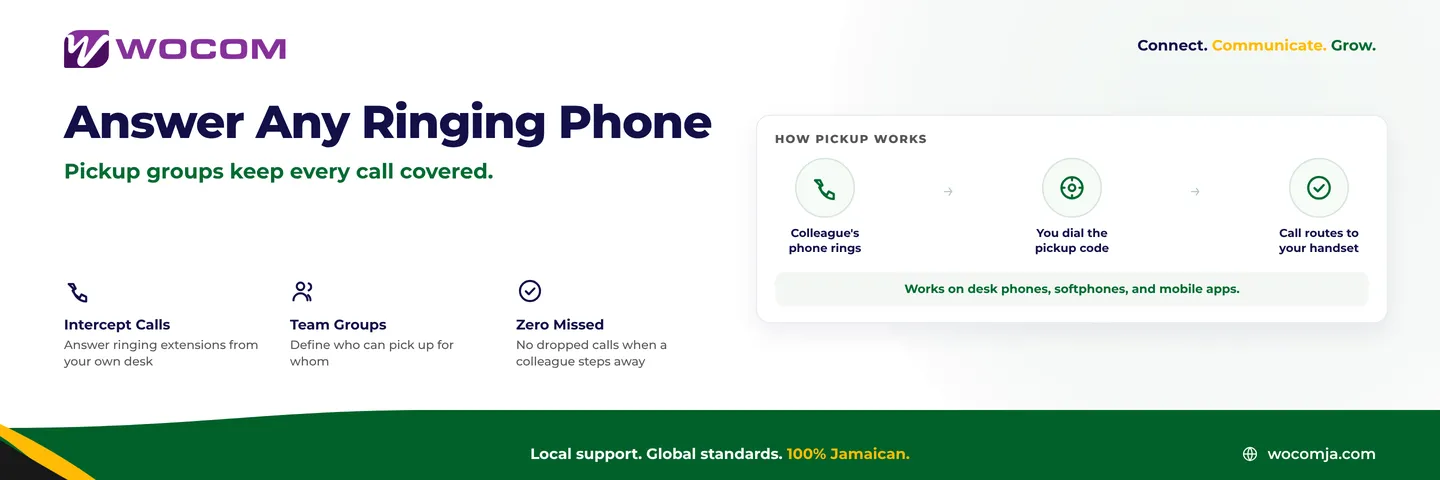
- Call park and pickup — place a call on a shared orbit so a colleague can retrieve it from any extension. Essential for open-plan offices and multi-desk setups covering the same queue.
- Hold vs mute — muting keeps the caller live and able to hear background noise; hold plays music or silence. Confusing these two in front of a client is embarrassing and entirely fixable with one clear demonstration.
- Directory lookup — finding the right extension for a colleague quickly, without keeping a customer waiting while staff scroll through a paper list.
Step 3: Build a One-Page Quick Reference Card for Every Workstation
Even well-trained staff forget under pressure. A laminated quick reference card at every workstation eliminates the problem. It should cover:
- How to answer an incoming call on the desk phone or softphone
- How to place a caller on hold and retrieve them
- The keystrokes or button sequence for a warm transfer
- How to park a call and the park orbit numbers used in your setup
- How to access voicemail and the retrieval shortcode
- The internal extension list, or a note of where to find it in the directory
- The name and number of whoever staff should call if something goes wrong
This single document prevents more support escalations in the first two weeks than any other intervention. WOCOM provides a pre-filled reference card template matched to your specific setup during onboarding.
Step 4: Use Your Call Logs Actively During the First Two Weeks
Cloud PBX platforms give supervisors real-time visibility that traditional phone systems never offered. Use it actively during the initial rollout — not to micromanage, but to catch problems before they become habits.
During the first fortnight, check your call reports daily for:
- Calls under 10 seconds — often indicate a dropped or mishandled transfer
- Calls transferred unexpectedly to voicemail — staff may be parking calls and forgetting to retrieve them
- High handling times on specific extensions — may indicate a team member struggling with a feature rather than a difficult caller
- Unanswered calls during business hours — a routing or training issue if queue depth is short
WOCOM's reporting dashboard lets you pull this data without involving IT. Ten minutes each morning during the first two weeks catches training gaps that, left unaddressed, calcify into permanent bad habits.
Step 5: Schedule a Structured Refresher at Day 30
The most common training mistake is treating a cloud PBX rollout as a one-time event. At day 30, run a 20-minute refresher specifically for frontline staff. Ask which actions still feel awkward, what shortcuts they have discovered on their own, and whether any real call scenarios were not covered in the original session.
This session delivers two outcomes: it addresses genuine gaps that only surface under live conditions, and it signals to staff that the business takes phone handling seriously — which measurably raises their own standards.
For businesses that want a more structured path, WOCOM Academy offers module-based training covering the WOCOM Hub portal, voicemail management, and call transfer procedures. Staff who complete the Basic certification demonstrate both competence and commitment — a useful baseline for any customer-facing role in Kingston or across your branch network.
Common Mistakes Jamaican Businesses Make When Rolling Out a New Phone System
After supporting hundreds of migrations across Kingston, Portmore, Montego Bay, Spanish Town, and beyond, the WOCOM team sees the same patterns repeat:
- Skipping voicemail greeting recording — staff leave the default system greeting active for weeks. Clients notice, and it undermines the professional image the new system was meant to project.
- No internal directory update — new extensions are added but the shared staff contact list still shows old numbers. Transfers land on dead extensions.
- Training only the IT contact — the person who understands the system deepest is often the least available to help when a receptionist panics mid-call on a busy Friday afternoon.
- Assuming staff will figure it out — cloud PBX is far more intuitive than a legacy PABX, but "more intuitive" is not the same as "self-explanatory under call volume."
- No escalation path documented on day one — staff need to know who to call when something unexpected happens. That name belongs on the quick reference card.
A cloud PBX is only as effective as the people operating it. Every dropped transfer is a customer experience failure — and almost every one is preventable with 90 minutes of structured, role-specific training.
Roll Out Your Cloud PBX the Right Way With WOCOM
WOCOM does not hand you a configured system and disappear. Every cloud PBX installation includes an onboarding session for your team, a pre-filled quick reference card matched to your setup, and access to WOCOM Academy for ongoing self-paced training. Our Kingston-based support team is available when your front desk hits an unfamiliar scenario on a busy Monday morning — not just during the initial go-live week.
If your current phone system is holding your staff back, or if you are planning a migration and want to get the human side right from the start, speak to WOCOM today. Visit wocomja.com/contact or call our team to book a free consultation and see what a properly supported cloud PBX rollout looks like for a Jamaican business.
Continue exploring
Ready to upgrade your communications?
Talk to our team about the right solution for your business.
Book a Demo Contact SalesEverett Kildare is WOCOM's voice and infrastructure specialist, with more than 25 years of experience designing and running carrier-grade voice, SIP and virtualization infrastructure. Holding a BSc in Information Technology, he has built, secured and migrated phone systems for businesses of every size. Everett writes WOCOM's technical coverage of SIP trunking, cloud PBX, contact centres, business continuity and migration.