Choosing a VoIP Desk Phone in Jamaica: A Practical Buyer's Guide
Businesses spend weeks choosing a phone system and twenty minutes choosing the handsets. Then staff use those handsets for the next six years. It is the wrong ratio, and it produces a predictable set of regrets — a reception phone with no expansion module, a warehouse phone nobody can hear, forty desk phones bought when half the team turned out to prefer a headset and an app.
This is what actually differs between handsets, and how to match them to the people who will use them.
First: Does Everyone Need a Desk Phone?
Start here, because it is the decision with the largest financial consequence. A softphone — the phone system as an app on a laptop or mobile — costs nothing per user beyond the extension, and for staff who are mobile, remote, or already living in a headset, it is often better than a handset.
Desk phones still earn their place for:
- Reception, where speed, transfers and seeing who is on a call matter more than anything
- Shared and public spaces — a warehouse, a workshop, a hotel corridor, a school office
- Staff without a computer at their working position
- Anywhere a physical, always-on device is the point, such as a lobby or an emergency phone
A mixed estate is normal and usually correct. The full comparison is in desk phone vs softphone app.
The Three Tiers, and What You Actually Get
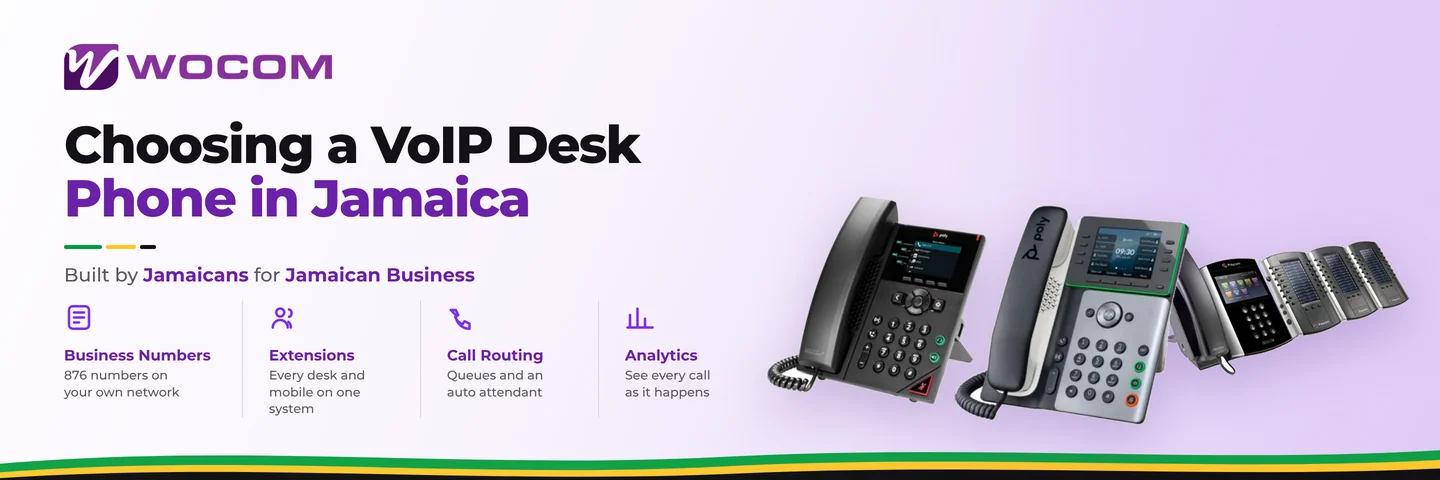
Entry-level
Two to four line keys, a small monochrome screen, a single Ethernet port or two, and adequate speakerphone. Fine for staff who take a handful of calls a day and need nothing beyond dial, answer and transfer.
Where they disappoint: the speakerphone is usually poor for anything but a quick check, there is no Bluetooth or Wi-Fi, and there are not enough programmable keys to make transfers fast.
Mid-range
The sensible default for most office staff. A colour screen, six to twelve programmable keys, gigabit pass-through so the phone and the computer share one network drop, Power over Ethernet, a decent handset and a genuinely usable speakerphone. Often supports a wireless headset.
This tier is where the value sits. The jump from entry to mid-range is felt daily; the jump from mid to executive frequently is not.
Executive and reception
Large colour touchscreens, many keys, Bluetooth and Wi-Fi, superior audio, and support for expansion modules — the side panels of extra buttons that let a receptionist see and reach thirty extensions at a glance.
Worth it for reception, for anyone running a busy transfer-heavy desk, and for offices where the phone sits in front of clients. Not worth it as a status purchase; the person with the biggest phone is rarely the person who uses it most.
Specifications That Genuinely Matter
- Power over Ethernet (PoE). The phone draws power from the network cable, so no power brick, no extra socket and — importantly here — the phone stays up when the desk power does not, provided the switch is on a UPS. Given Jamaica’s supply, this is a real resilience feature, not a convenience. See backup power.
- Gigabit pass-through. One network drop feeds phone and computer. If the phone is only 100Mbps, it becomes the bottleneck on that desk.
- Enough programmable keys. Under-specifying here is the most common regret. Count the extensions, queues and speed dials a person needs at a touch, then add headroom.
- Wideband audio (HD voice). Noticeably better on internal calls. External call quality is limited by the network at the far end regardless.
- Headset support. Check the connector — RJ9, USB, or Bluetooth — before buying headsets separately. Mismatches here are tediously common.
- Auto-provisioning. The phone configures itself from the platform. This matters enormously at ten handsets and is transformative at fifty.
Matching Phones to Roles
- Reception — executive handset plus an expansion module. Visibility of who is free is the whole job.
- Sales and support — mid-range with a good wireless headset, so hands stay on the keyboard.
- General office — mid-range, or a softphone if they are on a laptop all day.
- Warehouse, workshop, kitchen — loud ringer, robust build, and consider a cordless DECT handset instead of a fixed desk phone.
- Meeting rooms — a proper conference unit, not a desk phone on speaker. The difference is immediately obvious to whoever is on the far end; see conference calling.
- Field staff — no handset. A mobile app on their extension.
Buying Decisions Specific to Jamaica
Buy through the provider that supports them. A handset bought cheaply overseas may arrive locked to another platform, without local warranty, and with firmware that has to be manually replaced before it will register. The saving evaporates the first time one fails.
Insist on auto-provisioning. Phones that arrive pre-configured to your account turn a deployment into an afternoon. Phones configured by hand turn it into a week.
Plan for power. PoE switch on a UPS keeps the phones alive through the kind of short interruption that is routine here.
Buy a couple of spares. On a twenty-handset estate, one or two shelf spares means a failure is a five-minute swap rather than a two-week wait on shipping.
Do not buy analogue phones. If you have existing analogue handsets you want to keep, that is a different and legitimate path — see keeping your analogue lines — but buying new analogue hardware in 2026 is buying into a dead end.
The Cheapest Handset Is Rarely the Cheapest Decision
The difference between an entry-level and a mid-range phone is modest against a six-year life and the cost of the person using it. Staff notice a bad speakerphone every single day, and a receptionist without enough keys is slower on every transfer for years.
Specify for the role, not for the invoice total. And where a role genuinely does not need a handset, spend nothing at all — a softphone is free.
WOCOM supplies and pre-provisions handsets from the major IP phone manufacturers, configured to your account before they ship. To size a handset order or replace an ageing estate, call 876-326-1212, message us on WhatsApp, or see the Cloud PBX page.
Continue exploring
Ready to upgrade your communications?
Talk to our team about the right solution for your business.
Book a Demo Contact SalesEverett Kildare is WOCOM's voice and infrastructure specialist, with more than 25 years of experience designing and running carrier-grade voice, SIP and virtualization infrastructure. Holding a BSc in Information Technology, he has built, secured and migrated phone systems for businesses of every size. Everett writes WOCOM's technical coverage of SIP trunking, cloud PBX, contact centres, business continuity and migration.