Writing the Knowledge Base That Makes Your AI Receptionist Useful
The Difference Between Answering and Taking a Message
Two businesses switch on the same AI receptionist in the same week. One reports that it resolves most of its calls. The other reports that it takes a lot of messages.
The software is identical. The difference is the knowledge base — the set of answers the assistant has been given. Everything else about an AI receptionist is configuration. This is the part that is actually writing.
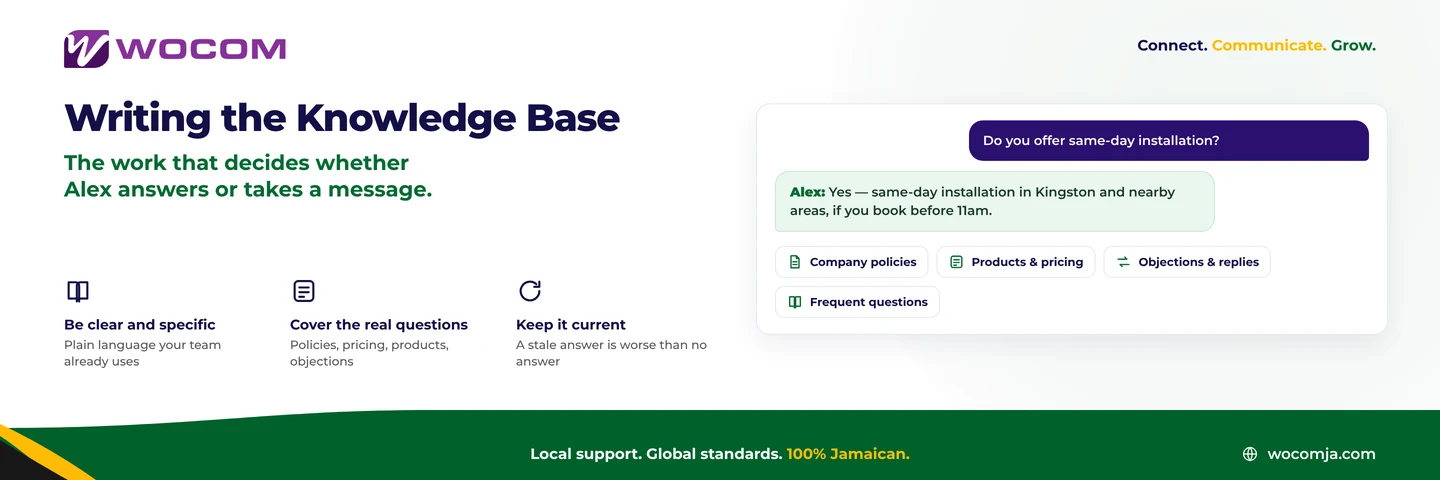
Alex, WOCOM’s built-in AI receptionist, answers from what you have put in front of it. An empty knowledge base produces a polite assistant that takes messages all day. A well-written one produces an assistant that closes conversations.
Start With What People Actually Ask
The temptation is to start with your website copy or your brochure. Resist it. Brochure language answers questions nobody asked.
Start instead with a week of real calls. If you already have call transcription switched on, read the transcripts. If not, ask whoever answers the phone to keep a tally for five working days.
You are looking for the questions that come up more than twice. In most Jamaican businesses that list is short and boring, and it is the single most valuable document you will write this quarter:
- What are your opening hours, and are you open on Saturday?
- Where exactly are you, and is there parking?
- Do you deliver to my parish, and what does that cost?
- How much is X, and does the price include GCT?
- Do I need an appointment, and what should I bring?
- Do you take card, and can I pay a deposit over the phone?
Twelve to twenty entries at this level will resolve a large share of your inbound calls. Write those before anything clever.
How to Write an Entry
An entry is a question and its answer, written the way a good employee would say it out loud.
Be specific. “We offer flexible delivery options” is not an answer. “We deliver across Kingston and St Andrew on the next working day. Delivery is free over J$10,000 and J$1,500 below that” is.
Use the words your customers use. If callers say “the big one”, write “the big one” into the entry alongside the product name. The assistant matches on what is said, not on your internal catalogue.
Answer the follow-up too. Most questions have an obvious second question. “Do you deliver?” is always followed by “when?” and “how much?”. Put all three in the same entry and the assistant answers in one turn instead of three.
Say what you do not do. An entry that reads “we do not service that model, but we can recommend someone who does” ends the call properly. Silence on the subject produces a message you have to return.
Keep one entry to one subject. A single entry covering hours, delivery and returns will be retrieved for all three and answer none of them well.
The Four Sections Worth Having
A knowledge base that stays useful tends to organise into four groups:
- Company policies — hours, location, payment, deposits, refunds, warranty, privacy.
- Products and services — what you sell, what it costs, what is in stock, what is seasonal.
- Objections and replies — “that is more than I expected”, “can you do better on the price?”, “I need it today”. Write what your best salesperson says.
- Frequent questions — everything from the tally that does not fit above.
What Not to Put In
A knowledge base is not a filing cabinet. Some things belong nowhere near it:
- Anything that changes weekly unless you have someone whose job it is to update it. A confidently wrong price is worse than no price.
- Personal or account data. The assistant should look a customer up through a proper integration, never from a static entry.
- Legal, medical or financial advice that a person should be giving.
- Anything you would not want said to your most difficult customer, because eventually it will be.
For the wider boundary between what an assistant should handle and what should reach a person on the first ring, see what an AI receptionist should and should not answer.
Keeping It Current
Knowledge bases decay. Prices change, a service is dropped, the Saturday hours move. A stale entry is worse than a missing one because the assistant delivers it with complete confidence.
Two habits keep it honest. First, a monthly fifteen-minute review of the entries that change — pricing, stock, hours. Second, a standing rule that whoever changes a price in the business changes it in the knowledge base the same day.
Every “let me take a message about that” in your transcripts is a knowledge base entry you have not written yet.
That last point is the whole maintenance strategy. Read your transcripts monthly, find the topics where the assistant handed off, and write the entry. The knowledge base improves in the direction your customers are actually pulling it.
An Afternoon Well Spent
Writing twenty good entries takes about three hours if you have the call tally in front of you. It is the highest-return three hours available to a business running an AI receptionist, and it is the step most businesses skip.
If you would rather work through it with someone, the WOCOM team will sit with your call data and draft the first set with you. Call 876-906-7240 in Jamaica or 877-906-7240 from the US, email support@wocomja.com, or use the contact page. The setup guide covers everything that surrounds the knowledge base.
Continue exploring
Ready to upgrade your communications?
Talk to our team about the right solution for your business.
Book a Demo Contact SalesMichelle Goss is a data and AI analyst at WOCOM, where she studies how Jamaican businesses use voice, messaging and AI to win and keep customers. With a BSc in Data Science & Analytics, she turns call data, customer trends and AI receptionist performance into practical guidance owners can act on. Michelle writes WOCOM's coverage of AI call handling, call analytics, customer growth and industry trends.