Video Conferencing for Jamaican Business: What Actually Matters When You Choose a Platform
Video meetings stopped being a novelty in Jamaican business some time ago. What has not settled is which platform a company should standardise on — and most of that decision gets made on the wrong criteria. Buyers compare the grid of faces, notice that all of them look roughly the same, and pick whichever one somebody on the team already has an account for.
The grid of faces is the part every platform gets right. The differences show up on the awkward days: when a customer cannot install software on a work laptop, when the meeting runs past the hour with a decision still open, and when somebody asks for a recording six weeks after the person who hosted it left the company.
Here is what to look at instead.
Joining should cost the guest nothing
The single biggest determinant of whether video works for your business is what happens to somebody who has never used your platform before. If joining means downloading an application, creating an account, or waiting through an update, then a meaningful share of your customers will simply not be there at the appointed time — and you will spend the first ten minutes of a client call talking somebody through an installer.
A browser-based platform removes that entirely. The guest clicks the link, gives a first and last name, and is in. WOCOM Meet runs in Chrome, Edge, Firefox, Safari and Opera on desktop and mobile, with no app to download and no plugin. Only the people hosting meetings need an account at all.
When you evaluate any platform, test this properly: send a link to somebody outside your company, on a device you do not control, and time how long it takes them to appear on screen. That number is the real cost of every external meeting you will ever run.
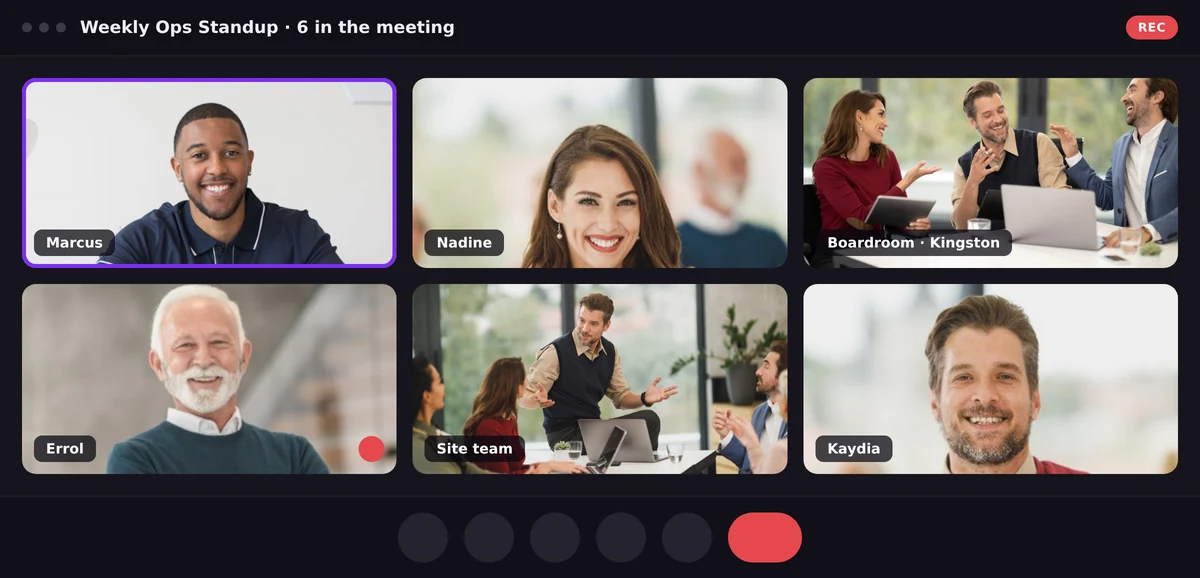
A meeting in progress: six participants, the active speaker outlined, one microphone muted by the host.
The numbers that quietly decide whether a platform fits
Every platform publishes participant limits and meeting lengths. Very few businesses check them against what they actually do — and then discover the ceiling in the middle of something important.
Three numbers matter. How many people can be in one meeting sets whether you can hold an all-hands or a customer briefing rather than only a team huddle. How long a meeting can run decides whether your monthly review has to be scheduled around a cut-off. What happens to one-to-one calls matters more than people expect, because the majority of business video is two people, not twelve.
WOCOM Meet answers all three the same way for every client. There is no Basic, Pro or Business to weigh up — every user on the account gets the same room:
| WOCOM Meet | |
|---|---|
| People in a meeting | 15 |
| Longest meeting | 2 hours |
| One-to-one calls | Unlimited |
| Cloud recording | Included, kept 30 days |
One detail worth borrowing as an evaluation criterion regardless of platform: ask what happens at the limit. A countdown that is visible throughout, with a warning before the end, is a very different experience from a call that stops mid-sentence and leaves everyone re-dialling and apologising.
Recordings belong to the business, not to whoever pressed the button
This is where the difference between platforms is largest and least discussed. On many setups, recording happens on the host's own machine — which means the file stops when they close the lid, captures whatever was on their screen, and lives in their downloads folder afterwards. Six months later, when a client disputes what was agreed, the recording is on a laptop that left with an employee.
Server-side recording removes all of that. One file per meeting, stored centrally, available to everyone in the account, and deleted automatically when the retention window passes. On WOCOM Meet that window is 30 days, the same on every account, and the deletion is automatic rather than a task somebody has to remember.
Retention is not only a housekeeping question. A recording of a customer conversation is personal data, and Jamaica's Data Protection Act has expectations about notice, purpose and how long you keep it — the same expectations that apply to recording phone calls. A platform that deletes on a schedule you set is doing part of that compliance work for you.
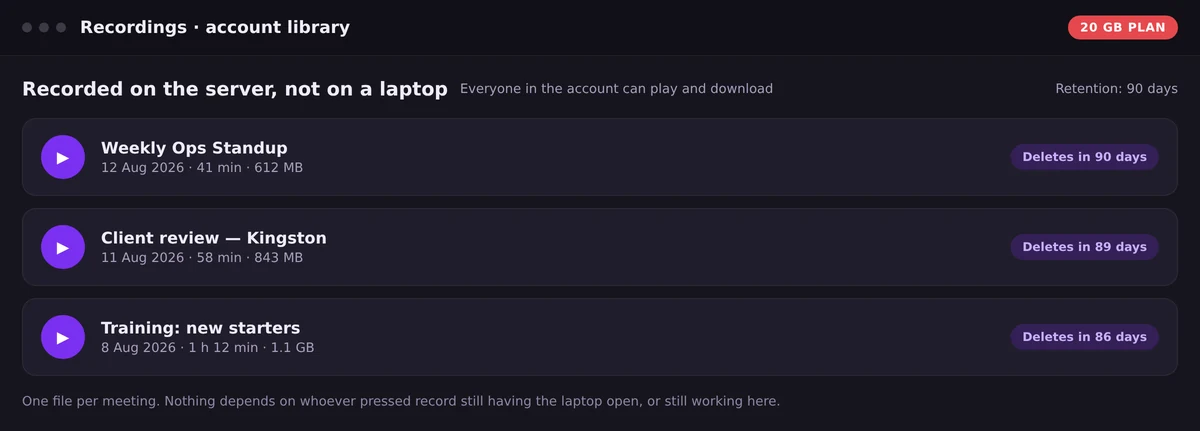
Recordings sit in the account library with a deletion date attached, not in somebody's downloads folder.
Running the room is a feature, not an afterthought
Anyone who has chaired a full meeting room knows the actual work is not talking. It is muting the person who left a microphone open in a busy office, holding late arrivals at the door until the confidential item is finished, and finding out what the room thinks without going around fifteen people one at a time.
Look for three things:
- Mute and remove that the server enforces. If control is implemented in the participant's browser, it is a request rather than a control.
- Polls, raised hands and reactions. The cheapest way to get a decision out of a large meeting.
- Screen sharing that does not hide the person sharing. Watching a document while the presenter disappears is a surprisingly large loss of information.
What it should cost
The honest answer for most Jamaican businesses is: not a separate line on the budget. Video is a feature of a communications platform, not a product to buy on its own, and paying a second vendor per user per month for meetings while already paying for a phone system is a duplication most companies would not accept in any other category.
WOCOM Meet comes with the WOCOM phone system — the same account, no separate video subscription, and the same room for every user on it. If you are weighing platforms, put the true annual figure next to the phone bill before you decide; it changes the comparison more often than not.
A short checklist before you commit
- Send a link to somebody outside the company and time how long it takes them to join.
- Check the participant ceiling against your largest real meeting, not your typical one.
- Ask where recordings are stored, who can retrieve them, and when they are deleted.
- Confirm that mute, removal and the waiting room are enforced by the server.
- Run one meeting from a phone on mobile data, not only from the office.
- Add up what video costs per year on top of what you already pay for voice.
Most of these take an afternoon to test and save a year of working around a platform that does not fit.
Frequently Asked Questions
Do guests need an account to join a video meeting?
Not on a browser-based platform. On WOCOM Meet, anyone with the link gives a first and last name and joins from the browser they already have. Only the people hosting meetings need accounts.
How many people can join a WOCOM Meet video conference?
Up to 15 people in a room, on every account — there is no participant tier to upgrade to. One-to-one calls are unlimited.
What happens when a video meeting reaches its time limit?
The countdown is on screen throughout and a warning arrives before the end, so nothing stops mid-sentence without notice. One-to-one calls are never time limited.
Where are meeting recordings stored?
On the server rather than on the host's laptop. One file per meeting, available to everyone in the account, deleted automatically once the retention window passes — 30 days by default.
Is video conferencing a separate subscription?
It does not need to be. WOCOM Meet arrives with the WOCOM phone system, so there is no separate video product to buy and no second per-user bill.
Getting started
If your business already runs on WOCOM, Meet is there — sign in and start a meeting. If not, meetings arrive with the phone system rather than as an extra. The full feature breakdown is on the WOCOM Meet page, and the WOCOM team can walk through how it fits the way your business actually meets.
Continue exploring
Ready to upgrade your communications?
Talk to our team about the right solution for your business.
Book a Demo Contact SalesEverett Kildare is WOCOM's voice and infrastructure specialist, with more than 25 years of experience designing and running carrier-grade voice, SIP and virtualization infrastructure. Holding a BSc in Information Technology, he has built, secured and migrated phone systems for businesses of every size. Everett writes WOCOM's technical coverage of SIP trunking, cloud PBX, contact centres, business continuity and migration.