Cold Standby vs Hot Standby: Which Phone Failover Mode Does Your Jamaica Business Need?
Your phone system goes down on a Thursday afternoon. The SIP trunk drops, the router dies, or the fibre on your block gets cut during roadworks. What happens next depends entirely on a decision you made — or never made — long before that moment: cold standby or hot standby?
Most Jamaican businesses know they should have a backup plan. Far fewer know that "backup" is not a single thing. The difference between these two failover modes is the difference between a ten-minute outage and a two-second blip — and the cost difference is real on both sides. This guide explains each mode, compares them directly, and shows you how to choose.
What Phone System Failover Actually Means
Failover is the automatic process of switching to a backup resource when your primary resource fails. In a business phone context, that could mean:
- Your SIP trunk provider's primary route drops and calls reroute through a secondary path.
- Your main internet circuit fails and calls switch to a 4G or Starlink connection.
- Your cloud PBX platform has an incident and a secondary server picks up your number.
Without deliberate failover architecture, none of that happens automatically. Callers hear a fast busy signal or dead air. You find out when someone complains — or you notice the phones have been quiet for twenty minutes and something feels wrong.
The two primary failover models — cold standby and hot standby — differ not in whether backup exists, but in the state that backup is in when it's needed.
Cold Standby: The Lower-Cost Backup Mode
In a cold standby setup, your backup resource exists but is not actively running. It is dormant — configured, provisioned, ready — but switched off or idle until the primary system fails.
When a failure is detected, the backup is activated. Configuration loads, connections establish, and service resumes. That process takes time: typically two to ten minutes, depending on the system and how fast the failure is detected.
Cold standby works well for:
- Businesses operating during standard office hours that can absorb a short recovery gap.
- Operations where call volume is moderate and a brief interruption won't cascade into a crisis.
- Companies with an AI receptionist or overflow voicemail already handling calls — a short delay before the backup route registers is acceptable.
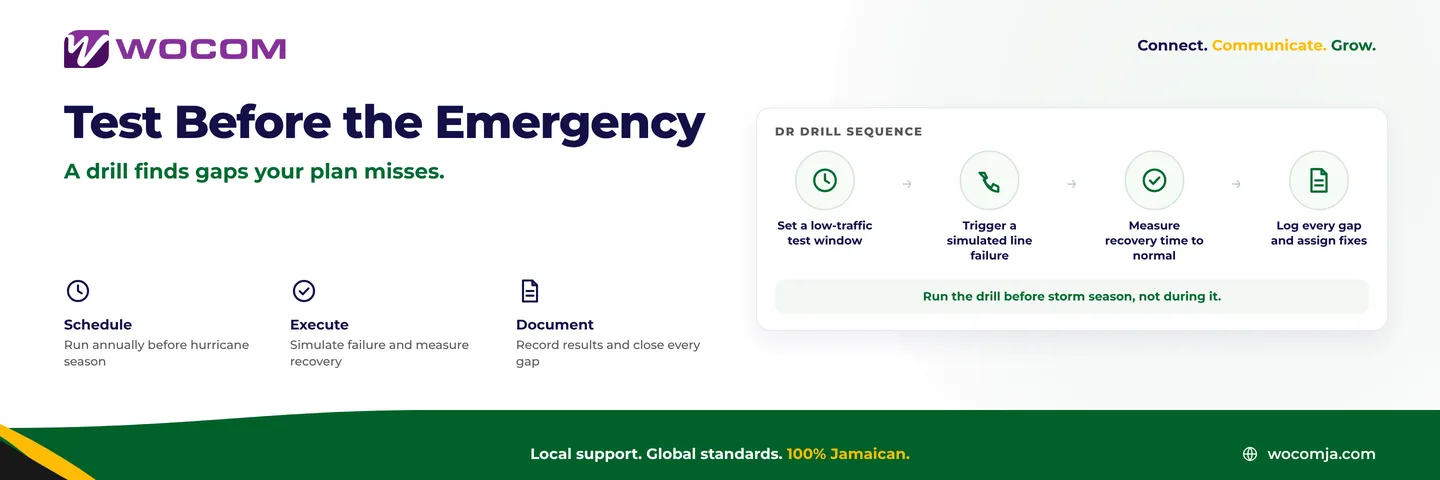
Cold standby is cheaper because you are not paying for continuous active operation of a secondary system. The trade-off is recovery time, and the hidden risk is drift: dormant systems can silently fall out of date. Periodic failover drills are essential to confirm the backup still works when it is needed.
Hot Standby: When Every Second of Downtime Has a Real Cost
A hot standby system runs in parallel with your primary at all times. Both are live, both are healthy, both are processing traffic or ready to process it. When the primary fails, switchover happens in seconds — sometimes less. There is no spin-up delay because there is nothing to spin up.
Hot standby requires more infrastructure and higher ongoing cost, because you are effectively running two production systems simultaneously. For the right business, that cost is justified by what a single ten-minute outage would actually cost in lost calls, lost revenue, or reputational damage.
Hot standby is the right choice for:
- 24/7 contact centres where calls cannot queue unserved for ten minutes at 2 a.m.
- Financial services lines where a dropped call means a transaction that does not complete.
- Healthcare and emergency services where a phone gap has a safety dimension, not just a business one.
- High-volume inbound lines where every missed call is a missed lead in a competitive market.
A BPO operation in Montego Bay running hundreds of inbound calls per hour cannot have agents sitting idle for eight minutes waiting for a SIP trunk to re-register. That is not an inconvenience — it is measurable, attributable revenue impact. Hot standby is not a premium option for that operation; it is the baseline.
Cold vs Hot: The Comparison That Matters for Jamaica Businesses
Here is where the two modes separate across the dimensions that business owners and IT managers in Jamaica actually care about:
- Recovery time. Cold standby typically takes two to ten minutes from failure detection to full restoration. Hot standby targets under thirty seconds — often under five.
- System state. Cold standby is dormant until activated. Hot standby is live and continuously validated by the fact that it is running.
- Testing requirement. Cold standby needs scheduled failover drills to confirm it still works — dormant systems drift as configurations change. Hot standby is self-validating by design.
- Cost model. Cold standby carries lower ongoing cost because only one system is fully active at a time. Hot standby carries the cost of dual active infrastructure.
- Failure detection. Both modes benefit from active monitoring, but cold standby is especially dependent on it — you cannot activate a backup you do not know you need.
Neither mode is inherently superior. The right answer depends on what a ten-minute outage actually costs your specific business at your busiest hour.
Choosing the Right Mode for Your Jamaica Operation
Start with one question: what is the real cost if your business phone is unreachable for ten minutes during peak hours?
If the answer is "disruptive but manageable," cold standby paired with fast monitoring is a sensible, cost-effective approach. You recover within ten minutes most of the time, and you are not paying for continuous dual infrastructure.
If the answer is "significant — lost calls mean lost jobs, lost sales, or a safety risk," hot standby is worth the investment. The premium pays for itself the first time a carrier incident hits and your phones keep ringing while your competitors go silent.
A hybrid approach is also valid and often the smartest design for growing Jamaican businesses. Run hot standby on your primary inbound number — the one on your website, your Google profile, your business cards — while using cold standby for internal extensions or secondary lines. The caller-facing experience stays protected without hot standby costs applied across your entire system.
For a medical practice in Portmore or a professional services firm in New Kingston, cold standby with monitored failover is usually the right balance. For a collections firm in the financial district running outbound campaigns, or a hotel group handling reservations across multiple properties, hot standby is the correct starting point.
How WOCOM Builds Redundancy Into Your Phone Plan
WOCOM operates Jamaica's own licensed telecoms network, which means redundancy decisions are made at the infrastructure level — not bolted on afterward through third-party workarounds. When you run SIP trunks or a cloud PBX through WOCOM, you are building on a platform with carrier-grade redundancy already designed in.
For businesses that need hot standby on critical inbound lines, WOCOM can architect failover across multiple bearer paths — including fibre, fixed wireless, and Starlink — so that no single point of failure silences your phones. For businesses where cold standby is the appropriate fit, WOCOM's monitoring infrastructure detects failures and can trigger automatic re-registration on a backup route without requiring anyone to notice and respond manually.
A backup that activates in ten minutes is still infinitely better than no backup at all. The question is whether ten minutes is a gap your business can accept — and only you know that answer.
If you are not sure which failover mode fits your operation, or if you have never actually tested whether your current backup activates when it should, the WOCOM team can help. We will assess your setup, identify your single points of failure, and recommend an architecture that matches both your uptime requirements and your budget. Reach out at wocomenterprise.com/contact — the conversation costs nothing, and knowing your failover posture before an outage is worth a great deal.
Continue exploring
Ready to upgrade your communications?
Talk to our team about the right solution for your business.
Book a Demo Contact SalesEverett Kildare is WOCOM's voice and infrastructure specialist, with more than 25 years of experience designing and running carrier-grade voice, SIP and virtualization infrastructure. Holding a BSc in Information Technology, he has built, secured and migrated phone systems for businesses of every size. Everett writes WOCOM's technical coverage of SIP trunking, cloud PBX, contact centres, business continuity and migration.