Business Call Audio Quality Checklist Jamaica: 10 Things to Check When Calls Sound Bad
Poor Audio Costs You Before the Conversation Begins
A caller hears robotic distortion on the first sentence and immediately questions whether your business is capable of handling their account. Echo that bounces every word back at them makes a simple enquiry feel exhausting. One-way audio — where you can hear the caller but they cannot hear you — ends the call before it starts.
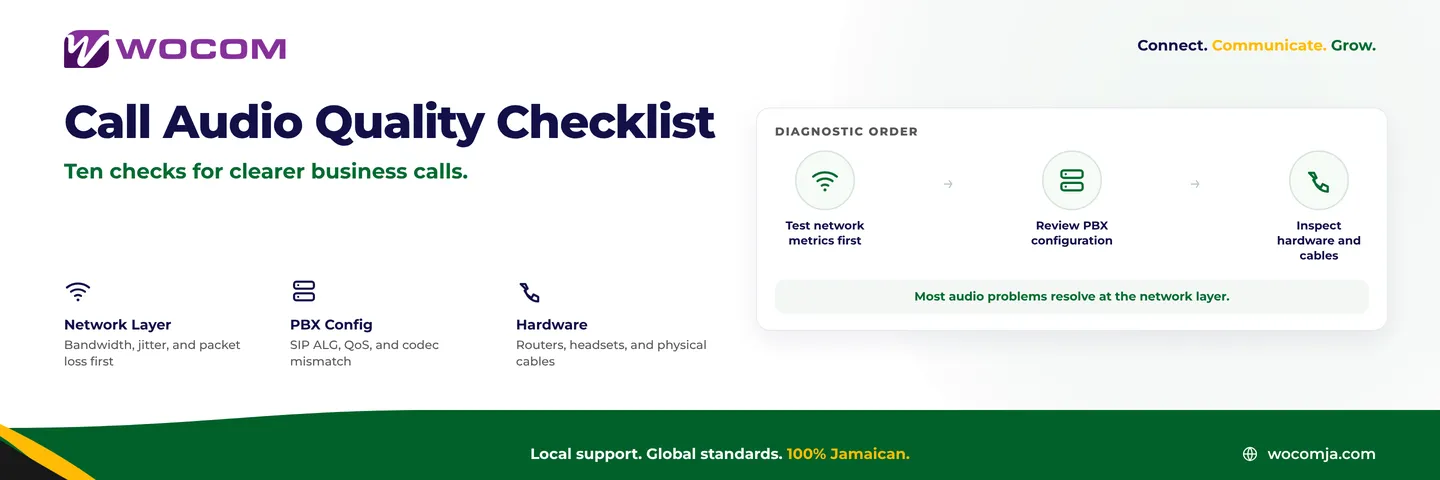
These are not random technical gremlins. Poor call quality in Jamaica VoIP and Cloud PBX systems almost always traces back to one of three layers: your internet connection, your router and PBX configuration, or your physical hardware. Work through the following ten checks in order and you will reach the fault faster than any trial-and-error approach.
Checks 1 to 3: Start at the Network Layer
Roughly seven in ten audio complaints on Jamaica business phone systems have a network-layer cause. Begin here before touching configuration or hardware.
- Check 1 — Run a VoIP-specific quality test. A standard speed test measures throughput but ignores the metrics that determine voice quality. You need to measure latency (target: under 80 ms round-trip), jitter (under 30 ms), and packet loss (under 1%). A result outside any of these thresholds will produce audible problems regardless of how fast your download speed appears. Test during peak business hours — 9 AM to 1 PM is typically the worst window for congested connections in Kingston and Montego Bay.
- Check 2 — Calculate your bandwidth per concurrent call. A single G.711 voice call consumes approximately 90–100 kbps in each direction. If your office makes five simultaneous calls on a 10 Mbps connection while cloud backups, software updates, and browser tabs compete for the same pipe, voice packets lose. Measure actual usage at peak hours, not theoretical capacity on the invoice.
- Check 3 — Look for contention at the moment audio degrades. Ask staff what else was happening on the network when calls went bad. A large file upload, a streaming video in the break room, or an automatic OS update can saturate the last mile and choke voice in real time. If problems are intermittent and always happen at the same time of day, traffic contention is almost certainly the trigger.
Checks 4 to 6: Router and LAN Configuration
Once your internet connection tests clean, turn to how traffic is handled inside your premises. Configuration errors at this layer are the second-most common source of audio problems on Jamaica VoIP deployments.
- Check 4 — Disable SIP ALG on your router. SIP Application Layer Gateway is a feature found on most consumer and small-business routers that was intended to assist VoIP through NAT. In practice it corrupts SIP packets and is the single most common cause of one-way audio and dropped registrations. Log into your router's admin interface and turn it off — it is usually found under firewall or advanced networking settings. If the option is not visible, check your hardware vendor's support documentation for the exact location.
- Check 5 — Verify QoS is active and covers voice traffic. Quality of Service rules instruct your router to process voice packets before data packets. Without QoS, a large download will delay voice packets and produce jitter that sounds like words dropping mid-sentence. Create a rule that prioritises traffic by DSCP marking or by reserving bandwidth for the IP addresses of your PBX or SIP trunk gateway.
- Check 6 — Move IP phones to a wired connection. Wi-Fi introduces variable latency and intermittent retransmissions that data applications handle gracefully but voice cannot. Any desk phone used by a receptionist or a team member who is on calls for most of the day should be connected via ethernet. Where cabling is not practical, ensure the phone is on the 5 GHz band and within close range of its access point.
Checks 7 and 8: Codec and PBX Settings
If network and router checks come back clean, the fault may lie in how your PBX and SIP trunk are negotiating the audio format itself.
- Check 7 — Confirm the codec in use and check for mismatches. G.711 delivers uncompressed audio and is the preferred choice when bandwidth is not constrained. G.729 compresses the stream to roughly one-eighth the bandwidth but introduces an audible artefact — voices sound thin or robotic under poor conditions. More critically, if your PBX is advertising one codec and your SIP trunk is configured for another, the two ends cannot agree during call setup and the result is one-way audio or complete silence. Confirm that both sides are negotiating the same codec in the SDP exchange.
- Check 8 — Verify your DTMF method matches your trunk. DTMF is the standard that governs how keypad presses travel across a SIP call. RFC 2833 sends tones as separate RTP events; SIP INFO sends them as SIP messages. When your PBX and trunk are configured differently, callers pressing keys to navigate an IVR, enter a PIN, or make a payment will hear silence and nothing will advance. This setting must match what your SIP trunk provider requires — a quick check with your provider will confirm the correct value.
Checks 9 and 10: Hardware and Physical Layer
Hardware issues are rarely the cause of a problem affecting every call in the office, but they are the most likely explanation when only one extension or one user is affected.
- Check 9 — Test a different headset or handset. Budget headsets with poor microphone isolation transmit keyboard noise, air conditioning hum, and background voices to the caller. Worn handsets can develop echo through acoustic coupling between the earpiece and microphone. Swap the device and test immediately. If the problem disappears with a different device, the hardware is the fault — not the network or the PBX.
- Check 10 — Inspect ethernet cables and PoE switch capacity. A degraded ethernet cable causes intermittent packet loss that is invisible to a throughput test but audible in voice. Cables running through walls or under floors in older Kingston office buildings are particularly susceptible. PoE-powered IP phones that share an overloaded switch with other devices can also exhibit audio glitches when the switch's power budget is stretched. Check that your switch has headroom above its stated PoE capacity with all phones connected.
When the Fault Is Upstream of Your Premises
If all ten checks pass and audio problems persist, the issue is likely upstream — at your SIP trunk, your carrier's interconnect, or the PSTN gateway used to terminate calls to mobile and landline numbers. At this point, diagnosing further without server-side packet captures and CDR data is guesswork.
When you contact your provider, have this ready: the exact date and time of the affected call, the inbound or outbound direction, the number at the other end, and a precise description of the symptom. A provider that owns its own infrastructure — rather than reselling capacity from another carrier — can pull SIP logs and RTP statistics for that specific call and tell you where in the network the fault originated.
Knowing whether the problem sits at the trunk, at a peering point, or at the PSTN gateway is the difference between a fix measured in minutes and one that disappears into a support ticket queue with no resolution timeline.
Get a Call Quality Assessment from WOCOM
WOCOM operates its own SIP infrastructure in Jamaica and can run end-to-end diagnostics on calls placed across its network. Whether your business is troubleshooting audio problems on an existing Cloud PBX, evaluating a SIP trunk, or looking for a provider who can actually investigate rather than redirect you to a generic FAQ — the conversation starts with our team.
Contact WOCOM to book a call quality assessment. We will work through your network, your PBX settings, and your trunk configuration with you — and if the fault is on our side, we will find it and fix it.
Visit wocomja.com/contact or reach our technical team directly through the WOCOM client portal to open a call quality case.
Continue exploring
Ready to upgrade your communications?
Talk to our team about the right solution for your business.
Book a Demo Contact SalesEverett Kildare is WOCOM's voice and infrastructure specialist, with more than 25 years of experience designing and running carrier-grade voice, SIP and virtualization infrastructure. Holding a BSc in Information Technology, he has built, secured and migrated phone systems for businesses of every size. Everett writes WOCOM's technical coverage of SIP trunking, cloud PBX, contact centres, business continuity and migration.