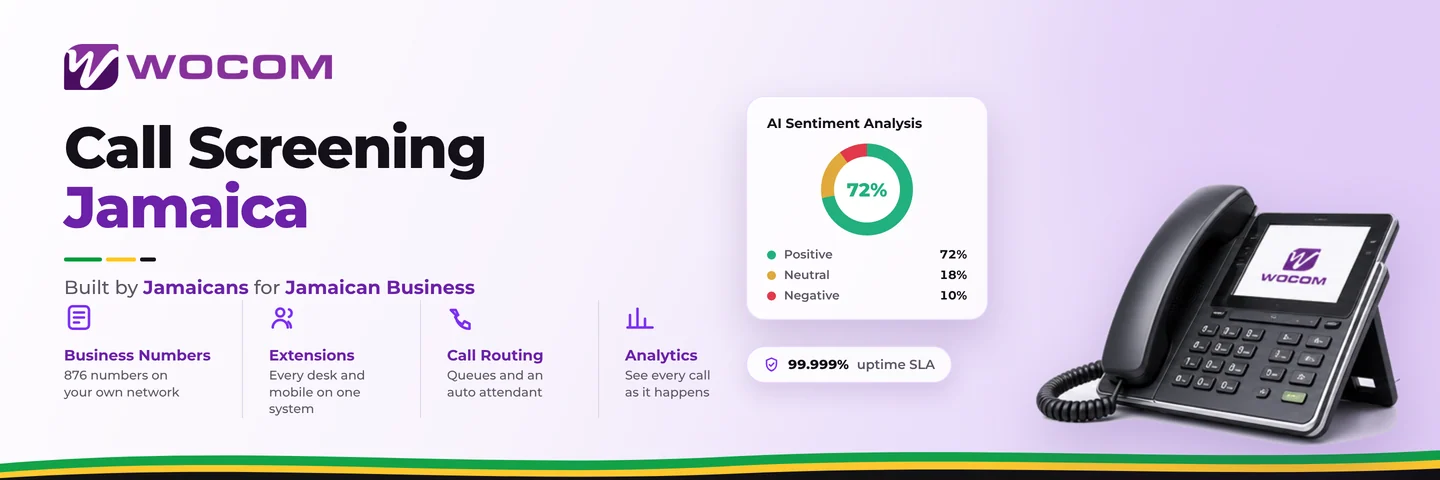
Call Screening Jamaica: Filter Spam and Prioritise VIP Callers Before Anyone Picks Up
If your staff are answering three calls before they get to a real customer — fielding robocalls, silent lines, and numbers that go nowhere — call screening is not a luxury. It is a basic operational setting that every Jamaican business on a Cloud PBX should have configured before the first extension rings.
This guide explains what call screening is, how it works inside a hosted phone system, and exactly which settings to activate so your team spends time on calls that matter.
Why Unfiltered Calls Are Costing You More Than You Realise
A spam call that reaches a contact centre agent in Kingston takes roughly 15 to 30 seconds to identify and terminate. Across a team of six agents fielding 40 such calls per day, that is up to 20 staff-minutes lost — before a single customer question is answered. In a retail operation in Montego Bay where peak hours are compressed, those lost minutes translate directly into longer queues and missed sales conversations.
The less obvious cost is cognitive. Agents who repeatedly answer dead-air calls or aggressive telemarketing lines before they reach a genuine enquiry carry a level of low-grade frustration that erodes call quality across the board. Call screening removes the noise before it reaches your team.
What Call Screening Actually Does — Beyond Blocking Numbers
Most business owners hear "call screening" and picture a simple blocklist. That is one tool, but a Cloud PBX handles screening across several layers simultaneously:
- Blocklists: Numbers you have explicitly banned are rejected at the carrier level — the caller hears a disconnection tone or a brief recorded message. They never reach your IVR or your staff.
- Anonymous call rejection: Calls arriving with no caller ID — a common trait of robocalls and spoofed marketing lines — are automatically declined without ringing a single extension.
- Caller ID-based routing: Recognised numbers (saved customers, VIP accounts, partner businesses) are routed differently from unrecognised callers — skipping the queue or reaching a dedicated extension directly.
- Time-of-day filters: Certain number ranges or call types can be allowed only during business hours, reducing noise on night-mode routing without affecting legitimate urgent calls.
- Geographic filtering: SIP trunks with international routing can be restricted so that calls from regions you never serve — certain US area codes, overseas call centre prefixes — are declined before they consume agent time.
These layers work together. A well-configured Cloud PBX applies them in sequence, so a call that passes the blocklist check can still be held at anonymous-rejection before it ever triggers your IVR.
Setting Up Screening Without Accidentally Blocking Real Customers
The single most common mistake Jamaican businesses make when enabling call screening is applying rules too broadly. Blocking entire area codes, for example, can cut off legitimate customers calling from international numbers — a real concern for businesses serving the diaspora or handling remittances.
A safer approach works in stages:
- Start with anonymous call rejection only. This catches the largest volume of spam with near-zero risk of blocking genuine callers. Legitimate customers almost always call with a visible number.
- Build the blocklist from your call logs. Pull your Cloud PBX call history and filter for calls under 10 seconds with high repeat frequency. These are your nuisance numbers. Add them explicitly rather than guessing.
- Set geographic filters narrowly. If you receive zero legitimate business from a particular country code, block it. If you have any doubt — leave it open and revisit after 30 days of log review.
- Test every rule before going live. Call your main number from a mobile, from a withheld number, and from an international SIM if available. Verify each scenario routes as intended.
VIP Caller Identification: Route Your Best Customers Differently
Screening is not only about keeping bad calls out — it is equally about fast-tracking the calls that matter most. Cloud PBX systems allow you to define caller groups based on saved numbers, then apply custom routing rules to those groups.
A pharmaceutical distributor in Kingston, for example, might configure their top 20 hospital accounts to ring directly to the dedicated accounts desk — bypassing the main IVR entirely. An automotive dealership in New Kingston might route calls from existing service clients to a priority queue with a shorter maximum wait time before offering a callback.
This is not a feature reserved for large contact centres. Any business on a hosted PBX can maintain a VIP number list and assign it a preferred routing path. The practical effect: your best customers get through faster, your front-line agents handle unrecognised inbound normally, and the experience matches the priority each caller actually represents to your business.
Screening Rules That Work Well for Specific Jamaica Industries
Different sectors face different spam profiles. Here is how screening typically gets configured across common Jamaican business types:
- Insurance brokers and financial services: High volume of cold-call marketing lines. Anonymous call rejection plus a blocklist maintained weekly keeps the pipeline clean without affecting client callbacks.
- Real estate agencies: Many legitimate callers are mobile-only and show local numbers. Geographic filtering is low-risk; anonymous rejection should be the primary filter here.
- Healthcare clinics and pharmacies: Patient privacy considerations mean screening rules must allow all Jamaican numbers through — the focus shifts to VIP routing for referring physicians rather than volume blocking.
- BPO and contact centres: Screening is applied at the SIP trunk level, often filtering by originating carrier prefix to reduce synthetic traffic before it hits agent queues.
- Retail and e-commerce: Blocking international marketing prefixes while keeping local mobile ranges open is usually the right balance, given that most customers call from Jamaica-based numbers.
What to Review in Your Call Logs Before Enabling Screening
Before you activate any screening rule, spend 15 minutes in your Cloud PBX reporting dashboard. Look for:
- Calls with duration under 8 seconds — almost always non-human or abandoned spam
- Numbers that appear 10 or more times in a 48-hour window with no customer record match
- Calls arriving between midnight and 5 AM that your business has no reason to receive
- Withheld or unavailable caller ID entries that cluster at specific times of day
These four patterns identify the vast majority of nuisance traffic before you write a single rule. Export the list, cross-reference it against your CRM for safety, and use it as the foundation of your blocklist. Revisit the logs monthly — spam calling patterns shift, and a static blocklist from six months ago may be missing current sources while still blocking numbers that have since been reassigned to legitimate callers.
A well-maintained call screening configuration reduces average handle time, protects agent morale, and ensures your most valuable customers reach the right person faster. It takes less than a day to set up and pays back that time within the first week.
Get Your Call Screening Configured by WOCOM
WOCOM's Cloud PBX includes full call screening capabilities — blocklists, anonymous call rejection, VIP routing, and geographic filters — as part of your hosted phone system. Our team works with businesses across Kingston, Montego Bay, and every parish to configure screening rules that match your specific call profile.
If you are not sure which rules to enable first, we can pull your call log data and recommend a starting configuration based on your actual traffic patterns. No guesswork, no rules applied blind.
Contact WOCOM today at 1-876-269-6767 or visit wocomja.com to speak with a solutions advisor. We will have your screening active and tested before the end of the business day.
Continue exploring
Ready to upgrade your communications?
Talk to our team about the right solution for your business.
Book a Demo Contact SalesEverett Kildare is WOCOM's voice and infrastructure specialist, with more than 25 years of experience designing and running carrier-grade voice, SIP and virtualization infrastructure. Holding a BSc in Information Technology, he has built, secured and migrated phone systems for businesses of every size. Everett writes WOCOM's technical coverage of SIP trunking, cloud PBX, contact centres, business continuity and migration.