Call Monitoring Setup Jamaica: Who Can Listen, What Gets Logged, and How to Keep It Fair
The Feature Is Easy. The Governance Is the Work.
Switching on live call monitoring takes a WOCOM engineer a few minutes. Deciding who may listen to whom, under what circumstances, and what happens to the record afterwards takes a management conversation — and skipping that conversation is how a genuinely useful tool turns into a staff grievance.
This is a setup guide for the governance side: the decisions to make before the first supervisor presses Listen.
Step 1: Decide Who Gets to Monitor
Live supervision is not open to everyone on the account. It is granted to nominated supervisor extensions, and the nomination should be a deliberate act, not a default for anyone with a manager title.
A workable rule for most Jamaican SMEs:
- The person who owns the service outcome for a team should be a supervisor.
- Anyone who does not conduct performance conversations should not be.
- Directors and owners often should not be either — not for lack of authority, but because monitoring without regular coaching contact is rarely productive.
- Keep the list short and review it when people change roles. A stale supervisor list is a real risk when someone moves department.
Any extension can serve as the supervisor's own device — a desk phone, the mobile app, or a browser. There is no dedicated hardware to buy, which means the list is about permission, not equipment.
Step 2: Scope Monitoring by Department
Monitoring is scoped by department, and this is the control that matters most. A team lead in customer service should see customer service calls. They should not be able to listen to HR, accounts, or the managing director's line.
Before enabling the feature, map it out plainly:
| Department | Supervisor(s) | Can monitor |
|---|---|---|
| Customer service | CS team lead | Customer service extensions only |
| Sales | Sales manager | Sales extensions only |
| Branch operations | Branch manager | That branch's extensions |
| Accounts / HR / executive | — | Not monitored |
Departments that handle confidential internal matters are usually best left outside the monitoring scope entirely. It costs you nothing operationally and removes the single most common objection staff raise.
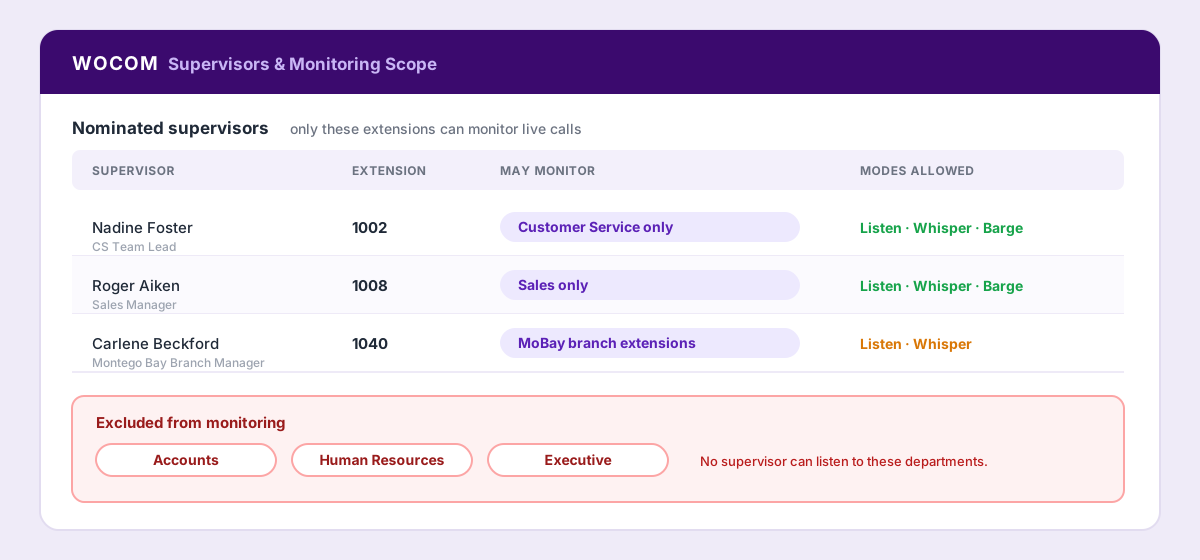
Scoping in practice: each supervisor reaches only their own department, and Accounts, HR and Executive sit outside monitoring entirely.
Step 3: Know What the Audit Trail Records
Every supervision session is logged — who monitored, which call, which mode, and when. This matters in three directions:
- It protects agents. If a member of staff believes they are being singled out, the log either confirms it or settles it. Both outcomes are better than a rumour.
- It protects supervisors. A coaching note backed by a logged session is evidence; one backed by memory is an argument.
- It protects the business. If a customer or regulator ever asks who had access to a conversation, you have an answer.
Decide who reviews the audit trail and how often. In smaller Jamaican operations, a monthly glance by whoever owns HR is sufficient. What matters is that somebody other than the supervisors themselves looks at it.
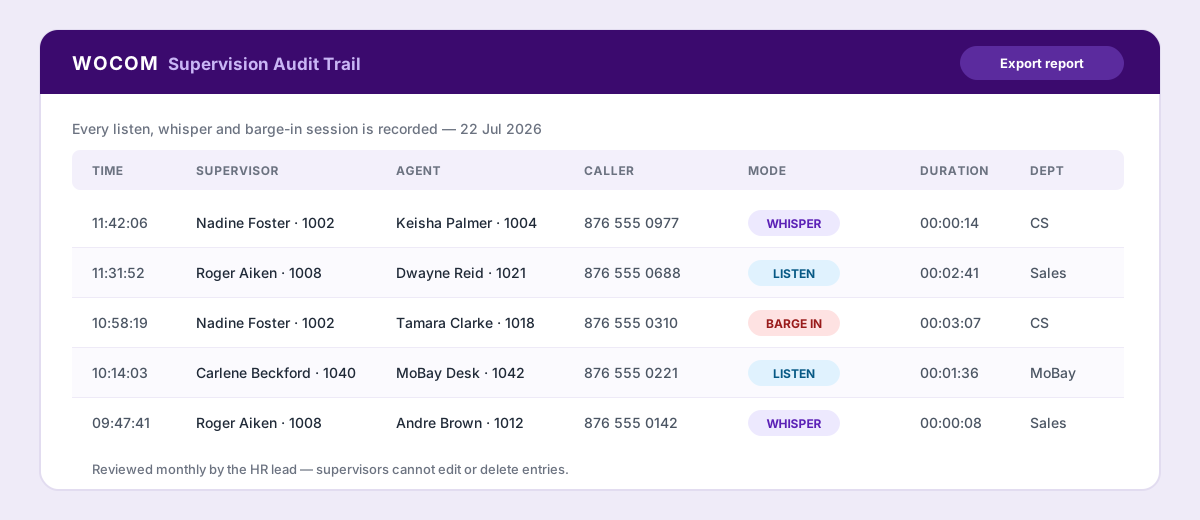
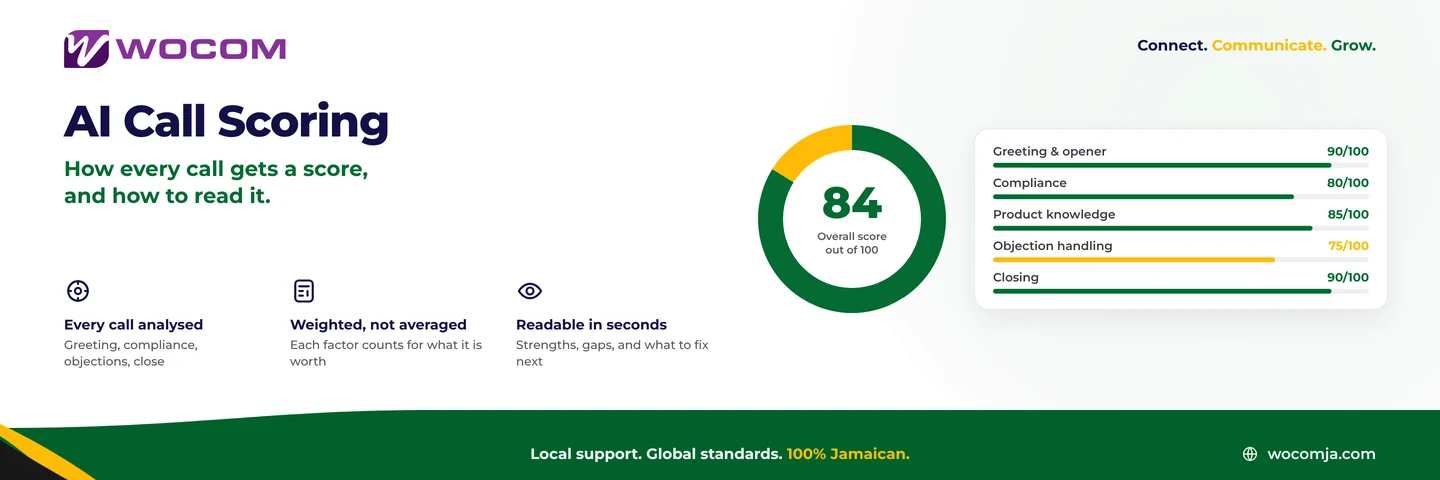
The audit trail: every session logged with mode and duration, exportable, and not editable by the supervisors themselves.
Step 4: Write a Monitoring Policy Staff Will Actually Accept
A one-page policy, issued and explained before the feature goes live, prevents almost every problem. It should state:
- That monitoring happens. Live listening, whisper coaching and barge-in, described plainly.
- Why. Quality, coaching, and rescuing calls — not catching people out.
- Who may monitor and the department scope that applies to them.
- What is out of scope — personal calls, and any department excluded from monitoring.
- That sessions are logged, and who reviews the log.
- How findings are used — coaching first, and a clear statement of when monitoring output can form part of a formal performance process.
Have staff acknowledge it once, in writing, at onboarding. Also make sure your customer-facing greeting reflects whatever recording and monitoring notice your business has adopted, and check that wording against your own legal advice — disclosure expectations differ by industry, and regulated sectors in Jamaica generally carry stricter obligations than others.
Step 5: Set Rules of Engagement for Supervisors
Permissions decide what is possible; rules of engagement decide what is normal. The teams that get the most from live monitoring tend to agree something like:
- Monitor with a purpose — a coaching plan, a queue alarm, a specific escalation — not as background listening.
- Escalate through the modes: Listen, then Whisper, then Barge In only when authority is genuinely required.
- Coach from patterns, not from single calls. One awkward call proves nothing.
- Tell the agent afterwards when you helped. Silent rescues build suspicion; acknowledged ones build trust.
- Spread attention across the team. Monitoring only the weakest performer is how monitoring gets a bad name.
Step 6: Roll It Out in the Right Order
- Agree supervisors and department scope.
- Issue and explain the policy.
- Ask WOCOM to activate Live Call Management on the account.
- Run one week of Listen only, with no coaching conversations, so supervisors learn the tool and the floor gets used to it.
- Introduce whisper coaching, starting with new hires who benefit most obviously.
- Reserve barge-in for genuine escalations from the outset.
- Review the audit trail after month one and adjust.
Businesses that go straight from activation to performance conversations almost always create friction. Businesses that spend the first fortnight using monitoring purely to help agents almost never do.
What You Need From the Platform
Whatever system you run, three capabilities are non-negotiable for fair monitoring: permission limited to nominated supervisors, scoping so supervisors only reach their own department, and a complete audit trail of every session. Without all three, you have a listening tool rather than a monitoring programme.
WOCOM's Live Call Management provides all three as standard, activated per account, and works across desk phones, the mobile app and browser extensions with no agent-side setup. Talk to us about switching it on for your team.
Continue exploring
Ready to upgrade your communications?
Talk to our team about the right solution for your business.
Book a Demo Contact SalesEverett Kildare is WOCOM's voice and infrastructure specialist, with more than 25 years of experience designing and running carrier-grade voice, SIP and virtualization infrastructure. Holding a BSc in Information Technology, he has built, secured and migrated phone systems for businesses of every size. Everett writes WOCOM's technical coverage of SIP trunking, cloud PBX, contact centres, business continuity and migration.