What Happens to Your AI Receptionist When the Internet Goes Down in Jamaica
AI receptionists live in the cloud — and the cloud needs internet
Traditional desk phones connected to an on-premise PABX can keep working through a power cut if you have a UPS. An AI receptionist is different. It runs entirely on remote servers: your call arrives over SIP, audio streams to a cloud platform, the AI processes the caller's speech, generates a response, and streams audio back — all in real time, all over your internet connection.
That dependency means if your office internet drops, your AI receptionist cannot do its job. For Jamaican businesses dealing with frequent JPS power interruptions, ISP cable faults, or a failed router, this is not a theoretical risk. It is a question of when, not whether.
The good news is that proper call routing means your callers never experience a dead line. The question is whether you have set that routing up before the outage happens.
What actually happens during an outage
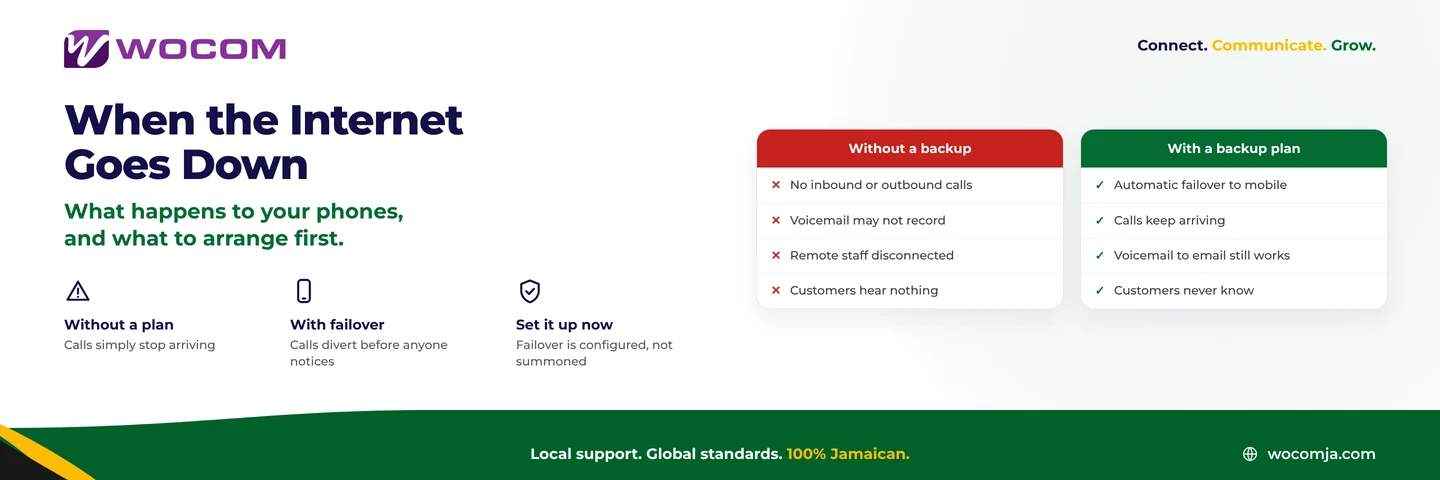
When your office internet drops, one of three things happens to inbound calls, depending entirely on how your phone system is configured:
- The call rings and nobody answers. If your SIP registration lapses, the carrier tries to deliver the call and receives no response. The caller hears ringing until it times out, then reaches voicemail — if you have configured it. If you have not, the call fails silently.
- The caller gets a busy signal or an error tone. If the SIP registration fails cleanly, the carrier may return a busy tone immediately. To the caller, your business number sounds broken or overwhelmed.
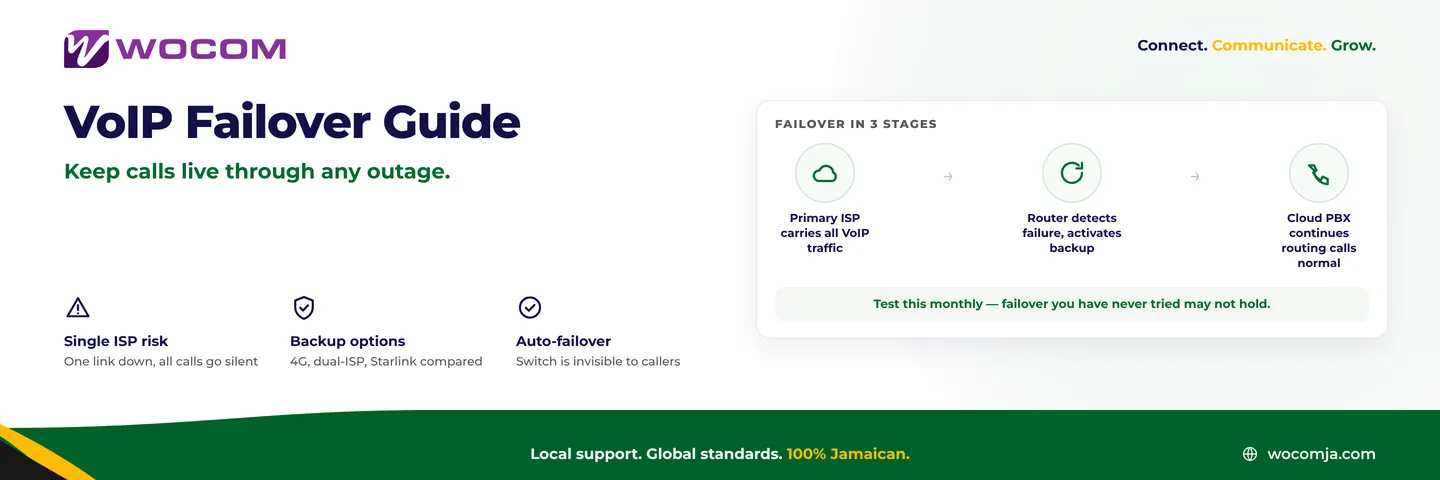
- Calls route automatically to a fallback destination. If your cloud PBX or SIP trunk has failover routing in place, calls divert to a mobile number, another office, or a hosted voicemail before the caller notices anything is wrong. This is the outcome to plan for.
Most Jamaican businesses discover which of these they have by experiencing the second or third option during a real outage on a busy morning.
Failover options and how they work
Configuring sensible failover for an AI-handled business line takes about ten minutes once you know what your options are.
Mobile number redirect is the simplest option. If the AI platform cannot be reached, the carrier diverts the call to a mobile number. The caller hears ringing as normal. A staff member answers directly on their phone. The AI is bypassed, but the call is answered. For most small and medium businesses across Kingston and Montego Bay, this is the right default fallback.
Second site routing works well if your business has more than one location. If your Kingston head office goes offline, calls can route to your Portmore or Spanish Town branch automatically — provided both sites have independent internet connections rather than a shared line.
Hosted voicemail is essential for outages that happen outside business hours or when no staff are available to take a redirected call. A voicemail box held in the cloud, not on equipment inside your office, records the message even if your local system is completely offline. The recording can be emailed to you as soon as your connection returns.
Announcement-only routing is a last resort but far better than a dead line. A short recorded message — held on cloud infrastructure, not your local server — plays automatically to any caller while your connection is down. It tells them you are experiencing a temporary issue and directs them to call back or leave a message.
Power outages and internet outages are not the same problem
These two failure scenarios are often treated as one, but they have different causes and different mitigations. Separating them makes it easier to plan for both.
Power outage: JPS cuts power to your area. If you have a UPS, your router and modem may stay on for 30 to 60 minutes. During this window, your AI receptionist typically keeps working because the AI servers are unaffected. The risk is your router battery draining faster than expected, or your modem not being on the UPS at all.
Internet outage: Power is on, but your ISP connection drops — a cable fault, a congestion event at the exchange, or a failed node. Your router is running and your phones are powered, but nothing can reach the cloud. This is when AI call handling fails even though nothing in your office has physically stopped working.
Jamaican businesses that invested in a UPS to protect their phone system sometimes discover this distinction when their router survives a power cut but their ISP connection goes down at the same time. The mitigations are different:
- For power outages: a UPS on both your router and modem, sized for at least two hours of runtime.
- For internet outages: a secondary internet connection — a 4G/5G router on a separate carrier, or Starlink — that the router fails over to automatically. Cloud-based call routing that does not depend on your local connection at all is the other option.
How to test your failover before you need it
Configuring failover is half the job. The other half is testing it before a real outage runs the test for you. Here is a straightforward procedure any Jamaican business can run on a quiet afternoon:
- Disconnect your router from power or unplug the WAN cable from the modem. Do not cut JPS — just isolate the router.
- Wait 90 seconds for SIP registrations to lapse and for carrier-side failover timers to trigger.
- Call your business number from a mobile phone that is not on your office Wi-Fi. Use data, not Wi-Fi.
- Confirm the call routes to your configured fallback — mobile, branch office, or hosted voicemail.
- Reconnect your router and confirm that normal AI call handling resumes within a few minutes.
Run this test when you first configure failover, and again any time you change your routing setup. A failover configuration that has never been tested is not a failover — it is an untested assumption.
What WOCOM configures as standard
When WOCOM sets up an AI-handled business line in Jamaica, failover routing is part of the initial configuration rather than an optional extra. During onboarding, the account team records a fallback destination — typically the owner's or manager's mobile — and configures carrier-side delivery to redirect there if the AI platform cannot be reached.
Hosted voicemail is available on every WOCOM number, stored on infrastructure outside your office so it survives local outages entirely. Businesses with multiple sites or a secondary internet connection can have both included in the failover path. For businesses that have experienced the frustration of a phone system that simply stops during a storm or a cable fault, the difference between configured failover and no failover is the difference between a minor inconvenience and a day of missed enquiries.
Review your failover configuration today
If you are running an AI receptionist on your Jamaica business line and have not tested what happens when your internet drops, now is the right time to find out — before a caller does it for you. WOCOM can review your current routing setup, identify any gaps, and configure backup delivery paths that keep your callers connected regardless of what happens to your local connection.
Speak with the WOCOM team at wocomja.com/contact, or visit our Kingston office to walk through your current configuration. Your next outage is coming — make sure your calls are ready for it.
Continue exploring
Ready to upgrade your communications?
Talk to our team about the right solution for your business.
Book a Demo Contact SalesEverett Kildare is WOCOM's voice and infrastructure specialist, with more than 25 years of experience designing and running carrier-grade voice, SIP and virtualization infrastructure. Holding a BSc in Information Technology, he has built, secured and migrated phone systems for businesses of every size. Everett writes WOCOM's technical coverage of SIP trunking, cloud PBX, contact centres, business continuity and migration.