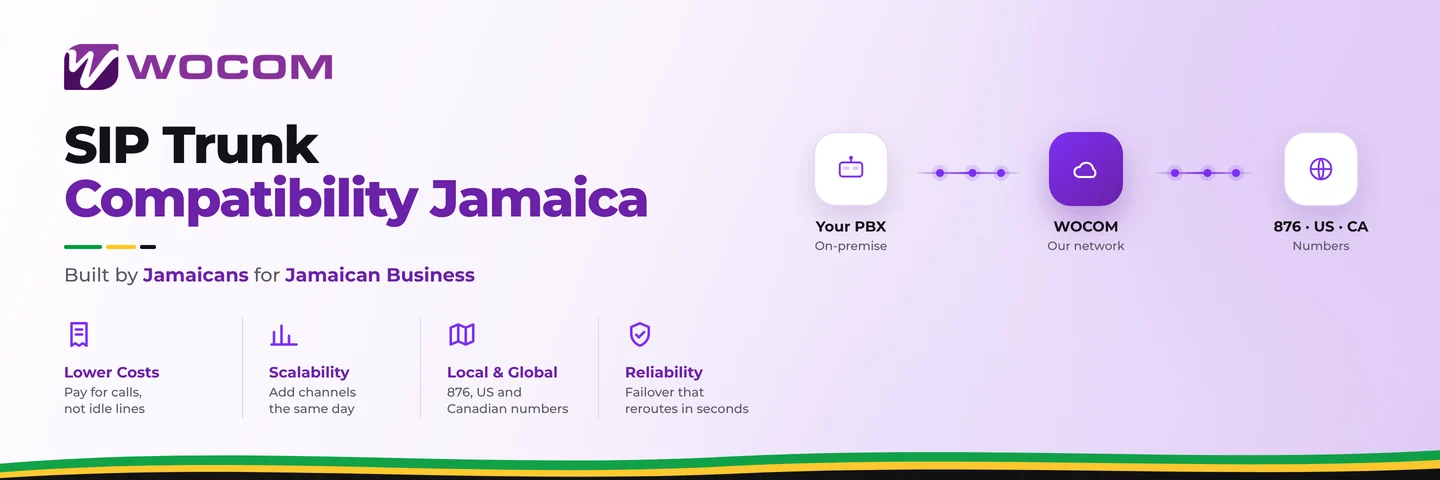
SIP Trunk Compatibility Jamaica: Does Your Existing PBX Connect Without Extra Hardware?
Why Compatibility Is the First Question to Ask
Many Jamaican businesses switch to SIP trunking expecting a straightforward swap — plug in the new trunk, keep the existing phones, and start saving on call costs. For most IP-based systems, that is exactly how it goes. But for others, there is a step nobody mentioned: your current PBX may not speak SIP natively, or it may speak SIP with just enough quirks to cause dropped calls, one-way audio, or failed registrations on day one.
Getting compatibility right before you sign up — not after — saves you from delays, surprise hardware costs, and the frustration of a system that half-works on go-live day. This guide gives you a clear picture of what to check and what your options are.
What SIP Trunk Compatibility Actually Requires
A SIP trunk is a VoIP connection between your phone system and a licensed carrier delivered over your internet connection. For your PBX to use it, four things need to line up:
- SIP protocol support (RFC 3261): Your PBX must be able to register as a SIP endpoint and handle inbound and outbound SIP INVITE messages. Most IP-PBX systems built after 2010 do this natively.
- Codec compatibility: G.711 (μ-law or a-law) is the universal standard and works on almost every carrier network. G.729 is also supported for businesses with limited bandwidth — but it requires a licensed codec on some PBX platforms, so confirm before assuming it is available.
- NAT traversal: Because your PBX sits behind a router, SIP packets need to correctly report their external IP address to the carrier. Systems that do not handle NAT properly produce one-way audio — you hear the caller, but they cannot hear you. WOCOM uses outbound proxy settings and STUN to help resolve this, and our onboarding team walks you through the configuration.
- DTMF signalling: Pressing a key during a call — for IVR menus, voicemail PINs, bank systems — relies on DTMF. RFC 2833 / RTP Event is the carrier standard. Confirm your PBX is not set to in-band DTMF only, or digit presses will fail silently.
IP-PBX Systems That Work Well With WOCOM SIP Trunks
The following platforms are regularly deployed alongside WOCOM SIP trunks across Kingston, Montego Bay, and across the island. Configuration may vary by firmware version, but compatibility is well-established for each:
- Grandstream UCM Series (UCM6208, UCM6510, UCM6302): Grandstream's IP-PBX appliances include pre-built SIP trunk templates. Most configurations are complete in under an hour. These are among the most common systems we encounter in Jamaican offices.
- Yeastar S-Series and P-Series: The Yeastar GUI makes trunk setup straightforward. The P-Series also supports app-based softphone extensions — useful for businesses running hybrid or remote teams.
- 3CX (software PBX): Popular with IT companies and managed service providers island-wide. 3CX runs on Windows, Linux, or in the cloud, has a dedicated SIP trunk template wizard, and handles NAT reliably when configured correctly.
- FreePBX / Asterisk: The open-source standard for technically capable teams. Fully compatible — but configuration is manual, and SIP trunk setup requires comfort with the Asterisk dialplan or FreePBX's trunk configuration screens.
- Panasonic NS700, NS1000, and TDE Series: The IP-enabled Panasonic business systems support SIP trunks through their IP gateway cards. Requires correct codec and NAT settings configured in the Panasonic Maintenance Console.
If your system is not listed here, that does not mean it is incompatible — it means you should ask before assuming. Most SIP-capable PBX systems released in the last decade work without major issues.
What If Your System Is Older or Analog?
Not every office in Jamaica has moved to IP telephony yet. Many businesses are still running older PABX systems — Panasonic KX-TES824, KX-TDA100, KX-TDA200, or NEC SL1100 — that use analog or digital trunk interfaces, not SIP. These systems cannot accept a SIP trunk directly.
You have two practical options:
- Voice Gateway (ATA): A device such as the Grandstream HT814 or AudioCodes MP-114 sits between the SIP trunk and your analog PABX. It converts the SIP trunk to analog FXO lines your existing system already understands. You keep your current extensions and handsets, and the gateway handles the translation. This is the lowest-disruption path. It does add a hardware cost and one more device to maintain, but for systems in good shape it extends useful life by several years.
- Migrate to Cloud PBX: If the existing PABX is aging, undersized, or due for replacement anyway, a SIP trunk inquiry is a natural trigger point to move to a fully hosted system instead. You eliminate on-site hardware entirely, gain remote extensions at no extra hardware cost, and access features — call recording, hunt groups, auto-attendant, AI receptionist — that older analog PABX systems simply cannot offer.
There is no universally right answer. It depends on the condition of your existing hardware, how many extensions you need, and whether you want to keep investing in maintaining aging equipment or use this moment to modernise fully.
The Pre-Provisioning Compatibility Check WOCOM Runs Before Go-Live
Before WOCOM provisions your SIP trunk, our team reviews your setup. This is not a formality — it is how we prevent the most common issues from becoming your problem after go-live.
Here is what the process looks like in practice:
- We confirm your PBX model and firmware version against known-compatible configurations.
- We provide your SIP trunk credentials, codec preferences, and outbound proxy details formatted specifically for your platform.
- If you are using a voice gateway, we advise on the correct port configuration and register settings.
- We run test calls — both inbound and outbound — before signing off on the go-live date.
- If one-way audio or registration issues appear during testing, our support team works through them with you directly, not three days after a ticket submission.
For businesses in Kingston's New Kingston commercial corridor, Montego Bay's Freeport area, or anywhere on the island connecting through Starlink, fibre broadband, or cable internet — SIP trunk performance depends on both the trunk configuration and the underlying network. WOCOM reviews both sides before your lines go live.
Get Your Compatibility Confirmed Before You Commit
You do not need to guess whether your system will work. Tell WOCOM what PBX or phone system you are currently running and we will tell you exactly what is needed — whether that is a direct SIP trunk connection, a voice gateway, or a full migration to cloud. As Jamaica's licensed SIP trunk provider with infrastructure the company owns and operates directly, we have configured trunks on every major platform deployed across the island.
Contact the WOCOM team at wocomja.com — share your current PBX model and we will run a compatibility check at no charge before you commit to anything. Getting this right from the start costs nothing. Getting it wrong costs time, money, and frustrated staff.
Continue exploring
Ready to upgrade your communications?
Talk to our team about the right solution for your business.
Book a Demo Contact SalesEverett Kildare is WOCOM's voice and infrastructure specialist, with more than 25 years of experience designing and running carrier-grade voice, SIP and virtualization infrastructure. Holding a BSc in Information Technology, he has built, secured and migrated phone systems for businesses of every size. Everett writes WOCOM's technical coverage of SIP trunking, cloud PBX, contact centres, business continuity and migration.