Still Running on a PABX? Why Jamaica Businesses Are Moving to Cloud PBX in 2026
The PABX That Will Not Quit — Until It Does
Walk into almost any established Jamaican business — a law firm in New Kingston, a medical practice in Montego Bay, a hotel along the North Coast — and you will find it: a beige or grey box mounted in a back room, covered in cables, running a telephone system installed when flip phones were still fashionable. That is the PABX (Private Automatic Branch Exchange), and it has been the backbone of business communications in Jamaica for three decades.
For most of those years, it worked. You added a line, plugged in a desk phone, and it just ran. But the telecom world has shifted dramatically, and that faithful old PABX is now one of the biggest obstacles between your business and the way modern customers expect to reach you.
5 Signs Your PABX Has Reached Its Limit
If any of these sound familiar, your system is telling you something:
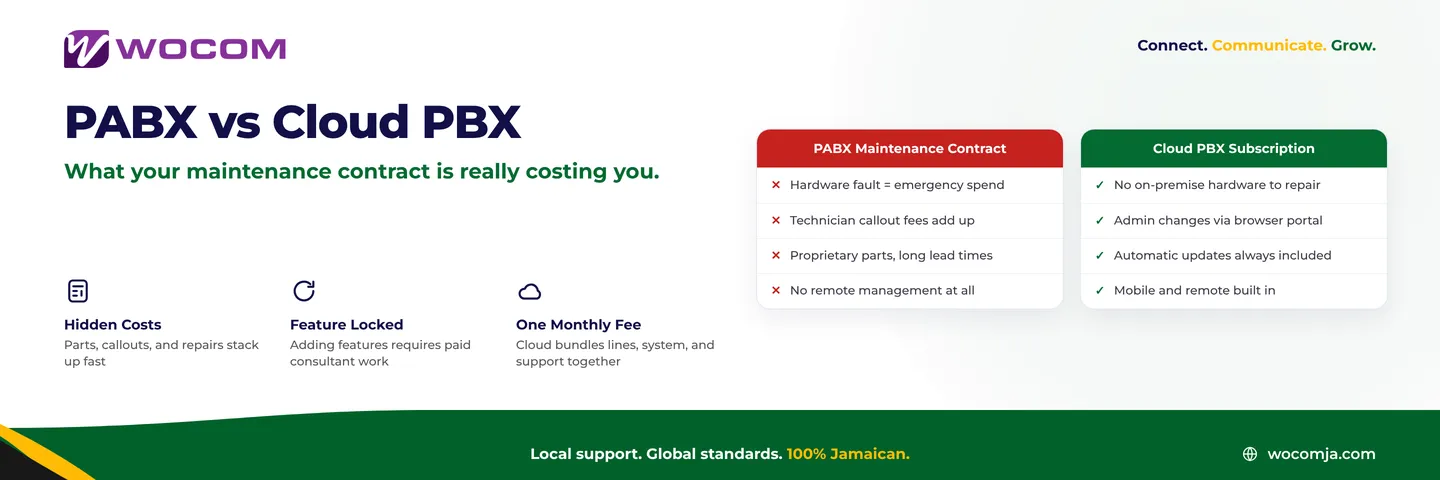
- Repair bills that keep climbing. Technicians who still know how to service a 15-year-old Panasonic or Avaya PABX are a shrinking group. When a card fails or a power supply dies, you pay premium rates for specialist knowledge — or wait weeks for parts shipped from overseas.
- Adding extensions requires a technician visit. Taking on two new staff members means booking a call-out, ordering a hardware card, and possibly waiting days. Cloud PBX adds a new extension in under five minutes from a browser.
- Staff working remotely cannot use the office number. Your PABX is bolted to a physical location. Remote workers either use personal mobile numbers — creating a fragmented, unprofessional impression — or miss calls entirely.
- No visibility into what is happening on your lines. Can you tell how many calls you missed last Tuesday? How long customers waited? Which staff member handled the most calls? If your PABX cannot answer these questions, you are managing blind.
- The manufacturer has discontinued the product. Many PABX systems installed in Jamaica in the 2000s and early 2010s are now end-of-life. No security patches, no firmware updates, no manufacturer support — just a ticking clock of eventual hardware failure.
What a Failing PABX Actually Costs a Jamaica Business
The monthly maintenance retainer feels like the only cost. But the full picture is broader.
Downtime risk. When a PABX card fails on a Monday morning, you may have no working phones for hours or days. For a busy Kingston distributor, a medical clinic, or a financial services firm, that is not just inconvenient — it is revenue-destroying.
Copper line lock-in. Traditional PABX systems depend on physical PSTN lines from the carrier. Those lines carry a fixed monthly cost whether you use them or not, and scaling up means negotiating a new contract and waiting for physical installation.
Lost calls with nowhere to go. A PABX rings until someone picks up or the caller gives up. There is no intelligent routing, no AI receptionist to capture a message at 7 pm, no call queue that tells a waiting customer their position. The caller gives up and contacts your competitor.
Compliance gaps. Regulated industries in Jamaica — financial services, healthcare, legal — increasingly need to record and retrieve calls on demand. Most legacy PABX systems make this difficult or impossible without expensive bolt-on hardware.
What Cloud PBX Replaces — and What Stays the Same
One of the most common questions WOCOM hears from businesses considering a switch is: "Do we have to replace all our phones?" The honest answer is: not necessarily.
Modern Cloud PBX works with:
- IP desk phones — many businesses in Jamaica have already invested in Yealink, Grandstream, or Cisco IP phones that connect directly to Cloud PBX without any additional hardware.
- Softphone apps — staff use a laptop or mobile device with an app, meaning zero desk phone hardware to purchase for remote or hybrid workers.
- Your existing numbers — WOCOM ports your current landline numbers to the new system, so customers dial the same number they always have. Nothing changes on their end.
What changes is everything behind the scenes. The physical box disappears. The copper lines disappear. Calls travel over your existing internet connection — broadband, fibre, or even Starlink — and are managed in a cloud platform you can access, configure, and monitor from any browser, from anywhere.
The Migration: What It Actually Looks Like
The prospect of "changing the phone system" sounds disruptive. In practice, a well-managed PABX-to-Cloud-PBX migration is far less painful than most Jamaica business owners expect.
A typical WOCOM migration follows this sequence:
- Week 1 — Discovery. WOCOM audits your existing lines, extensions, call volumes, and special configurations such as hunt groups, direct-dial numbers, and fax lines. Nothing changes yet.
- Week 2 — Design and provisioning. Your Cloud PBX environment is built in parallel: extensions created, IVR menus configured, call routing set up. Staff can begin testing via softphone while the PABX remains live.
- Week 3 — Number porting. Your existing business numbers are ported to WOCOM's platform. This is typically the longest-lead item; WOCOM manages the process with the originating carrier end to end.
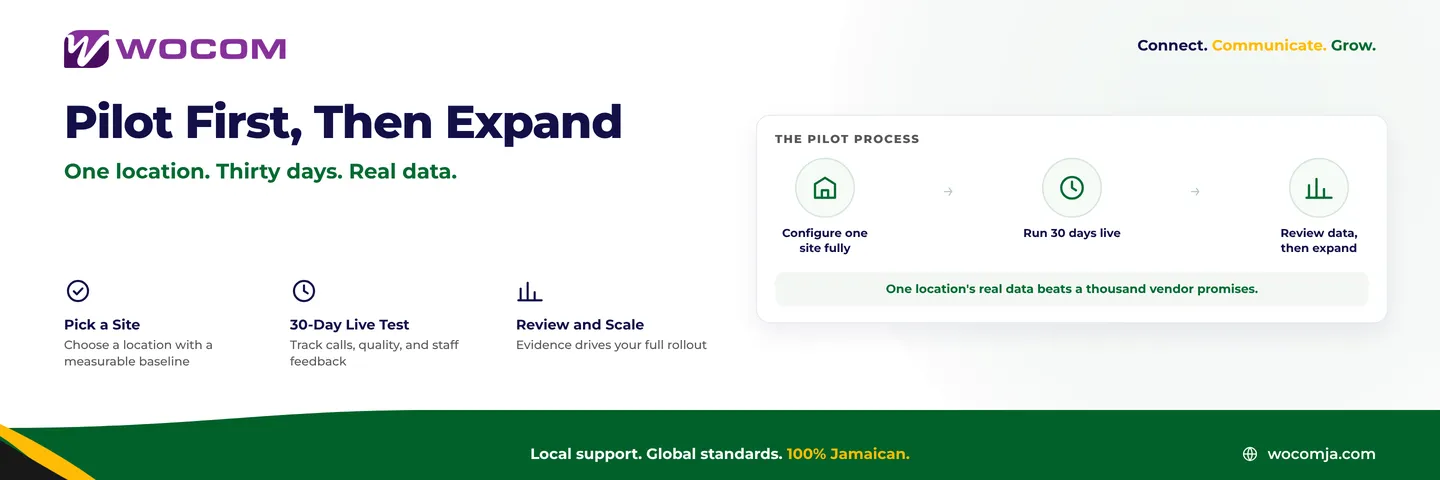
- Cut-over day. Calls are flipped to the new system — usually on a Friday evening to minimise business impact. The old PABX stays powered on for a brief parallel period as a fallback, then is decommissioned.
For most small-to-medium businesses in Kingston or Montego Bay, the entire process takes three to four weeks. Larger or more complex environments — multiple locations, high extension counts, contact centre queues — may take six to eight weeks.
What You Gain on Day One
The moment you are live on Cloud PBX, a set of capabilities your PABX never had — and can never have — become immediately available:
- Staff at home, in a second office, or anywhere with internet answer calls with the same extension and business number
- Call analytics dashboard: answered, missed, duration, busiest hours, and missed-call trends at a glance
- WOCOM's AI receptionist Alex handles after-hours calls, captures messages, and — on Pro and Max plans — books appointments and sends WhatsApp or SMS confirmations automatically
- New extensions added in minutes: a new hire starts Monday, their extension is live by 9 am with no technician required
- No single point of hardware failure: if your office internet goes down, calls can automatically failover to mobile numbers
- Call recording built in — searchable, downloadable, and compliant with retention requirements for regulated sectors
Ready to Move? Start With a Free Audit
WOCOM is Jamaica's licensed business phone provider, operating its own infrastructure rather than reselling capacity from another carrier. If your PABX is ageing, giving you trouble, or simply holding your business back from features your competitors already use, the right next step is a conversation with a provider who has migrated dozens of Jamaican businesses across Kingston, Montego Bay, and beyond.
Your PABX kept your business connected for years. Cloud PBX will keep it connected for the next decade — and do a great deal more besides.
Call WOCOM at 876-275-0556, send a WhatsApp to the same number, or visit wocomja.com to get started. A WOCOM consultant will audit your current setup at no cost and give you a clear migration plan — what it involves, what it costs, and what you gain from day one.
Continue exploring
Ready to upgrade your communications?
Talk to our team about the right solution for your business.
Book a Demo Contact SalesEverett Kildare is WOCOM's voice and infrastructure specialist, with more than 25 years of experience designing and running carrier-grade voice, SIP and virtualization infrastructure. Holding a BSc in Information Technology, he has built, secured and migrated phone systems for businesses of every size. Everett writes WOCOM's technical coverage of SIP trunking, cloud PBX, contact centres, business continuity and migration.