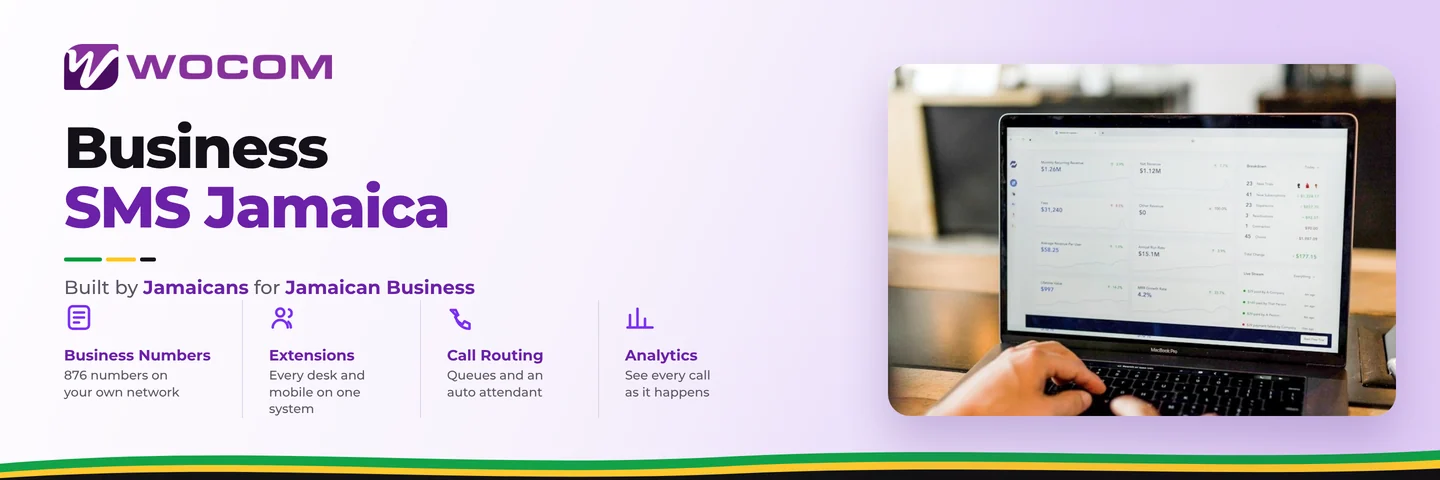
Business SMS Jamaica: Send Customer Texts From Your Official Business Number
Ask a Jamaican business owner how they handle customer text messages and the answer is usually the same: "We use WhatsApp." Or sometimes, "My sales rep has the number and handles it." Neither answer is wrong — but both create problems that are slow to show up and hard to fix.
When your customer SMS lives on a personal device or a personal WhatsApp account, you have no record of what was promised, no way to hand threads to a new employee, and no way to respond when that staff member is on leave. A proper business phone system solves this cleanly: your official business number handles calls and texts, your whole team can see conversations, and customer communications stay on company records where they belong.
Why Your Business Number Should Be Able to Send Texts
Jamaican customers text. Whether they saw your number on a flyer, found it on Google, or got it from a friend, many will text before they call. If your business number cannot receive texts — or if the reply comes back from a random personal number — that interaction starts on the wrong foot before you have even spoken to them.
The business case is straightforward:
- Professional appearance: Texts from your official 876 or toll-free number build brand trust. Texts from "Keisha's personal phone" do not.
- Full conversation history: Every customer text is logged against your business number, not scattered across five staff members' personal devices.
- Staff turnover protection: When an employee leaves, their customer text threads do not walk out the door with them.
- Accountability and training: Managers can review how enquiries were handled via text, the same way they would review call recordings.
- Compliance: Financial services firms, credit unions, and healthcare providers in Jamaica are increasingly expected to keep customer communications on official business channels — not personal WhatsApp accounts.
How Business SMS Works With a Cloud Phone System
With a modern cloud PBX and SIP-enabled business number, your official phone number can both place calls and send text messages. Staff access the SMS inbox through a web portal or softphone app on any device — desktop, laptop, or mobile. Multiple team members can view and respond to the same conversation thread without it living on one person's handset.
From the customer's perspective, there is nothing new to learn. They text your business number — the same one on your business card and your Google Business profile — and your team responds. No special app to download, no separate contact to save, no confusion about which number is the real one.
For businesses running multiple locations — a Kingston head office and a Montego Bay branch, for example — the right setup lets both teams work out of a shared SMS inbox tied to a single business number, or maintain separate numbers per location with unified visibility at management level.
Real-World Use Cases for Jamaican Businesses
Once your business number is configured for two-way SMS, the use cases open up quickly across almost every sector:
- Medical and dental clinics: Send appointment reminders the day before. "Reminder: Your appointment at Dr. Brown's clinic is tomorrow at 10 AM. Reply CONFIRM or call us to reschedule." Fewer no-shows without a single additional phone call made by staff.
- Auto repair shops: "Your vehicle is ready for collection. Please contact us to arrange payment before arrival." Customers appreciate knowing before they make the trip across town.
- Pharmacies and retail: "Your order is packed and ready for pickup at our Half Way Tree branch." Cuts counter congestion and reduces wait times.
- Contractors and trade businesses: "Hi Mr. Reid, following up on the quote we sent Monday — happy to answer any questions." A text follow-up costs nothing and converts more quotes to jobs than letting them go cold.
- Accountants and legal firms: "Gentle reminder: your filing deadline is in 7 days. Please send your documents at your earliest convenience." Keeps clients on track without awkward interruptions.
- Restaurants and caterers: Order confirmations and pickup time updates sent from the same number customers ring. No mix-up, no separate WhatsApp group to manage.
Business SMS vs WhatsApp: What Jamaican Businesses Should Know
WhatsApp is everywhere in Jamaica — and WhatsApp Business is a genuine tool for informal customer communication. But it has real limitations that many businesses only discover after building their entire workflow around it:
- WhatsApp Business is tied to one phone number and one primary device. Sharing access across a team is clunky and unofficial — there is no proper multi-user inbox.
- Your WhatsApp profile, including profile picture and status, is visible to every customer, which matters for professional services firms and financial institutions trying to maintain a formal brand.
- There is no native integration between WhatsApp Business and your call records, voicemail logs, or staff scheduling — every channel sits in its own silo.
- If a staff member manages the WhatsApp number personally, that relationship and conversation history belongs to them, not to your business.
SMS from a business phone number sidesteps these issues. It works on every customer handset without an app. It sends from your official number. And it sits alongside your calls, voicemails, and extensions on the same platform — giving you one complete picture of every customer interaction.
Most Jamaica businesses will want both: WhatsApp for informal, conversational customer chats, and proper business SMS for confirmations, reminders, and official follow-ups. The key distinction is keeping anything business-critical on your business number rather than mixed into personal accounts you cannot fully control or access when someone is absent.
How WOCOM AI Sends SMS Automatically — Without Staff Lifting a Finger
WOCOM's AI receptionist, Alex, goes beyond answering calls. On Pro and Max plans, Alex can send SMS notifications to customers automatically after handling their enquiry.
Here is what that looks like in practice: a customer calls your business at 9 PM on a Sunday. Alex answers, takes their name and the reason for their call, and immediately sends them an SMS from your business number:
"Thanks for calling Kingston Hardware. Your message has been received and a team member will follow up Monday morning. For urgent queries, reply to this message."
The customer knows their call was handled. Your team starts Monday with a clean message log and a customer who is already informed — not one who will ring three more times before 9 AM because they heard nothing after Sunday's call.
For appointment-heavy businesses — clinics, salons, consultants, testing labs — Alex can also send confirmation texts when an appointment is booked through the AI system, reducing no-shows without a single manual reminder going out from your team.
This combination of live call handling and automatic SMS follow-up is exactly what separates a professional business communication setup from a collection of personal WhatsApp accounts stitched together with good intentions.
How to Get Started With Business SMS Through WOCOM
If you are already on WOCOM's Cloud PBX platform, your business number may already be SMS-capable — the first step is confirming it is activated and configured for your team's workflow. For businesses on WOCOM AI Pro or Max plans, Alex's automated SMS notifications are set up as part of your AI receptionist configuration and can be live within days.
If you are still running on a traditional landline or relying on personal WhatsApp for customer texts, now is the time to make the move. Your existing business number can be ported to WOCOM's platform, and the transition is handled end-to-end by WOCOM's local team — no technical setup required on your side.
The result is a cleaner, more professional customer communication experience: one business number, on record, available to your whole team, handling calls and texts in a single platform.
Contact WOCOM today to find out which Cloud PBX or WOCOM AI plan is right for your business, and get your official number configured for two-way business SMS. Visit wocomja.com/contact or WhatsApp our sales team — we will have you messaging from your business number within the week.
Continue exploring
Ready to upgrade your communications?
Talk to our team about the right solution for your business.
Book a Demo Contact SalesEverett Kildare is WOCOM's voice and infrastructure specialist, with more than 25 years of experience designing and running carrier-grade voice, SIP and virtualization infrastructure. Holding a BSc in Information Technology, he has built, secured and migrated phone systems for businesses of every size. Everett writes WOCOM's technical coverage of SIP trunking, cloud PBX, contact centres, business continuity and migration.