AI Receptionist Setup Jamaica: What to Prepare Before Alex Goes Live
Why Setup Quality Determines AI Performance
An AI receptionist is only as good as the information it's given. WOCOM Alex — Jamaica's built-in AI receptionist included with every Cloud PBX plan — can answer calls 24/7, capture messages, book appointments, and handle transfers. But it needs your input first. The businesses that get the most out of Alex are the ones that invest twenty minutes upfront getting the configuration right.
This guide walks you through exactly what to prepare before Alex goes live, so your callers get accurate answers and your team gets useful lead captures from the very first call.
1. Your Business Basics: The Briefing Alex Needs
Before Alex can field a single call, it needs to understand your business. Think of this as the same briefing you'd give a new receptionist on their first day.
- Business name and pronunciation — Alex greets callers using your trading name. If your business name is commonly shortened or has a specific local pronunciation, note that during setup.
- Operating hours — Weekday hours, Saturday hours, and whether you observe public holidays. Alex handles after-hours calls differently than calls during business hours.
- Physical address — For callers asking where you're located, Alex should confirm your parish, street address, and any useful landmarks. This matters especially for businesses in industrial corridors in Kingston or on roads in parishes like St. Elizabeth or Portland where GPS directions are unreliable.
- Main contact email — Alex sends message summaries and new lead notifications here.
- WhatsApp number — If you offer WhatsApp as a contact channel, Alex can mention it when relevant.
2. Your Services: What You Offer and What You Don't
This is where many businesses underinvest in their AI setup. Alex can only answer service questions it has been briefed on. A well-prepared service list prevents vague responses and unnecessary escalations to your team.
For each service or product you offer, prepare:
- A plain-language description — what it is and who it's for
- Rough pricing or how pricing works (e.g., "from J$5,000 per session" or "custom quote after site visit")
- Turnaround time or service timeline
- Common eligibility questions callers ask (e.g., "Do you service Portmore?" or "Do you work with commercial properties?")
Also tell Alex what you don't do. If callers regularly ask about a service you stopped offering, or one outside your scope, Alex can politely redirect them rather than creating a false impression that damages trust.
3. Call Routing Rules: Who Gets What Call
Alex doesn't just answer — it routes. Before going live, map out how you want calls handled for each scenario.
Example routing map for a Kingston accounting firm:
"New client enquiry → capture name, number, and query type → notify sales line"
"Existing client with urgent matter → warm transfer to senior accountant direct line"
"Tax deadline questions → Alex answers from FAQ script"
"After hours → take message, confirm email notification sent"
Think through your three or four most common call types and decide whether each should be answered by Alex directly, routed to a team member, or captured as a message. This routing logic is configured in your WOCOM dashboard before Alex goes live, and can be updated at any time.
4. Your FAQ Script: The Calls Alex Can Handle Alone
Most businesses receive the same ten to fifteen questions repeatedly — price, availability, location, parking, payment methods, hours, cancellation policy. If you write down the correct answer to each of these, Alex can handle them without involving your team at all.
Write your FAQ answers the way your best receptionist would say them: conversational, clear, and complete enough that the caller doesn't need to phone back for a follow-up. Avoid jargon or overly formal language.
- "What are your payment methods?" → "We accept cash, bank transfer, and online payments through Scotiabank and NCB."
- "Can you come to my location?" → "Yes, we serve Kingston and St. Andrew. For Portmore and Spanish Town, there's a small travel fee — we can confirm that when you book."
- "How long does it take?" → "Most jobs are completed within two to three business days. We'll confirm your timeline when we schedule."
The more complete your FAQ script, the fewer calls need to be escalated. Businesses that prepare thorough FAQ scripts typically see Alex resolve more than half of all inbound enquiries without any team involvement.
5. Appointment Booking Setup (Pro and Max Plans)
If you're on WOCOM's Pro or Max plan, Alex can book appointments directly into your calendar. To activate this, you'll need to define your booking rules:
- Available time slots — Which days and hours are open? Do you block out lunch or travel time between jobs?
- Buffer time — How much time do you need between appointments to prepare, travel, or wrap up?
- Confirmation method — Does the caller get an SMS, a WhatsApp message, or both after booking?
- Deposit requirement — If you take a deposit to hold bookings, Alex can flag this to the caller and direct them to your payment link.
- Cancellation policy — Alex should state this clearly at the time of booking so expectations are set.
Appointment booking is one of the highest-value Alex features for service businesses — clinics, salons, consultants, mechanics, and similar operators across Jamaica use it to eliminate the back-and-forth that previously consumed two or three calls per booking.
6. Test Before You Go Live
Before pointing your live business number at Alex, run a set of test calls from a mobile. Work through the scenarios that matter most for your business:
- A first-time caller asking about your most popular service
- A caller asking about pricing
- A caller asking to speak to a specific person by name
- An after-hours call
- A caller with an unusual question Alex hasn't been briefed on
Listen for where Alex hesitates, gives a vague answer, or routes incorrectly. Each of those is a gap in your setup that you can fill before real customers encounter it. Most businesses complete their test round in under thirty minutes and go live the same day.
What to Monitor in Your First 30 Days
After going live, your WOCOM dashboard shows call logs, message captures, and routing outcomes. In the first month, pay attention to:
- Frequent escalations — which call types keep going to your team? These are gaps in your FAQ script worth filling.
- Message capture quality — are callers leaving complete name and number details, or is Alex missing information in noisy environments?
- After-hours volume — if it's higher than expected, consider expanding your FAQ so Alex can resolve more enquiries without a callback.
- Missed call rate — ideally zero. Alex should answer every call. If calls are going unanswered, check your routing configuration.
Most businesses refine their setup two or three times in the first month as they spot patterns. Each update makes Alex more useful. The configuration is yours to adjust at any time — no support ticket required.
Ready to Set Up Alex for Your Business?
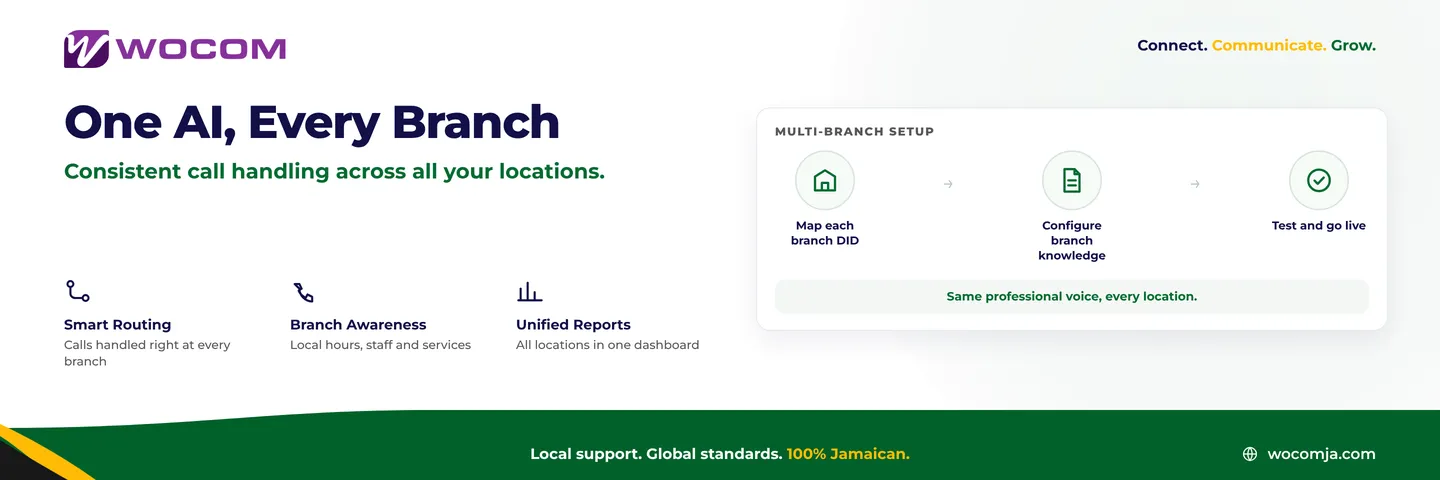
WOCOM's onboarding team helps you configure Alex as part of the standard setup process — you don't work through this alone. Whether you're a solo operator in Montego Bay or a multi-branch operation in Kingston, the team walks through your call routing, FAQ script, and booking rules together before your first live call.
Alex is included at no extra cost with every WOCOM Cloud PBX plan, and most businesses are live within the same week. Call us at 876-300-5050, reach us on WhatsApp, or visit wocomja.com to get started.
Continue exploring
Ready to upgrade your communications?
Talk to our team about the right solution for your business.
Book a Demo Contact SalesMichelle Goss is a data and AI analyst at WOCOM, where she studies how Jamaican businesses use voice, messaging and AI to win and keep customers. With a BSc in Data Science & Analytics, she turns call data, customer trends and AI receptionist performance into practical guidance owners can act on. Michelle writes WOCOM's coverage of AI call handling, call analytics, customer growth and industry trends.